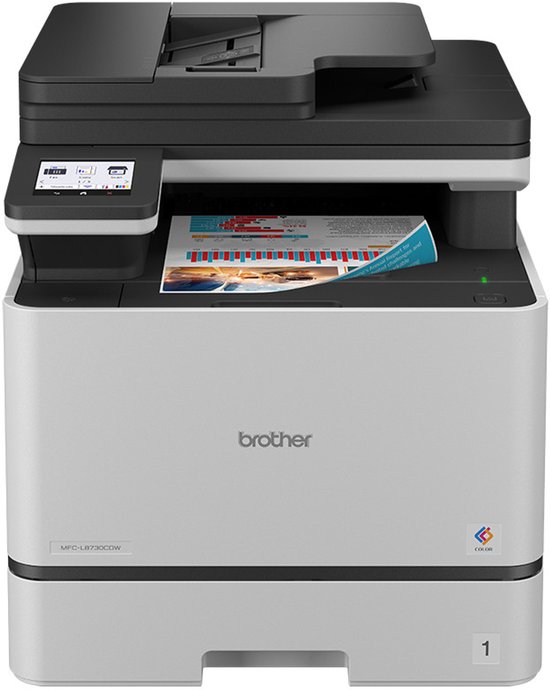
Brother MFC-L8730CDW
bij 4 winkels, goedkoopst bij Bol
€499

De strafste Black Friday deals van België!
De strafste Black Friday deals van België!
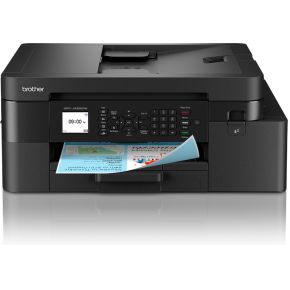
De laagste Black Friday-prijs voor de BROTHER MFC-J4350DW is € 152,85 (bij 6 winkels vergeleken).
Dat is € 67,14 goedkoper dan de duurste winkel (€ 219,99).
Nu €152,85. Laat je adres achter en we mailen je zodra de prijs onder jouw bedrag zakt.
Je krijgt eerst een mail om te bevestigen — pas daarna staat de alert aan. Daarna hoogstens één bericht per week, en in elke mail staat een afmeldlink. Vink je de nieuwsbrief niet aan, dan gebruiken we je adres uitsluitend voor dit ene product. De nieuwsbrief is een aparte inschrijving die je los kan opzeggen.
Onze eigen metingen sinds 8 oktober 2026. De laagste prijs die wij in die periode zagen: €145,68.
Wijs een dag aan voor de cijfers, of sleep over de grafiek om in te zoomen.
Vandaag €152,85, dat is €7,17 boven de laagste prijs die wij ooit gemeten hebben.
| Maand | Laagste | Gemiddeld | Hoogste |
|---|---|---|---|
| oktober 2026 | € 145,70 | € 186,14 | € 239,00 |
| november 2026 | € 145,68 | € 178,93 | € 219,99 |
Beoordeling van de productexperts van MediaMarkt.
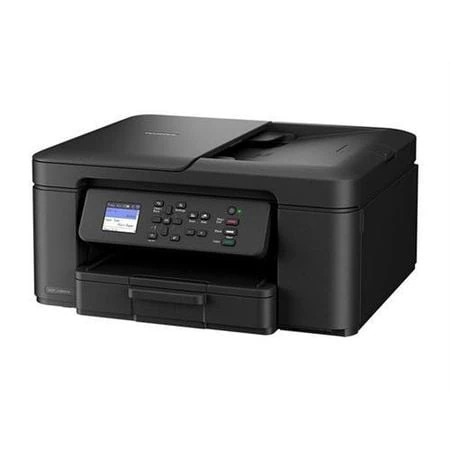
Ideale partner voor KMO's De Brother Mfc-J4350Dw zwarte 4-in-1 multifunctionele printer is een compact en krachtig toestel. Met afmetingen van slechts 44 x 35,7 x 18 cm past hij gemakkelijk op een bureau of plank op kantoor. Het interne geheugen van 256 MB zorgt voor een efficiënt beheer van print-, scan-, kopieer- en faxtaken. Deze capaciteit betekent dat het apparaat hoge afdrukvolumes aankan - tot 2.000 pagina's per maand - en voldoet aan de behoeften van thuiskantoren en kleine bedrijven. Dankzij dit geheugen worden documenten snel verwerkt, waardoor de wachttijden korter worden en de productiviteit toeneemt. Intuïtief kleurenscherm Met een 4,5 cm kleurenscherm biedt de Mfc-J4350Dw multifunctionele printer eenvoudige en intuïtieve navigatie door de verschillende functies. Het scherm maakt het eenvoudig om print-, scan- kopieer- en faxtaken in te stellen en biedt snelle toegang tot essentiële instellingen. Je kan op het scherm ook eenvoudig de status van lopende taken en het resterende inktniveau in de cartridges bekijken. Drukknoppen completeren de interface en zorgen voor een soepele, ongecompliceerde gebruikerservaring. Veelzijdige draadloze connectiviteit De Mfc-J4350Dw inkjetprinter biedt dual-band wifi-connectiviteit, 2,4GHz en 5GHz, wat zorgt voor een snelle en stabiele verbinding. De printer is compatibel met mobiele printdiensten zoals Apple AirPrint en Mopria, zodat je rechtstreeks op afstand draadloos kan printen vanaf smartphones en tablets.
Productinformatie aangeleverd door MediaMarkt.
De maximale resolutie in beeldpunten (dots) per inch (DPI).
Feature of computer printers and multifunction printers (MFPs) that allows the printing of a sheet of paper on both sides (automatically or manually)
Producing a paper copy of information stored on a computer.
Geeft aan welke methode dit product gebruikt om te printen.
Description of copying function (colour or monochrome).
To convert a document or picture into digital form for storage or processing on a computer
To send an exact copy of a document made by electronic scanning and transmitted as data by telecommunications links.
The maximum number of sheets that can be held in the output tray after printing.
The maximum number of sheets of paper that can be held in all input trays and feeders combined.
The total count of available paper input trays, including the main cassette and any optional or multipurpose trays (e.g. 2).
The maximum paper size the device can handle, defined by ISO A-series.
Een aansluiting voor een netwerkkabel. Een kabel is altijd stabieler dan wifi — handig voor een tv die vaak stokt bij streaming.
Kan het toestel zelf op je draadloos netwerk? Nodig voor apps, updates en streaming zonder kabel.
Het geheugen waarin programma's draaien. 8 GB volstaat voor surfen en kantoorwerk, 16 GB is comfortabel, 32 GB of meer is voor videobewerking en zware games.
Dit is niet de opslagruimte van de schijf.
Under which category can the device be positioned in the market, e.g. camera phone.
De kleur (bvb. rood)
| Poster afdrukfunctie Indicates whether the device can print a single large image across multiple pages to be joined together manually. | Ja |
|---|---|
| Functie voor afdrukken boekjes Indicates whether the device can automatically arrange and print pages in a format that allows them to be folded into a booklet. | Ja |
| Watermerk printen Indicates whether the device can print a faint background image or text, such as | Ja |
| N-in-1 afdrukfunctie Indicates whether the device supports printing multiple pages of a document onto a single sheet of paper. | Ja |
| Tijdsduur tot de eerste pagina (kleur, normaal) The time elapsed from the moment a print job is sent until the first colour page is completely printed, measured in seconds. | 5,9 s |
| Tijdsduur tot de eerste pagina (zwart, normaal) The time elapsed from the moment the print command is sent until the first page is completely printed in black, measured in seconds (e.g. 5 s). | 5,8 s |
| Duplex afdruksnelheid (ISO/IEC 24734) kleur The number of colour pages printed per minute when using automatic double-sided printing, measured in ipm. | 10 ipm |
| Duplex afdruksnelheid (ISO/IEC 24734) zwart-wit The number of monochrome pages printed per minute when using automatic double-sided printing, measured in ipm. | 11 ipm |
| Afdruksnelheid (ISO/IEC 24734) kleur The number of colour pages printed per minute according to the ISO/IEC 24734 standard, measured in ipm. | 19 ipm |
| Afdruksnelheid (ISO/IEC 24734) zwart-wit The number of monochrome pages printed per minute according to the ISO/IEC 24734 standard, measured in ipm. | 20 ipm |
| Maximale resolutie De maximale resolutie in beeldpunten (dots) per inch (DPI). | 1200 x 4800 DPI |
| Duplex printen Feature of computer printers and multifunction printers (MFPs) that allows the printing of a sheet of paper on both sides (automatically or manually) | Ja |
| Printen Producing a paper copy of information stored on a computer. | Afdrukken in kleur |
| Printtechnologie Geeft aan welke methode dit product gebruikt om te printen. | Inkjet |
| Modus voor dubbelzijdig afdrukken Specifies how the device handles double-sided printing, such as automatically flipping the page or requiring the user to do so manually. | Auto |
| Kopieerfunctie voor identiteitsbewijzen Indicates whether the device can automatically scan and combine both sides of an identification document onto a single page. | Ja |
|---|---|
| N-in-1 copy function (N=) The maximum number of original items that can be combined and output onto a single sheet (e.g. 4 or 16). | 2, 4 |
| N-in-1 kopieerfunctie Indicates whether the device can combine multiple pages from the original document onto a single sheet of paper during copying. | Ja |
| Kopieën vergroten/verkleinen The range of scaling percentages available to increase or decrease the size of the original during the copying process. | 25 - 400 procent |
| Maximaal aantal kopieën The highest quantity of duplicates that can be produced in a single operation, measured in copies. | 99 kopieën |
| Tijd tot eerste kopie (kleur, normaal) tot max. The time elapsed from the moment a print command is sent until the first colour page is completely printed in normal quality mode, measured in seconds. | 13 s |
| Tijd voor eerste kopie (zwart, normaal) The time elapsed from the moment a command is sent until the first black-and-white output is produced in normal quality mode, measured in seconds. | 10,5 s |
| Maximale kopieerformaat The largest paper format that the device can process when duplicating documents (e.g. A3). | A4 |
| Maximale kopieerresolutie The greatest amount of detail that can be produced by a copy of a document. | 1200 x 2400 DPI |
| Kopiëren Description of copying function (colour or monochrome). | Kopiëren in kleur |
| Modus voor dubbelzijdig kopiëren Specifies how the device handles double-sided copying, such as automatically flipping pages or requiring the user to do so manually (e.g., Auto/Manual). | Auto |
| Dubbelzijdig kopiëren Indicates whether the device supports automatic double-sided copying. | Ja |
| Optische scanresolutie (ADF) The maximum detail level the automatic document feeder can capture during scanning, measured in DPI. | 1200 x 600 DPI |
|---|---|
| Uitvoer grijsschaaldiepte The number of bits used to represent each pixel in a greyscale image, which determines the number of available shades of grey (e.g. 8 or 24). | 8 Bit |
| Grijswaardendiepte-input The number of bits used to represent each pixel in a greyscale image, which determines the number of available shades of grey (e.g. 16). | 10 Bit |
| Kleurdiepte uitvoer The number of bits used to represent the colour of a single pixel in the output, which determines the total number of possible colours (e.g., 24 or 32). | 24 Bit |
| Kleurdiepte invoer Colour depth of the input into the product. The colour depth is either the number of bits used to indicate the color of a single pixel | 30 Bit |
| Ondersteunde documentformaten The type of document formats that can be read/produced with this device e.g. .docx | |
| Ondersteund beeldformaat The type of image files that the device can use/display e.g. gif | JPEG, TIFF |
| Scan naar Specifies the available destinations where scanned documents can be sent, such as a cloud service, e-mail address, or network folder (e.g., FTP or CIFS). | E-mail, Bestand, Afbeelding |
| Scantechnologie Indicates the technology used to scan by this product | CIS |
| Soort scanner Er bestaan verschillende soorten scanners: | Flatbed-/ADF-scanner |
| Maximum scanresolutie The highest level of detail the device can capture during a scan, measured in dots per inch (dpi). | 19200 x 19200 DPI |
| Optische scanresolutie How many pixels a scanner can see. Most commonly | 1200 x 2400 DPI |
| Scannen To convert a document or picture into digital form for storage or processing on a computer | Scannen in kleur |
| Modemsnelheid The speed at which data is transferred by a modem. | 14,4 Kbit/s |
|---|---|
| Faxen To send an exact copy of a document made by electronic scanning and transmitted as data by telecommunications links. | Faxen in kleur |
| Vervangende cartridges Specifies the compatible ink or toner cartridges required for the device. | LC527BK, LC527XLBK, LC527CMY, LC527XLCMY |
|---|---|
| Printkleuren The colours that can be produced by the printer. | Zwart, Cyaan, Magenta, Geel |
| Aantal printcartridges The amount of print cartridges. A print cartridge is a container holding a quantity of ink which is inserted into a inkjet printer mechanism. | 4 |
| Duplex functies The product has the ability to print | Kopiëren, Printen |
| Aanbevolen gebruiksindicatie The suggested volume of printing that can be performed regularly to ensure optimal performance and longevity, measured in pages per month. | 0 - 2000 pagina's per maand |
| Handmatige invoer Indicates whether the device has a dedicated tray for feeding single sheets of paper or special media manually. | Ja |
|---|---|
| Capaciteit automatische documentinvoer Number of sheets this product can hold in its ADF tray; expressed in sheets | 20 vel |
| Automatische documentinvoer (ADF) Indicates whether the device includes a mechanism that automatically feeds multiple pages into the scanner for sequential processing. | Ja |
| Totale uitvoercapaciteit The maximum number of sheets that can be held in the output tray after printing. | 100 vel |
| Totale invoercapaciteit The maximum number of sheets of paper that can be held in all input trays and feeders combined. | 150 vel |
| Totaal aantal invoerladen The total count of available paper input trays, including the main cassette and any optional or multipurpose trays (e.g. 2). | 1 |
| Mediagewicht, automatische doorvoer The minimum and maximum weight of media that can be processed by the automatic document feeder, measured in grams per square metre (g/m²). | 64 - 90 g/m² |
|---|---|
| Multifunctionele lade papiergewicht The minimum and maximum weight of the media supported by the multi-purpose tray, measured in grams per square metre (g/m²). | 64 - 300 g/m² |
| Papierlade mediagewicht The range of supported media thickness that can be loaded into the tray, measured in grams per square metre (e.g., 60-220 g/m²). | 64 - 220 g/m² |
| Aangepaste mediabreedte The range of non-standard paper widths that the device can process, measured in millimetres. | 139,7 - 215,9 mm |
| Aangepaste medialengte The minimum and maximum length of non-standard paper sizes that the device can process, measured in millimetres. | 148 - 355,6 mm |
| Foto papier afmetingen The dimensions of the photographic paper that the device is compatible with, measured in cm. | 10x15 cm |
| Afmetingen enveloppen The supported dimensions of envelopes that can be processed by the device (e.g. C4, C5 or B5). | C5, DL, Monarch |
| Non-ISO print papierafmetingen The specific paper dimensions supported by the device that do not follow the International Organization for Standardization (ISO) standards (e.g., Executive or Folio). | Executive, Folio, indexkaart, Legal |
| ISO C-series sizes (C0...C9) The specific ISO C-series envelope sizes that the device is capable of processing (e.g., C4 or C5). | C5 |
| ISO A-series afmetingen (A0...A9) Different sizes of paper from A0 (big) to A9 (small). A4 is the most common size used for printing documents. | A4, A5, A6 |
| Papierlade mediatypen Specifies the different kinds of materials that can be loaded into the paper tray, such as envelopes, card stock, or coated paper. | Enveloppen, Glanzend papier, Normaal papier, Gerecycled papier |
| Maximale printafmetingen The maximum size that an image can be printed with a good resolution. | 215 x 355 mm |
| Maximale ISO A-series papierformaat The maximum paper size the device can handle, defined by ISO A-series. | A4 |
| Near Field Communication (NFC) NFC is een draadloze techniek voor communicatie over een zeer korte afstand. Je gebruikt het bijvoorbeeld om contactloos te betalen met je smartphone of smartwatch, snel een Bluetooth-apparaat te koppelen of gegevens uit te wisselen door twee toestellen dicht bij elkaar te houden. | Nee |
|---|---|
| Mobiele printing technologieën Apps etc. which allow users to send a print job from a smartphone or tablet to a printer via a wireless network. | Apple AirPrint, Brother Mobile Connect, Mopria Print Service |
| IP-adresfilter Indicates whether the device supports restricting network access based on specific IP addresses. | Ja |
| Ondersteunde network protocollen (IPv4) The specific Internet Protocol version 4 standards and communication rules the device uses to connect and communicate over a network. | ARP, RARP, BOOTP, DHCP, APIPA (AutoIP), WINS/NetBIOS name resolution, DNS Resolver, LLMNR Receiver, LPR/LPD, Custom Raw Port/Port9100, SNMPv1/v2c/v4, TFTP Server, Web Services (Print), Web S |
| Ondersteunde network protocollen (IPv6) Indicates the specific versions or configurations of the Internet Protocol version 6 that the device is compatible with for network communication. | NDP, RA, mDNS, LLMNR Receiver, LPR/LPD, Custom Raw Port / Port9101, SNMPv1/v2c/v4, TFTP Server, ICMPv7, SNTP Client, Web Services (Print), Web Services (Scan), HTTP Server, IPP, IPP/IPPS, IM |
| Ondersteunde beveiligingsalgoritmen Er zijn verschillende manieren om data te versleutelen voordat het verzonden wordt. Over het algemeen geld, hoe meer bits, hoe veiliger. | 64-bit WEP, 128-bit WEP, 802.1x RADIUS, EAP-FAST, EAP-TLS, EAP-TTLS, PEAP, SSL/TLS, WPA-PSK, WPA2-PSK, WPA3-SAE |
| Bluetooth Draadloze verbinding over korte afstand, voor koptelefoons, luidsprekers en toetsenborden. Werkt zonder wifi en zonder internet. | Nee |
| Wifi-standaard Welke wifi-generatie het toestel aankan. Wi-Fi 5 volstaat ruim voor streamen; Wi-Fi 6 en hoger helpen vooral als er veel toestellen tegelijk op hetzelfde netwerk zitten. Je haalt de snelheid van je router — een nieuw toestel maakt een oude router niet sneller. | 802.11a, 802.11b, 802.11g, Wi-Fi 4 (802.11n) |
| Wi-Fi Direct Indicates whether the device supports a peer-to-peer connection with another Wi-Fi enabled device without requiring a wireless access point. | Ja |
| Netwerkaansluiting Een aansluiting voor een netwerkkabel. Een kabel is altijd stabieler dan wifi — handig voor een tv die vaak stokt bij streaming. | Nee |
| Wifi Kan het toestel zelf op je draadloos netwerk? Nodig voor apps, updates en streaming zonder kabel. | Ja |
| USB-poort The device features a socket into which a USB cable can be plugged. | Ja |
|---|
| Geïntegreerde geheugenkaartlezer Het apparaat bevat een ingebouwde geheugenkaartlezer (card reader). | Nee |
|---|---|
| Geluidsvermogensniveau (afdrukken) The amount of acoustic noise emitted by the device during the printing process, measured in decibels (dB). | 6,66 dB |
| Geluidsdrukniveau (afdrukken) The average noise level emitted by the device during the printing process, measured in decibels (dB). | 54 dB |
| Werkgeheugen (RAM) Het geheugen waarin programma's draaien. 8 GB volstaat voor surfen en kantoorwerk, 16 GB is comfortabel, 32 GB of meer is voor videobewerking en zware games. Dit is niet de opslagruimte van de schijf. | 256 MB |
| Kleurenscherm Indicates whether the device is equipped with a screen capable of displaying multiple colours. | Ja |
|---|---|
| Beeldscherm De gebruikte beeldschermtechnologie. Flat screen technologies zoals Liquid Cristal Display (LCD) en Thin Film Transistor (TFT) technologie zijn de trend. | LCD |
| Scherm aanwezig Heeft het toestel zelf een schermpje, bijvoorbeeld om de stand of het programma af te lezen? | Ja |
| Markt positionering Under which category can the device be positioned in the market, e.g. camera phone. | Thuis & kantoor |
| Kleur De kleur (bvb. rood) | Zwart |
| Gemiddeld stroomverbruik tijdens Kopiëren The amount of electrical energy used by the device during the copying process, measured in watts. | 21 W |
|---|---|
| Gemiddeld stroomverbruik ( bedrijfsresultaat ) The average amount of electrical energy consumed by the device during normal operation, measured in watts. | 1,3 W |
| Netfrequentie De frequentie van het stopcontact, in hertz. In Europa 50 Hz. Enkel van belang bij gebruik buiten Europa. | 50/60 Hz |
| Netspanning De spanning waarop het toestel werkt. In België is dat 230 volt. Alleen van belang als je het toestel in het buitenland wil gebruiken. | 220 - 240 V |
| Stroomverbruik (indien uit) The amount of electrical energy consumed by the device when it is switched off, measured in watts. | 0,1 W |
| Ondersteunt Linux 8 RT. Linux (9.4, 9.5), Red Hat Enterprise Linux 5.0 (supported with a pre-built package); SUSE Linux (10.3, 11.0, 11, 11.1, 11.2), Fedora (9, 9.0, 10, 10.0, 11.0, 11, 12, 12.0), Ubuntu (8.04, 8.04.1, 8.04.2, 8.10, 9.04, 9.10, 10.04), Debian (5.0, 5.0.1, 5.0.2, 5.0.3) | Ja |
|---|---|
| Andere ondersteundende systemen Lists additional operating systems that are compatible with the product (e.g. Android, ChromeOS or FreeBSD). | ChromeOS |
| Ondersteunt Mac-besturingssysteem Mac operating systems e.g. OS X can be used with the device. | Mac OS X 11.0 Big Sur, Mac OS X 12.0 Monterey, Mac OS X 13.0 Ventura, Mac OS X 14.0 Sonoma, Mac OS X 15.0 Sequoia |
| Ondersteunt Windows Windows vesions wich can be used with the device. | Windows 11, Windows 11 Enterprise, Windows 11 Enterprise x64, Windows 11 Home, Windows 11 Pro, Windows 11 x64 |
| Relatieve vochtigheid in bedrijf (V-V) Relatieve Luchtvochtigheid is de hoeveelheid waterdamp die de lucht bevat in verhouding (in procenten) tot de hoeveelheid water die de lucht bij die temperatuur maximaal zou kunnen bevatten (100%), koude lucht kan bijvoorbeeld minder water bevatten dan warme. Als de lucht afkoelt en de relatieve luchtvochtigheid daardoor boven de 100% komt, condenseert de waterdamp en krijgt men water. | 20 - 80 procent |
|---|---|
| Temperatuur bij opslag The minimum and maximum temperatures at which the product can be safely stored. | 0 - 40 °C |
| Bedrijfstemperatuur (T-T) The minimum and maximum temperatures at which the product can be safely operated. | 10 - 35 °C |
| Luchtvochtigheid bij opslag Relatieve Luchtvochtigheid is de hoeveelheid waterdamp die de lucht bevat in verhouding (in procenten) tot de hoeveelheid water die de lucht bij die temperatuur maximaal zou kunnen bevatten (100%), koude lucht kan bijvoorbeeld minder water bevatten dan warme. Als de lucht afkoelt en de relatieve luchtvochtigheid daardoor boven de 100% komt, condenseert de waterdamp en krijgt men water. | 20 - 80 procent |
| Gewicht van plastic verpakking The total weight of the plastic materials used in the packaging, typically measured in grams or kilograms. | 75 g |
|---|---|
| Gewicht van papieren verpakking The total weight of the paper materials used for packaging, typically measured in grams or kilograms. | 1,24 kg |
| Snelle installatiehandleiding Indicates whether a simplified, fast-start manual is included with the product. | Ja |
|---|---|
| Garantiekaart Indicates whether a physical warranty card is included with the product. | Ja |
| Kabels in de doos Welke kabels erbij zitten. Ontbreekt de kabel die jij nodig hebt, reken er dan een aparte aankoop bij. | AC |
| Capaciteit meegeleverde cartridge (kleur) The total number of pages that can be printed using the cyan, magenta, and yellow ink or toner cartridges supplied with the product. | 350 pagina's |
| Capaciteit meegeleverde cartridge (zwart) The total number of pages that can be printed using the black ink or toner cartridge supplied with the product. | 350 pagina's |
| Cartridge(s) meegeleverd Indicates whether the product is supplied with the necessary cartridges for immediate use. | Ja |
| Gewicht Het gewicht van het toestel zelf, zonder verpakking. Bij iets dat je draagt of in de hand houdt weegt elke honderd gram merkbaar door. | 8,9 kg |
|---|---|
| Hoogte De hoogte van het toestel. Let bij toestellen onder een werkblad ook op de verstelbare pootjes — die geven vaak een paar centimeter speling. | 180 mm |
| Diepte De diepte van het toestel, zonder de slangen en stekkers achteraan. Reken daar nog enkele centimeters bij op. | 357 mm |
| Breedte De breedte van het toestel. Bij inbouw en bij toestellen die in een nis moeten: meet je opening na en houd een centimeter speling voor de aansluitingen achteraan. | 440 mm |
| Kleur The main colour of the product. | Zwart |
|---|---|
| Type Specifies the design of the attachment used to control the cutting length, such as a fixed, adjustable, or taper style. | Multimedia > Printer > Printer |
| Levertijd | 4-5 working days |
| Modelnummer | MFC-J4350DW |
| Verpakkingsvolume | 59282 cm³ |
|---|---|
| Export Control Classification Number (ECCN) | na |
| Gewicht verpakking | 10,8 kg |
| Hoogte verpakking | 464 mm |
| Diepte verpakking | 252 mm |
| Breedte verpakking | 507 mm |
122 specificaties, aangeleverd door de fabrikant.
Vandaag is de BROTHER MFC-J4350DW het goedkoopst bij Bol, voor € 152,85. We vergelijken de prijs bij 6 webshops en werken die meerdere keren per dag bij. Het verschil met de duurste winkel is € 67,14: daar betaal je € 219,99 voor hetzelfde product.
We volgen de prijs van de BROTHER MFC-J4350DW nu 45 dagen. Dat is nog te kort om te zeggen of dit een uitzonderlijk goede prijs is; vanaf ongeveer twee weken meetgegevens zetten we dat oordeel hier neer. Wil je het weten zodra de prijs zakt, zet dan hierboven een prijsalert.
bij 4 winkels, goedkoopst bij Bol
bij 5 winkels, goedkoopst bij MediaMarkt
bij 6 winkels, goedkoopst bij MediaMarkt
bij 7 winkels, goedkoopst bij MediaMarkt
Laagste prijs ooitWij meten de prijs van dit product zelf. In de 45 dagen dat wij het volgen, stond de prijs nooit lager dan nu. Sinds we deze prijs volgen (45 dagen) was hij nooit lager.