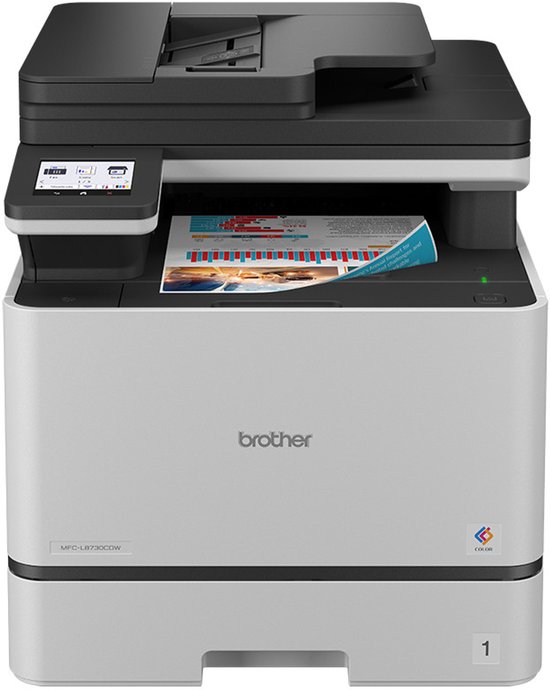
Brother MFC-L8730CDW
bij 4 winkels, goedkoopst bij Bol
€499

De strafste Black Friday deals van België!
De strafste Black Friday deals van België!
 -5%
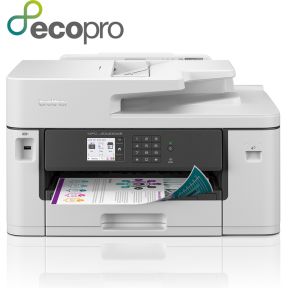
De laagste Black Friday-prijs voor de BROTHER MFC-J5340DWE (EcoPro) is € 183,58 (bij 5 winkels vergeleken).
Dat is € 121,42 goedkoper dan de duurste winkel (€ 305).
Nu €183,58. Laat je adres achter en we mailen je zodra de prijs onder jouw bedrag zakt.
Je krijgt eerst een mail om te bevestigen — pas daarna staat de alert aan. Daarna hoogstens één bericht per week, en in elke mail staat een afmeldlink. Vink je de nieuwsbrief niet aan, dan gebruiken we je adres uitsluitend voor dit ene product. De nieuwsbrief is een aparte inschrijving die je los kan opzeggen.
Onze eigen metingen sinds 8 oktober 2026. De laagste prijs die wij in die periode zagen: €159,00.
Wijs een dag aan voor de cijfers, of sleep over de grafiek om in te zoomen.
Vandaag €183,58, dat is €24,58 boven de laagste prijs die wij ooit gemeten hebben.
| Maand | Laagste | Gemiddeld | Hoogste |
|---|---|---|---|
| oktober 2026 | € 159,00 | € 243,40 | € 305,00 |
| november 2026 | € 159,00 | € 247,74 | € 305,00 |
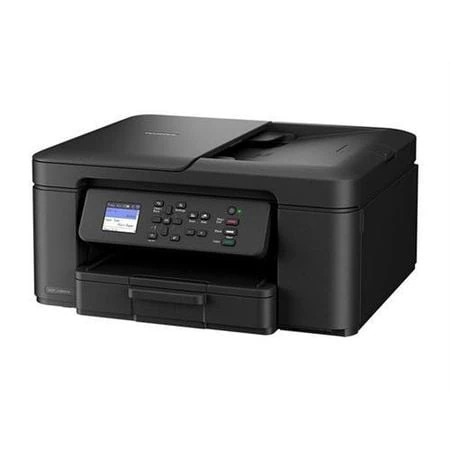
De witte Brother Mfc-J5340Dwe inkjetprinter is een multifunctioneel apparaat waarmee je zowel kunt afdrukken als kopiëren, scannen als faxen. Zijn 4-in-1-functionaliteit en draadloze connectiviteit maken hem essentieel voor thuiskantoren en kleine bedrijven. Meteen klaar om te printen Deze multifunctionele kleurenprinter is zowel praktisch als duurzaam. Met een gewicht van 17 kg en afmetingen van 53 x 39,8 x 30,5 cm is dit een vrij robuust apparaat. Het apparaat is zeer gebruiksvriendelijk en biedt een groot aantal aansluitmogelijkheden: zo kun je USB-sticks aansluiten en het lcd-touchscreen gebruiken om de gewenste documenten te selecteren en af te drukken. Je sluit deze printer ook gemakkelijk aan op het internet via wifi of een ethernetkabel. Om vanop afstand te printen, installeer je simpelweg de Brother Mobile Connect-app op je smartphone of tablet. Professionele efficiëntie Deze multifunctionele printer is zeer efficiënt, functioneel en gebruiksvriendelijk. Hij is compatibel met verschillende papierformaten, waaronder A5, A4, A6 en maximaal A3. Je kan deze printer dus gebruiken om rapporten, presentaties en marketingdocumenten af te drukken. De papierlade heeft een capaciteit van 250 vellen, genoeg voor allerlei projecten. De printer drukt documenten in kleur of zwart-wit razendsnel af aan 28 pagina’s per minuut. Je kan ook documenten in kleur of in het zwart-wit scannen en direct via e-mail doorsturen.
Productinformatie aangeleverd door MediaMarkt.
De maximale resolutie in beeldpunten (dots) per inch (DPI).
Feature of computer printers and multifunction printers (MFPs) that allows the printing of a sheet of paper on both sides (automatically or manually)
Producing a paper copy of information stored on a computer.
Geeft aan welke methode dit product gebruikt om te printen.
Description of copying function (colour or monochrome).
To convert a document or picture into digital form for storage or processing on a computer
To send an exact copy of a document made by electronic scanning and transmitted as data by telecommunications links.
The maximum number of prints/copies made by a printer/copier in a fixed period.
The maximum number of sheets that can be held in the output tray after printing.
The maximum number of sheets of paper that can be held in all input trays and feeders combined.
The total count of available paper input trays, including the main cassette and any optional or multipurpose trays (e.g. 2).
The maximum paper size the device can handle, defined by ISO A-series.
Een aansluiting voor een netwerkkabel. Een kabel is altijd stabieler dan wifi — handig voor een tv die vaak stokt bij streaming.
Kan het toestel zelf op je draadloos netwerk? Nodig voor apps, updates en streaming zonder kabel.
Het geheugen waarin programma's draaien. 8 GB volstaat voor surfen en kantoorwerk, 16 GB is comfortabel, 32 GB of meer is voor videobewerking en zware games.
Dit is niet de opslagruimte van de schijf.
Under which category can the device be positioned in the market, e.g. camera phone.
De kleur (bvb. rood)
| Poster afdrukfunctie Indicates whether the device can print a single large image across multiple pages to be joined together manually. | Ja |
|---|---|
| N-up printen The maximum number of document pages that can be printed on a single side of a sheet of paper (e.g. 4 or 16). | 2, 4, 9 |
| N-in-1 afdrukfunctie Indicates whether the device supports printing multiple pages of a document onto a single sheet of paper. | Ja |
| Tijdsduur tot de eerste pagina (kleur, normaal) The time elapsed from the moment a print job is sent until the first colour page is completely printed, measured in seconds. | 4,6 s |
| Tijdsduur tot de eerste pagina (zwart, normaal) The time elapsed from the moment the print command is sent until the first page is completely printed in black, measured in seconds (e.g. 5 s). | 4,4 s |
| Afdruksnelheid (ISO / IEC 24734) zwart The number of monochrome pages the device can print per minute according to the ISO/IEC 24734 standard, measured in ppm. | 28 ppm |
| Afdruksnelheid (ISO / IEC 24734) kleur The number of colour pages the device can print per minute, measured according to the ISO/IEC 24734 standard, in ppm. | 28 ppm |
| Maximale resolutie De maximale resolutie in beeldpunten (dots) per inch (DPI). | 4800 x 1200 DPI |
| Duplex printen Feature of computer printers and multifunction printers (MFPs) that allows the printing of a sheet of paper on both sides (automatically or manually) | Ja |
| Printen Producing a paper copy of information stored on a computer. | Afdrukken in kleur |
| Printtechnologie Geeft aan welke methode dit product gebruikt om te printen. | Inkjet |
| Modus voor dubbelzijdig afdrukken Specifies how the device handles double-sided printing, such as automatically flipping the page or requiring the user to do so manually. | Auto |
| Kopieerfunctie voor identiteitsbewijzen Indicates whether the device can automatically scan and combine both sides of an identification document onto a single page. | Ja |
|---|---|
| N-in-1 copy function (N=) The maximum number of original items that can be combined and output onto a single sheet (e.g. 4 or 16). | 2, 4 |
| N-in-1 kopieerfunctie Indicates whether the device can combine multiple pages from the original document onto a single sheet of paper during copying. | Ja |
| Kopieën vergroten/verkleinen The range of scaling percentages available to increase or decrease the size of the original during the copying process. | 25 - 400 procent |
| Maximaal aantal kopieën The highest quantity of duplicates that can be produced in a single operation, measured in copies. | 999 kopieën |
| Tijd tot eerste kopie (kleur, normaal) tot max. The time elapsed from the moment a print command is sent until the first colour page is completely printed in normal quality mode, measured in seconds. | 6 s |
| Tijd voor eerste kopie (zwart, normaal) The time elapsed from the moment a command is sent until the first black-and-white output is produced in normal quality mode, measured in seconds. | 5 s |
| Maximale kopieerresolutie The greatest amount of detail that can be produced by a copy of a document. | 2400 x 1200 DPI |
| Kopiëren Description of copying function (colour or monochrome). | Kopiëren in kleur |
| Scanner-drivers The scanning interfaces and software protocols supported by the device for communication with computer applications (e.g. TWAIN, WIA). | SANE, TWAIN, WIA |
|---|---|
| Uitvoer grijsschaaldiepte The number of bits used to represent each pixel in a greyscale image, which determines the number of available shades of grey (e.g. 8 or 24). | 8 Bit |
| Grijswaardendiepte-input The number of bits used to represent each pixel in a greyscale image, which determines the number of available shades of grey (e.g. 16). | 16 Bit |
| Kleurdiepte uitvoer The number of bits used to represent the colour of a single pixel in the output, which determines the total number of possible colours (e.g., 24 or 32). | 24 Bit |
| Kleurdiepte invoer Colour depth of the input into the product. The colour depth is either the number of bits used to indicate the color of a single pixel | 48 Bit |
| Scansnelheid (kleur) The number of colour pages the device can scan per minute, measured in ppm. | 25 ppm |
| Scan snelheid (mono) The maximum number of pages the device can scan per minute when processing black and white documents, measured in ppm. | 25 ppm |
| Scan naar Specifies the available destinations where scanned documents can be sent, such as a cloud service, e-mail address, or network folder (e.g., FTP or CIFS). | E-mail, FTP, Bestand, Afbeelding, Network folder, OCR |
| Scantechnologie Indicates the technology used to scan by this product | CIS |
| Soort scanner Er bestaan verschillende soorten scanners: | Flatbed-/ADF-scanner |
| Optische scanresolutie How many pixels a scanner can see. Most commonly | 600 x 600 DPI |
| Scannen To convert a document or picture into digital form for storage or processing on a computer | Scannen in kleur |
| Auto reductie Long documents are automatically reduced to fit to A4! | Ja |
|---|---|
| ECM (Foutcorrectie) Indicates whether the device can detect and correct transmission errors to ensure the accuracy of the received document. | Ja |
| Faxgeheugen The maximum number of pages that can be stored in the internal memory for transmission or reception (e.g. 100 pages). | 150 pagina's |
| Modemsnelheid The speed at which data is transferred by a modem. | 14,4 Kbit/s |
| Faxen To send an exact copy of a document made by electronic scanning and transmitted as data by telecommunications links. | Faxen in kleur |
| Land van herkomst Het land waar het toestel gemaakt of geassembleerd is. | Filipijnen |
|---|---|
| Printkleuren The colours that can be produced by the printer. | Zwart, Cyaan, Magenta, Geel |
| Aantal printcartridges The amount of print cartridges. A print cartridge is a container holding a quantity of ink which is inserted into a inkjet printer mechanism. | 4 |
| Duplex functies The product has the ability to print | Printen |
| Gebruiksindicatie (maximaal) The maximum number of prints/copies made by a printer/copier in a fixed period. | 2500 pagina's per maand |
| Aanbevolen gebruiksindicatie The suggested volume of printing that can be performed regularly to ensure optimal performance and longevity, measured in pages per month. | 250 - 2500 pagina's per maand |
| Capaciteit automatische documentinvoer Number of sheets this product can hold in its ADF tray; expressed in sheets | 50 vel |
|---|---|
| Automatische documentinvoer (ADF) Indicates whether the device includes a mechanism that automatically feeds multiple pages into the scanner for sequential processing. | Ja |
| Totale uitvoercapaciteit The maximum number of sheets that can be held in the output tray after printing. | 100 vel |
| Totale invoercapaciteit The maximum number of sheets of paper that can be held in all input trays and feeders combined. | 250 vel |
| Totaal aantal invoerladen The total count of available paper input trays, including the main cassette and any optional or multipurpose trays (e.g. 2). | 1 |
| Foto papier afmetingen The dimensions of the photographic paper that the device is compatible with, measured in cm. | 9x13, 10x15 cm, 13x18 cm, 13x20 |
|---|---|
| Afmetingen enveloppen The supported dimensions of envelopes that can be processed by the device (e.g. C4, C5 or B5). | Com-10, DL, Monarch |
| Non-ISO print papierafmetingen The specific paper dimensions supported by the device that do not follow the International Organization for Standardization (ISO) standards (e.g., Executive or Folio). | Legal, Letter |
| ISO A-series afmetingen (A0...A9) Different sizes of paper from A0 (big) to A9 (small). A4 is the most common size used for printing documents. | A3, A4, A5, A6 |
| Papierlade mediatypen Specifies the different kinds of materials that can be loaded into the paper tray, such as envelopes, card stock, or coated paper. | Enveloppen, Fotopapier, Normaal papier, Gerecycled papier |
| Maximale ISO A-series papierformaat The maximum paper size the device can handle, defined by ISO A-series. | A3 |
| Aantal USB 2.0-poorten USB 2.0 poorten hebben een data-overdrachtssnelheid van 480 Mbps, u kunt er allerlei randapparatuur op aansluiten en ze werken ook met USB 1.1 apparaten. | 1 |
|---|---|
| Direct printen Met deze functie kunt u foto’s en overige documenten rechtstreeks van uw compatible apparatuur naar een printer sturen, zonder tussenkomst van een pc. | Ja |
| Mobiele printing technologieën Apps etc. which allow users to send a print job from a smartphone or tablet to a printer via a wireless network. | Apple AirPrint, Brother iPrint & Scan, Mopria Print Service |
|---|---|
| Ondersteunde beveiligingsalgoritmen Er zijn verschillende manieren om data te versleutelen voordat het verzonden wordt. Over het algemeen geld, hoe meer bits, hoe veiliger. | 64-bit WEP, 128-bit WEP, APOP, SMTP-AUTH, SNMPv3, SSL/TLS, WPA-PSK, WPA2-PSK, WPA3-SAE |
| Wifi-standaard Welke wifi-generatie het toestel aankan. Wi-Fi 5 volstaat ruim voor streamen; Wi-Fi 6 en hoger helpen vooral als er veel toestellen tegelijk op hetzelfde netwerk zitten. Je haalt de snelheid van je router — een nieuw toestel maakt een oude router niet sneller. | 802.11b, 802.11g, Wi-Fi 4 (802.11n) |
| Bekabelingstechnologie Type of cable technology performance; including the fiber or cable type | 10/100Base-T(X) |
| Netwerkaansluiting Een aansluiting voor een netwerkkabel. Een kabel is altijd stabieler dan wifi — handig voor een tv die vaak stokt bij streaming. | Ja |
| Wifi Kan het toestel zelf op je draadloos netwerk? Nodig voor apps, updates en streaming zonder kabel. | Ja |
| Werkgeheugen (RAM) Het geheugen waarin programma's draaien. 8 GB volstaat voor surfen en kantoorwerk, 16 GB is comfortabel, 32 GB of meer is voor videobewerking en zware games. Dit is niet de opslagruimte van de schijf. | 256 MB |
|---|
| Bediening Hoe je het toestel instelt: met knoppen, met een draaiknop, via een aanraakscherm of via een app. Knoppen werken ook met natte of vettige handen. | Touch |
|---|---|
| Schermdiagonaal De diagonaal van het scherm, van hoek tot hoek, meestal in inch (1 inch = 2,54 cm). Vuistregel voor een tv: meet de afstand van je zetel tot het scherm in centimeter en deel door 4 à 5. Op drie meter zit je zo rond 65 inch. | 6,78 cm (2.67") |
| Beeldscherm De gebruikte beeldschermtechnologie. Flat screen technologies zoals Liquid Cristal Display (LCD) en Thin Film Transistor (TFT) technologie zijn de trend. | LCD |
| Scherm aanwezig Heeft het toestel zelf een schermpje, bijvoorbeeld om de stand of het programma af te lezen? | Ja |
| Markt positionering Under which category can the device be positioned in the market, e.g. camera phone. | Bedrijf |
| Kleur De kleur (bvb. rood) | Zwart, Wit |
| Gemiddeld stroomverbruik tijdens Kopiëren The amount of electrical energy used by the device during the copying process, measured in watts. | 36 W |
|---|---|
| Energy Star Typical Electricity Consumption (TEC) The estimated amount of electricity consumed by the device during a typical week of operation, measured in kWh/week. | 0,17 kWh/week |
| Stroomverbruik (indien uit) The amount of electrical energy consumed by the device when it is switched off, measured in watts. | 0,03 W |
| Slaapstand The amount of electrical energy consumed by the device when it is in sleep mode, typically measured in watts (W). | 0,9 W |
| Stroomverbruik (gereed) The amount of electrical energy consumed by the device when it is powered on but not actively performing a task, measured in Watts. | 5,5 W |
| Ondersteunde server operating systems The server-grade operating systems that are compatible with the product (e.g. SUSE Linux Enterprise Server or Windows Server). | Windows Server 2008, Windows Server 2012, Windows Server 2012 R2, Windows Server 2016, Windows Server 2019 |
|---|---|
| Ondersteunt Linux 8 RT. Linux (9.4, 9.5), Red Hat Enterprise Linux 5.0 (supported with a pre-built package); SUSE Linux (10.3, 11.0, 11, 11.1, 11.2), Fedora (9, 9.0, 10, 10.0, 11.0, 11, 12, 12.0), Ubuntu (8.04, 8.04.1, 8.04.2, 8.10, 9.04, 9.10, 10.04), Debian (5.0, 5.0.1, 5.0.2, 5.0.3) | Ja |
| Ondersteunt Mac-besturingssysteem Mac operating systems e.g. OS X can be used with the device. | Mac OS X 10.14 Mojave, Mac OS X 10.15 Catalina, Mac OS X 10.15.3 Catalina, Mac OS X 10.2 Jaguar, Mac OS X 10.3 Panther, Mac OS X 10.4 Tijger, Mac OS X 10.5 Leopard, Mac OS X 10.6 Snow Leopard, Mac OS X 10.7 Lion, Mac OS X 10.8 Mountain Lion, Mac OS X 10.9 Mavericks, Mac OS X 11.0 Big Sur |
| Ondersteunt Windows Windows vesions wich can be used with the device. | Windows 10, Windows 7, Windows 8 |
| Pallet type The standard dimensions and configuration of the loading platform used for transport (e.g. 1200 x 1000 mm). | 800 x 1200 mm |
|---|---|
| Aantal dozen per palletlaag The number of outer shipping cases that can be placed in a single layer on a pallet, measured in pc(s). | 2 stuk(s) |
| Behoud van reserveonderdelen The period for which the manufacturer guarantees the availability of replacement parts, measured in year(s). | 5 jaar |
|---|
| Gewicht Het gewicht van het toestel zelf, zonder verpakking. Bij iets dat je draagt of in de hand houdt weegt elke honderd gram merkbaar door. | 17 kg |
|---|---|
| Hoogte De hoogte van het toestel. Let bij toestellen onder een werkblad ook op de verstelbare pootjes — die geven vaak een paar centimeter speling. | 636 mm |
| Diepte De diepte van het toestel, zonder de slangen en stekkers achteraan. Reken daar nog enkele centimeters bij op. | 419 mm |
| Breedte De breedte van het toestel. Bij inbouw en bij toestellen die in een nis moeten: meet je opening na en houd een centimeter speling voor de aansluitingen achteraan. | 468 mm |
| Capaciteit meegeleverde cartridge (kleur) The total number of pages that can be printed using the cyan, magenta, and yellow ink or toner cartridges supplied with the product. | 550 pagina's |
|---|---|
| Capaciteit meegeleverde cartridge (zwart) The total number of pages that can be printed using the black ink or toner cartridge supplied with the product. | 550 pagina's |
| Cartridge(s) meegeleverd Indicates whether the product is supplied with the necessary cartridges for immediate use. | Ja |
| Type Specifies the design of the attachment used to control the cutting length, such as a fixed, adjustable, or taper style. | Multimedia > Printer > Printer |
|---|
| Aantal (buitenste) hoofdverpakkingen per pallet | 8 stuk(s) |
|---|---|
| Pallet brutohoogte | 18,1 cm |
| Gewicht verpakking | 19,2 kg |
| Hoogte verpakking | 419 mm |
| Diepte verpakking | 468 mm |
| Breedte verpakking | 636 mm |
| Producten per pallet | 8 stuk(s) |
| Lagen per pallet | 4 stuk(s) |
| Pallet brutogewicht | 171,6 kg |
| Code geharmoniseerd systeem (HS) | 84433100 |
100 specificaties, aangeleverd door de fabrikant.
Vandaag is de BROTHER MFC-J5340DWE (EcoPro) het goedkoopst bij Bol, voor € 183,58. We vergelijken de prijs bij 5 webshops en werken die meerdere keren per dag bij. Het verschil met de duurste winkel is € 121,42: daar betaal je € 305 voor hetzelfde product.
De huidige prijs van € 183,58 is duurder dan normaal. De voorbije 30 dagen kon je dit product gemiddeld voor €174,07 krijgen. We meten die prijzen zelf, meerdere keren per dag — het is dus niet de "van"-prijs die de winkel zelf opgeeft.
bij 4 winkels, goedkoopst bij Bol
bij 5 winkels, goedkoopst bij MediaMarkt
bij 6 winkels, goedkoopst bij MediaMarkt
bij 7 winkels, goedkoopst bij MediaMarkt
Laagste prijs ooitWij meten de prijs van dit product zelf. In de 45 dagen dat wij het volgen, stond de prijs nooit lager dan nu. Sinds we deze prijs volgen (45 dagen) was hij nooit lager.