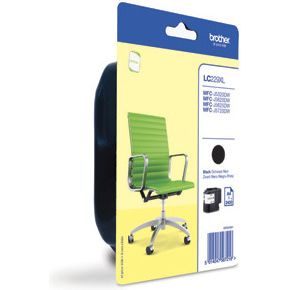
Brother Inktc. LC-229XLBKBP
bij 2 winkels, goedkoopst bij Megekko
€35,95

De strafste Black Friday deals van België!
De strafste Black Friday deals van België!
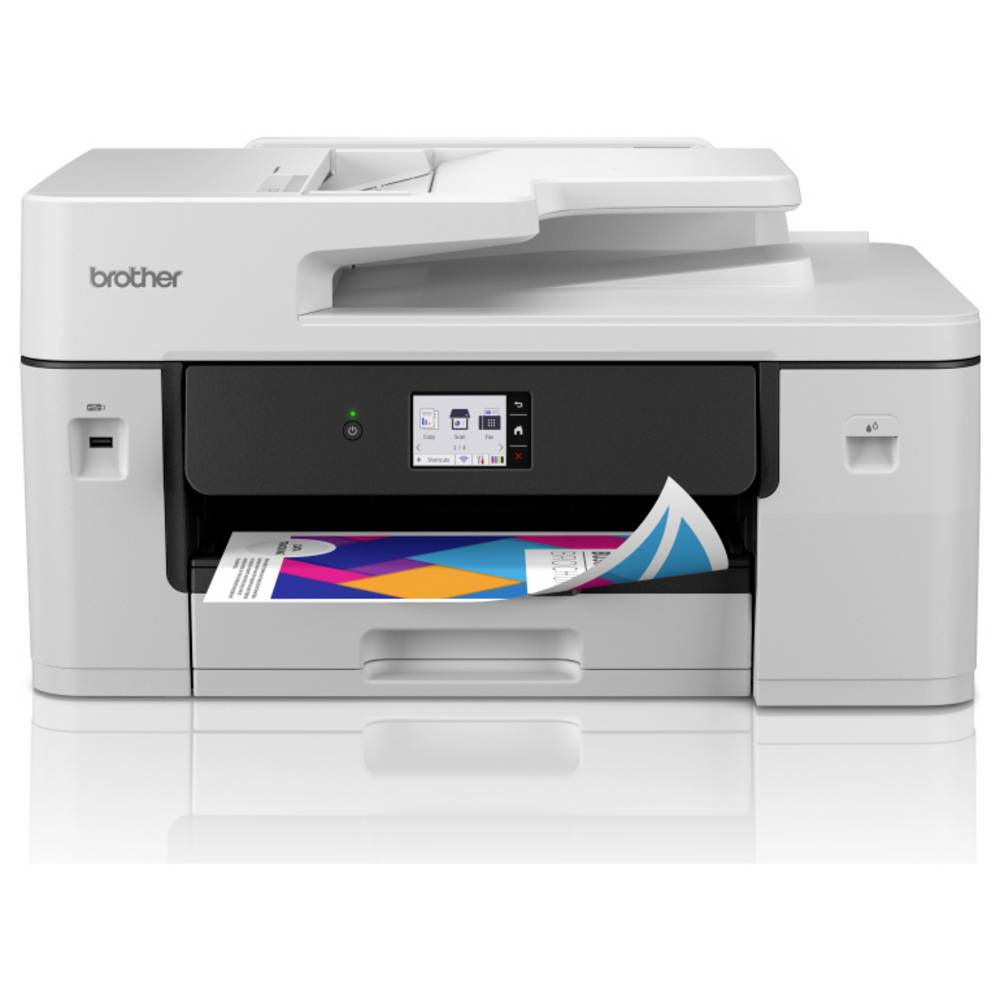
De laagste Black Friday-prijs voor de BROTHER MFC-J6760DW is € 239 (bij 5 winkels vergeleken).
Dat is € 156 goedkoper dan de duurste winkel (€ 395).
Nu €239,00. Laat je adres achter en we mailen je zodra de prijs onder jouw bedrag zakt.
Je krijgt eerst een mail om te bevestigen — pas daarna staat de alert aan. Daarna hoogstens één bericht per week, en in elke mail staat een afmeldlink. Vink je de nieuwsbrief niet aan, dan gebruiken we je adres uitsluitend voor dit ene product. De nieuwsbrief is een aparte inschrijving die je los kan opzeggen.
We volgen de prijs van dit product sinds 1 dag. Zodra we twee weken aan metingen hebben, verschijnt hier de prijsgrafiek.
Beoordeling van de productexperts van MediaMarkt.
Diverse functionaliteit Met de witte Brother Mfc-J6760Dw multifunctionele kleureninkjet-printer haal je een betrouwbare en veelzijdige printer in huis voor wanneer jij wilt afdrukken op A4 of A3-formaat. Deze kleureninkjetprinter blinkt uit met zijn A3-ondersteuning, wat handig is voor het afdrukken van tabellen, presentaties en andere grotere documenten. Deze all-in-one printer biedt alles wat je nodig hebt om efficiënt te werken. Je print, kopieert, scant en faxt met één compact toestel, zowel thuis als op een klein kantoor. Handige verbindingsopties Met ondersteuning voor Gigabit Ethernet, 5GHz wifi en USB sluit je de printer naadloos aan op elk netwerk. Je kunt rechtstreeks printen vanaf of scannen naar je pc, smartphone, tablet of USB‑stick. Dankzij de Brother‑app en mobiele printopties werk je flexibel, waar je ook bent. Deze verscheidene verbindingsopties laten je toe om vanaf verschillende plekken thuis of op kantoor te printen en eenvoudig meerdere apparaten te verbinden. Uitermate geschikt voor grote opdrachten De Mfc-J6760Dw haalt een printsnelheid tot 31 ipm (images per minute) in zwart-wit, waardoor je met weinig moeite grotere opdrachten vlot verwerkt. Dat merk je meteen wanneer je meerdere rapporten, schema’s of formulieren na elkaar print. Verder is de printer uitgerust met een 250‑vel papierlade, een handmatige invoer voor speciale media en een automatische documentinvoer (Adf) van 50 vellen.
Productinformatie aangeleverd door MediaMarkt.
De printsnelheid in zwart-witte A4-pagina's per minuut (ppm), normale kwaliteit. De werkelijke snelheid is mede afhankelijk van de systeemconfiguratie, de gebruikte software en het document.
De maximale resolutie in beeldpunten (dots) per inch (DPI).
Feature of computer printers and multifunction printers (MFPs) that allows the printing of a sheet of paper on both sides (automatically or manually)
Producing a paper copy of information stored on a computer.
Geeft aan welke methode dit product gebruikt om te printen.
Description of copying function (colour or monochrome).
To convert a document or picture into digital form for storage or processing on a computer
To send an exact copy of a document made by electronic scanning and transmitted as data by telecommunications links.
The maximum number of sheets that can be held in the output tray after printing.
The maximum number of sheets of paper that can be held in all input trays and feeders combined.
The total count of available paper input trays, including the main cassette and any optional or multipurpose trays (e.g. 2).
The maximum paper size the device can handle, defined by ISO A-series.
Een aansluiting voor een netwerkkabel. Een kabel is altijd stabieler dan wifi — handig voor een tv die vaak stokt bij streaming.
Kan het toestel zelf op je draadloos netwerk? Nodig voor apps, updates en streaming zonder kabel.
Het geheugen waarin programma's draaien. 8 GB volstaat voor surfen en kantoorwerk, 16 GB is comfortabel, 32 GB of meer is voor videobewerking en zware games.
Dit is niet de opslagruimte van de schijf.
Under which category can the device be positioned in the market, e.g. camera phone.
De kleur (bvb. rood)
| Printen zonder witranden Indicates whether this product is capable of printing borderless photos, and what size | Ja |
|---|---|
| Poster afdrukfunctie Indicates whether the device can print a single large image across multiple pages to be joined together manually. | Ja |
| Functie voor afdrukken boekjes Indicates whether the device can automatically arrange and print pages in a format that allows them to be folded into a booklet. | Ja |
| Watermerk printen Indicates whether the device can print a faint background image or text, such as | Ja |
| N-up printen The maximum number of document pages that can be printed on a single side of a sheet of paper (e.g. 4 or 16). | 16 |
| N-in-1 afdrukfunctie Indicates whether the device supports printing multiple pages of a document onto a single sheet of paper. | Ja |
| Tijdsduur tot de eerste pagina (kleur, normaal) The time elapsed from the moment a print job is sent until the first colour page is completely printed, measured in seconds. | 4,6 s |
| Tijdsduur tot de eerste pagina (zwart, normaal) The time elapsed from the moment the print command is sent until the first page is completely printed in black, measured in seconds (e.g. 5 s). | 4,4 s |
| Duplex afdruksnelheid (ISO/IEC 24734) kleur The number of colour pages printed per minute when using automatic double-sided printing, measured in ipm. | 21 ipm |
| Duplex afdruksnelheid (ISO/IEC 24734) zwart-wit The number of monochrome pages printed per minute when using automatic double-sided printing, measured in ipm. | 22 ipm |
| Afdruksnelheid (ISO/IEC 24734) kleur The number of colour pages printed per minute according to the ISO/IEC 24734 standard, measured in ipm. | 30 ipm |
| Afdruksnelheid (ISO/IEC 24734) zwart-wit The number of monochrome pages printed per minute according to the ISO/IEC 24734 standard, measured in ipm. | 31 ipm |
| Printsnelheid (kleur, standaard, A3) The number of A3 colour units printed per minute when using normal quality settings, measured in ppm. | 13 ppm |
| Printsnelheid (zwart, standaard, A3) The number of A3 units printed per minute in black using normal quality settings, measured in ppm. | 13 ppm |
| Printsnelheid (kleur, standaard, A4/US Letter) The number of colour outputs produced per minute at normal quality for A4 or US Letter sizes, measured in ppm. | 30 ppm |
| Printsnelheid (zwart, standaardkwaliteit, A4/US Letter) De printsnelheid in zwart-witte A4-pagina's per minuut (ppm), normale kwaliteit. De werkelijke snelheid is mede afhankelijk van de systeemconfiguratie, de gebruikte software en het document. | 31 ppm |
| Maximale resolutie De maximale resolutie in beeldpunten (dots) per inch (DPI). | 1200 x 4800 DPI |
| Duplex printen Feature of computer printers and multifunction printers (MFPs) that allows the printing of a sheet of paper on both sides (automatically or manually) | Ja |
| Printen Producing a paper copy of information stored on a computer. | Afdrukken in kleur |
| Printtechnologie Geeft aan welke methode dit product gebruikt om te printen. | Inkjet |
| Kopieerfunctie voor identiteitsbewijzen Indicates whether the device can automatically scan and combine both sides of an identification document onto a single page. | Ja |
|---|---|
| N-in-1 copy function (N=) The maximum number of original items that can be combined and output onto a single sheet (e.g. 4 or 16). | 2, 4 |
| N-in-1 kopieerfunctie Indicates whether the device can combine multiple pages from the original document onto a single sheet of paper during copying. | Ja |
| Kopieën vergroten/verkleinen The range of scaling percentages available to increase or decrease the size of the original during the copying process. | 25 - 400 procent |
| Maximaal aantal kopieën The highest quantity of duplicates that can be produced in a single operation, measured in copies. | 999 kopieën |
| Tijd tot eerste kopie (kleur, normaal) tot max. The time elapsed from the moment a print command is sent until the first colour page is completely printed in normal quality mode, measured in seconds. | 6 s |
| Tijd voor eerste kopie (zwart, normaal) The time elapsed from the moment a command is sent until the first black-and-white output is produced in normal quality mode, measured in seconds. | 5 s |
| Kopieër snelheid (kleur, normale kwaliteit, A3) The number of colour copies produced per minute when using normal quality settings on A3 paper, measured in cpm. | 13 cpm |
| Kopieër (zwart, normale kwaliteit, A3) The number of black-and-white copies produced per minute when using normal quality settings on A3 paper, measured in cpm. | 18 cpm |
| Kopieersnelheid (standaard, kleur, A4) The number of colour pages produced per minute when printing standard A4 documents at normal quality, measured in cpm. | 16 cpm |
| Kopieersnelheid (zwart, standaard, A4) The number of black-and-white pages processed per minute for standard A4 documents at normal quality, measured in cpm. | 25 cpm |
| Maximale kopieerresolutie The greatest amount of detail that can be produced by a copy of a document. | 1200 x 4800 DPI |
| Kopiëren Description of copying function (colour or monochrome). | Kopiëren in kleur |
| Optische scanresolutie (ADF) The maximum detail level the automatic document feeder can capture during scanning, measured in DPI. | 600 x 600 DPI |
|---|---|
| Scanner-drivers The scanning interfaces and software protocols supported by the device for communication with computer applications (e.g. TWAIN, WIA). | TWAIN, WIA |
| Uitvoer grijsschaaldiepte The number of bits used to represent each pixel in a greyscale image, which determines the number of available shades of grey (e.g. 8 or 24). | 8 Bit |
| Grijswaardendiepte-input The number of bits used to represent each pixel in a greyscale image, which determines the number of available shades of grey (e.g. 16). | 16 Bit |
| Kleurdiepte uitvoer The number of bits used to represent the colour of a single pixel in the output, which determines the total number of possible colours (e.g., 24 or 32). | 24 Bit |
| Kleurdiepte invoer Colour depth of the input into the product. The colour depth is either the number of bits used to indicate the color of a single pixel | 48 Bit |
| Ondersteunde documentformaten The type of document formats that can be read/produced with this device e.g. .docx | |
| Ondersteund beeldformaat The type of image files that the device can use/display e.g. gif | JPEG, TIFF |
| Scan naar Specifies the available destinations where scanned documents can be sent, such as a cloud service, e-mail address, or network folder (e.g., FTP or CIFS). | E-mail, E-mailserver, FTP, Bestand, Afbeelding, Network folder, OCR, USB |
| Scantechnologie Indicates the technology used to scan by this product | Dual CIS |
| Soort scanner Er bestaan verschillende soorten scanners: | Flatbed-/ADF-scanner |
| Optische scanresolutie How many pixels a scanner can see. Most commonly | 1200 x 2400 DPI |
| Scannen To convert a document or picture into digital form for storage or processing on a computer | Scannen in kleur |
| Auto reductie Long documents are automatically reduced to fit to A4! | Ja |
|---|---|
| Faxgeheugen The maximum number of pages that can be stored in the internal memory for transmission or reception (e.g. 100 pages). | 150 pagina's |
| Modemsnelheid The speed at which data is transferred by a modem. | 33,6 Kbit/s |
| Faxen To send an exact copy of a document made by electronic scanning and transmitted as data by telecommunications links. | Faxen in kleur |
| Printkleuren The colours that can be produced by the printer. | Zwart, Cyaan, Magenta, Geel |
|---|---|
| Duplex functies The product has the ability to print | Printen |
| Aanbevolen gebruiksindicatie The suggested volume of printing that can be performed regularly to ensure optimal performance and longevity, measured in pages per month. | 0 - 2500 pagina's per maand |
| Capaciteit automatische documentinvoer Number of sheets this product can hold in its ADF tray; expressed in sheets | 50 vel |
|---|---|
| Automatische documentinvoer (ADF) Indicates whether the device includes a mechanism that automatically feeds multiple pages into the scanner for sequential processing. | Ja |
| Handmatige invoer Indicates whether the device has a dedicated tray for feeding single sheets of paper or special media manually. | Ja |
| Papierlade 1 invoercapaciteit The maximum number of sheets of paper that can be loaded into the first input tray. | 250 vel |
| Totale uitvoercapaciteit The maximum number of sheets that can be held in the output tray after printing. | 100 vel |
| Totale invoercapaciteit The maximum number of sheets of paper that can be held in all input trays and feeders combined. | 251 vel |
| Totaal aantal invoerladen The total count of available paper input trays, including the main cassette and any optional or multipurpose trays (e.g. 2). | 1 |
| Mediagewicht, automatische doorvoer The minimum and maximum weight of media that can be processed by the automatic document feeder, measured in grams per square metre (g/m²). | 64 - 120 g/m² |
|---|---|
| Multifunctionele lade papiergewicht The minimum and maximum weight of the media supported by the multi-purpose tray, measured in grams per square metre (g/m²). | 64 - 220 g/m² |
| Papierlade mediagewicht The range of supported media thickness that can be loaded into the tray, measured in grams per square metre (e.g., 60-220 g/m²). | 64 - 220 g/m² |
| Aangepaste mediabreedte The range of non-standard paper widths that the device can process, measured in millimetres. | 105 - 297 mm |
| Aangepaste medialengte The minimum and maximum length of non-standard paper sizes that the device can process, measured in millimetres. | 148 - 431,8 mm |
| Foto papier afmetingen The dimensions of the photographic paper that the device is compatible with, measured in cm. | 9x13, 10x15, 13x18 cm, 13x20 |
| Afmetingen enveloppen The supported dimensions of envelopes that can be processed by the device (e.g. C4, C5 or B5). | C5, Com-10, DL |
| Non-ISO print papierafmetingen The specific paper dimensions supported by the device that do not follow the International Organization for Standardization (ISO) standards (e.g., Executive or Folio). | Legal, Letter |
| ISO C-series sizes (C0...C9) The specific ISO C-series envelope sizes that the device is capable of processing (e.g., C4 or C5). | C5 |
| ISO A-series afmetingen (A0...A9) Different sizes of paper from A0 (big) to A9 (small). A4 is the most common size used for printing documents. | A3, A4, A5, A6 |
| Papierlade mediatypen Specifies the different kinds of materials that can be loaded into the paper tray, such as envelopes, card stock, or coated paper. | Enveloppen, Normaal papier, Briefkaart, Gerecycled papier |
| Maximale printafmetingen The maximum size that an image can be printed with a good resolution. | 297 x 431.8 mm |
| Maximale ISO A-series papierformaat The maximum paper size the device can handle, defined by ISO A-series. | A3 |
| Ondersteunde beveiligingsalgoritmen Er zijn verschillende manieren om data te versleutelen voordat het verzonden wordt. Over het algemeen geld, hoe meer bits, hoe veiliger. | 64-bit WEP, 128-bit WEP, 802.1x RADIUS, EAP-FAST, EAP-TLS, EAP-TTLS, PEAP, SMTP-AUTH, SSL/TLS, WPA-AES, WPA-PSK, WPA-TKIP, WPA2-AES, WPA2-PSK, WPA2-TKIP, WPA3-SAE, AES, APOP, SNMPv3 |
|---|---|
| Wifi-standaard Welke wifi-generatie het toestel aankan. Wi-Fi 5 volstaat ruim voor streamen; Wi-Fi 6 en hoger helpen vooral als er veel toestellen tegelijk op hetzelfde netwerk zitten. Je haalt de snelheid van je router — een nieuw toestel maakt een oude router niet sneller. | 802.11b, 802.11g, Wi-Fi 4 (802.11n), 802.11a |
| Mobiele printing technologieën Apps etc. which allow users to send a print job from a smartphone or tablet to a printer via a wireless network. | Apple AirPrint, Brother Mobile Connect, Brother iPrint & Scan, Mopria Print Service |
| Ondersteunde network protocollen (IPv4) The specific Internet Protocol version 4 standards and communication rules the device uses to connect and communicate over a network. | ARP, RARP, BOOTP, DHCP, APIPA ARP, RARP, BOOTP, DHCP, APIPA (Auto IP), WINS/NetBIOS name resolution, DNS Resolver, mDNS, LLMNR responder, LPR/LPD, Custom Raw Port/ Port9100, IPP, FTP Client, |
| Ondersteunde network protocollen (IPv6) Indicates the specific versions or configurations of the Internet Protocol version 6 that the device is compatible with for network communication. | NDP, RA, mDNS, LLMNR Responder, DNS Resolver, LPR/LPD, Custom Raw Port/ Port9100, IPP, FTP Client, FTP Server, SNMPv1/v2c/v3, TFTP server, Web Services (Print/Scan), POP3, IMAP4, SMTP Client |
| Bekabelingstechnologie Type of cable technology performance; including the fiber or cable type | 10/100/1000Base-T(X) |
| Ethernet LAN, data-overdrachtsnelheden De verschillende snelheden van de Ethernet LAN-verbinding in megabit per seconde. | 10,100,1000 Mbit/s |
| Netwerkaansluiting Een aansluiting voor een netwerkkabel. Een kabel is altijd stabieler dan wifi — handig voor een tv die vaak stokt bij streaming. | Ja |
| Wifi Kan het toestel zelf op je draadloos netwerk? Nodig voor apps, updates en streaming zonder kabel. | Ja |
| USB-connector What type of USB connector is built into the device. | USB Type-A |
|---|---|
| USB-poort The device features a socket into which a USB cable can be plugged. | Ja |
| Direct printen Met deze functie kunt u foto’s en overige documenten rechtstreeks van uw compatible apparatuur naar een printer sturen, zonder tussenkomst van een pc. | Ja |
| Geluidsvermogensniveau (afdrukken) The amount of acoustic noise emitted by the device during the printing process, measured in decibels (dB). | 6,89 dB |
|---|---|
| Geluidsdrukniveau (afdrukken) The average noise level emitted by the device during the printing process, measured in decibels (dB). | 54,5 dB |
| Werkgeheugen (RAM) Het geheugen waarin programma's draaien. 8 GB volstaat voor surfen en kantoorwerk, 16 GB is comfortabel, 32 GB of meer is voor videobewerking en zware games. Dit is niet de opslagruimte van de schijf. | 512 MB |
| Gemiddeld stroomverbruik tijdens printen The amount of electrical energy used by the device during the active printing process, measured in watts. | 27 W |
|---|---|
| Stroomverbruik (gereed) The amount of electrical energy consumed by the device when it is powered on but not actively performing a task, measured in Watts. | 5,5 W |
| Gemiddeld stroomverbruik tijdens Kopiëren The amount of electrical energy used by the device during the copying process, measured in watts. | 31 W |
| Netfrequentie De frequentie van het stopcontact, in hertz. In Europa 50 Hz. Enkel van belang bij gebruik buiten Europa. | 50/60 Hz |
| Netspanning De spanning waarop het toestel werkt. In België is dat 230 volt. Alleen van belang als je het toestel in het buitenland wil gebruiken. | 220 - 240 V |
| Energy Star Typical Electricity Consumption (TEC) The estimated amount of electricity consumed by the device during a typical week of operation, measured in kWh/week. | 0,12 kWh/week |
| Stroomverbruik (indien uit) The amount of electrical energy consumed by the device when it is switched off, measured in watts. | 0,03 W |
| Slaapstand The amount of electrical energy consumed by the device when it is in sleep mode, typically measured in watts (W). | 0,9 W |
| Kleurenscherm Indicates whether the device is equipped with a screen capable of displaying multiple colours. | Ja |
|---|---|
| Bediening Hoe je het toestel instelt: met knoppen, met een draaiknop, via een aanraakscherm of via een app. Knoppen werken ook met natte of vettige handen. | Touch |
| Schermdiagonaal De diagonaal van het scherm, van hoek tot hoek, meestal in inch (1 inch = 2,54 cm). Vuistregel voor een tv: meet de afstand van je zetel tot het scherm in centimeter en deel door 4 à 5. Op drie meter zit je zo rond 65 inch. | 6,86 cm (2.7") |
| Scherm aanwezig Heeft het toestel zelf een schermpje, bijvoorbeeld om de stand of het programma af te lezen? | Ja |
| Markt positionering Under which category can the device be positioned in the market, e.g. camera phone. | Bedrijf |
| Kleur De kleur (bvb. rood) | Zwart, Wit |
| Ondersteunde server operating systems The server-grade operating systems that are compatible with the product (e.g. SUSE Linux Enterprise Server or Windows Server). | Windows Server 2016, Windows Server 2019, Windows Server 2022 |
|---|---|
| Ondersteunt Linux 8 RT. Linux (9.4, 9.5), Red Hat Enterprise Linux 5.0 (supported with a pre-built package); SUSE Linux (10.3, 11.0, 11, 11.1, 11.2), Fedora (9, 9.0, 10, 10.0, 11.0, 11, 12, 12.0), Ubuntu (8.04, 8.04.1, 8.04.2, 8.10, 9.04, 9.10, 10.04), Debian (5.0, 5.0.1, 5.0.2, 5.0.3) | Ja |
| Andere ondersteundende systemen Lists additional operating systems that are compatible with the product (e.g. Android, ChromeOS or FreeBSD). | ChromeOS |
| Ondersteunt Mac-besturingssysteem Mac operating systems e.g. OS X can be used with the device. | Mac OS X 13.0 Ventura, Mac OS X 14.0 Sonoma, Mac OS X 15.0 Sequoia |
| Ondersteunt Windows Windows vesions wich can be used with the device. | Windows 10, Windows 10 Education, Windows 10 Education x64, Windows 10 Enterprise, Windows 10 Enterprise x64, Windows 10 Home, Windows 10 Home x64, Windows 10 Pro, Windows 10 Pro x64, Windows 10 x64, Windows 11, Windows 11 Enterprise, Windows 11 Enterprise x64, Windows 11 Home, Windows 11 Pro, Windows 11 x64 |
| Relatieve vochtigheid in bedrijf (V-V) Relatieve Luchtvochtigheid is de hoeveelheid waterdamp die de lucht bevat in verhouding (in procenten) tot de hoeveelheid water die de lucht bij die temperatuur maximaal zou kunnen bevatten (100%), koude lucht kan bijvoorbeeld minder water bevatten dan warme. Als de lucht afkoelt en de relatieve luchtvochtigheid daardoor boven de 100% komt, condenseert de waterdamp en krijgt men water. | 20 - 80 procent |
|---|---|
| Luchtvochtigheid bij opslag Relatieve Luchtvochtigheid is de hoeveelheid waterdamp die de lucht bevat in verhouding (in procenten) tot de hoeveelheid water die de lucht bij die temperatuur maximaal zou kunnen bevatten (100%), koude lucht kan bijvoorbeeld minder water bevatten dan warme. Als de lucht afkoelt en de relatieve luchtvochtigheid daardoor boven de 100% komt, condenseert de waterdamp en krijgt men water. | 20 - 80 procent |
| Temperatuur bij opslag The minimum and maximum temperatures at which the product can be safely stored. | 0 - 40 °C |
| Bedrijfstemperatuur (T-T) The minimum and maximum temperatures at which the product can be safely operated. | 10 - 35 °C |
| Gebruiksaanwijzing Indicates whether a user manual or instructional guide is included with the product. | Ja |
|---|---|
| Snelle installatiehandleiding Indicates whether a simplified, fast-start manual is included with the product. | Ja |
| Capaciteit meegeleverde cartridge (kleur) The total number of pages that can be printed using the cyan, magenta, and yellow ink or toner cartridges supplied with the product. | 450 pagina's |
| Capaciteit meegeleverde cartridge (zwart) The total number of pages that can be printed using the black ink or toner cartridge supplied with the product. | 700 pagina's |
| Cartridge(s) meegeleverd Indicates whether the product is supplied with the necessary cartridges for immediate use. | Ja |
| Garantiekaart Indicates whether a physical warranty card is included with the product. | Ja |
| Kabels in de doos Welke kabels erbij zitten. Ontbreekt de kabel die jij nodig hebt, reken er dan een aparte aankoop bij. | AC |
| Duurzaamheidscertificaten The environmental or ethical certifications the product has received to verify its sustainability standards (e.g., ASC or ACT Organic). | Blue Angel, Nordic Swan-keurmerk, ENERGY STAR |
|---|
| Gewicht Het gewicht van het toestel zelf, zonder verpakking. Bij iets dat je draagt of in de hand houdt weegt elke honderd gram merkbaar door. | 20,2 kg |
|---|---|
| Hoogte De hoogte van het toestel. Let bij toestellen onder een werkblad ook op de verstelbare pootjes — die geven vaak een paar centimeter speling. | 305 mm |
| Diepte De diepte van het toestel, zonder de slangen en stekkers achteraan. Reken daar nog enkele centimeters bij op. | 576 mm |
| Breedte De breedte van het toestel. Bij inbouw en bij toestellen die in een nis moeten: meet je opening na en houd een centimeter speling voor de aansluitingen achteraan. | 477 mm |
| Gewicht verpakking | 24,8 kg |
|---|---|
| Hoogte verpakking | 434 mm |
| Diepte verpakking | 681 mm |
| Breedte verpakking | 576 mm |
127 specificaties, aangeleverd door de fabrikant.
Vandaag is de BROTHER MFC-J6760DW het goedkoopst bij MediaMarkt, voor € 239. We vergelijken de prijs bij 5 webshops en werken die meerdere keren per dag bij. Het verschil met de duurste winkel is € 156: daar betaal je € 395 voor hetzelfde product.
We zijn de prijs van de BROTHER MFC-J6760DW net beginnen volgen. Vandaag betaal je € 239; zodra we genoeg gemeten hebben, zie je hier of dat hoog of laag is voor dit product. Zet een prijsalert als je liever wacht tot hij zakt.
bij 2 winkels, goedkoopst bij Megekko
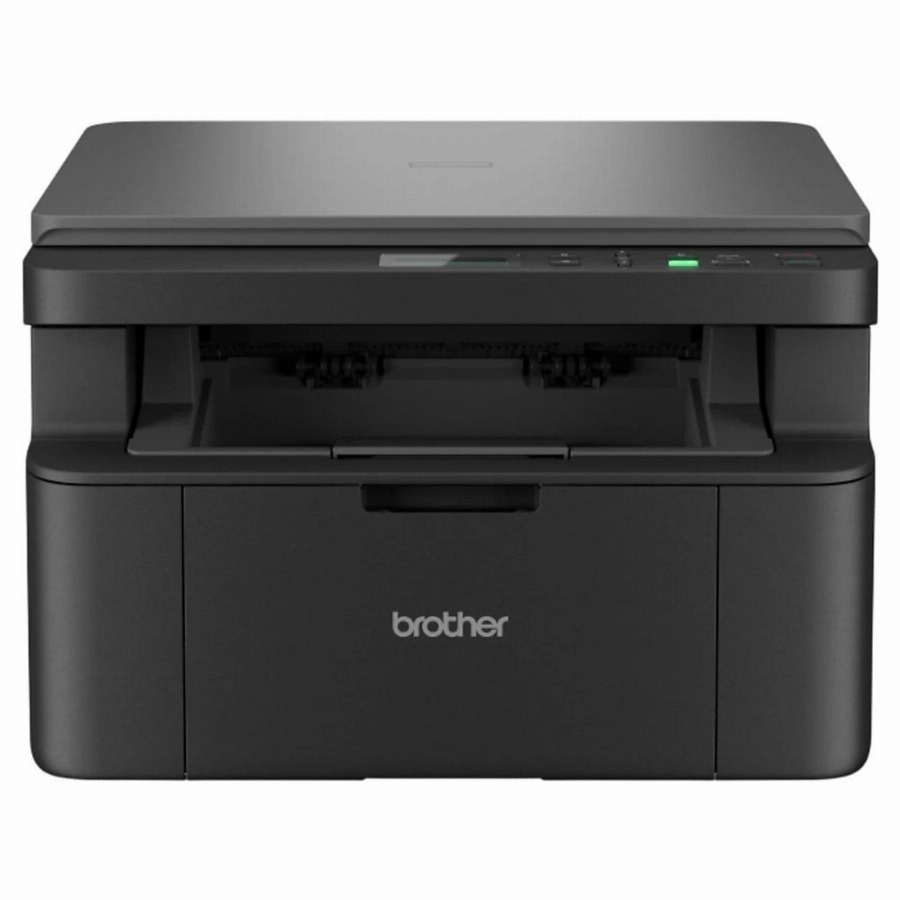
bij 4 winkels, goedkoopst bij MediaMarkt
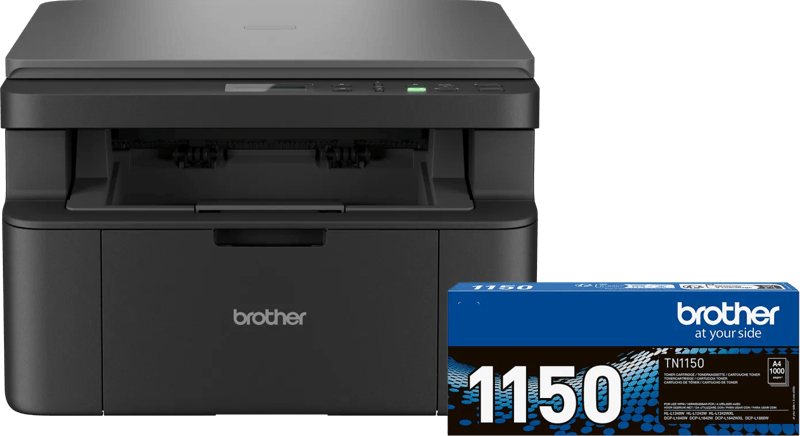
bij 5 winkels, goedkoopst bij MediaMarkt