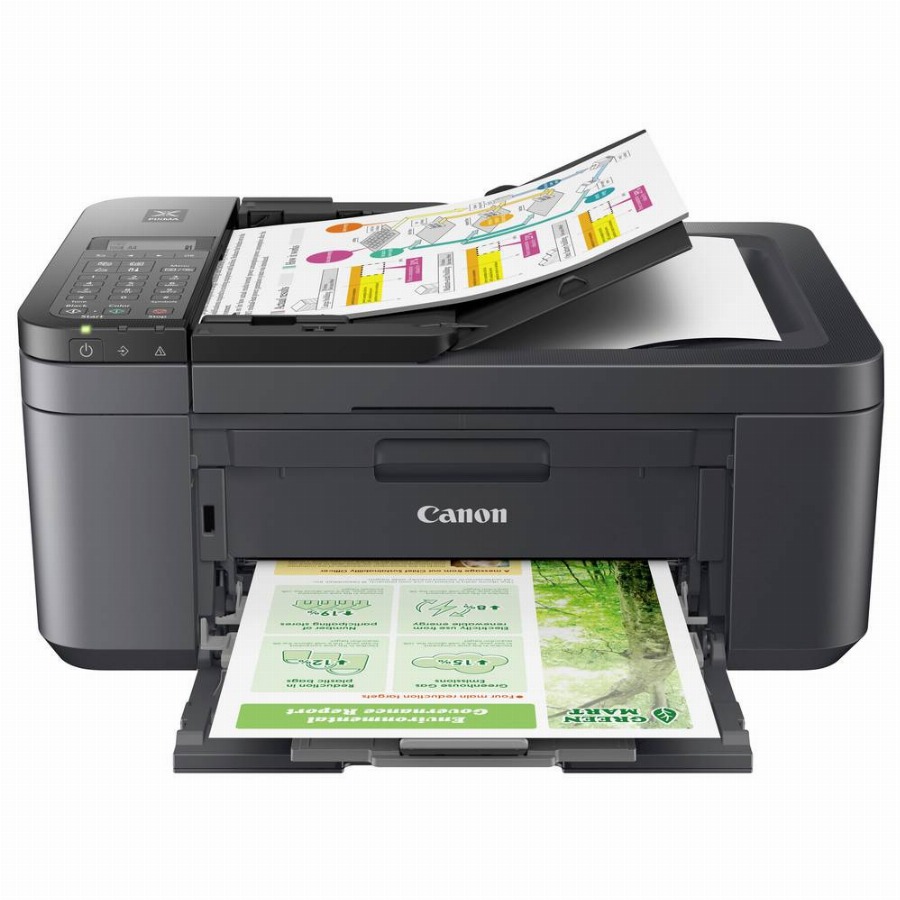
Canon PIXMA TR4755i
bij 5 winkels, goedkoopst bij MediaMarkt
€63,99

De strafste Black Friday deals van België!
De strafste Black Friday deals van België!
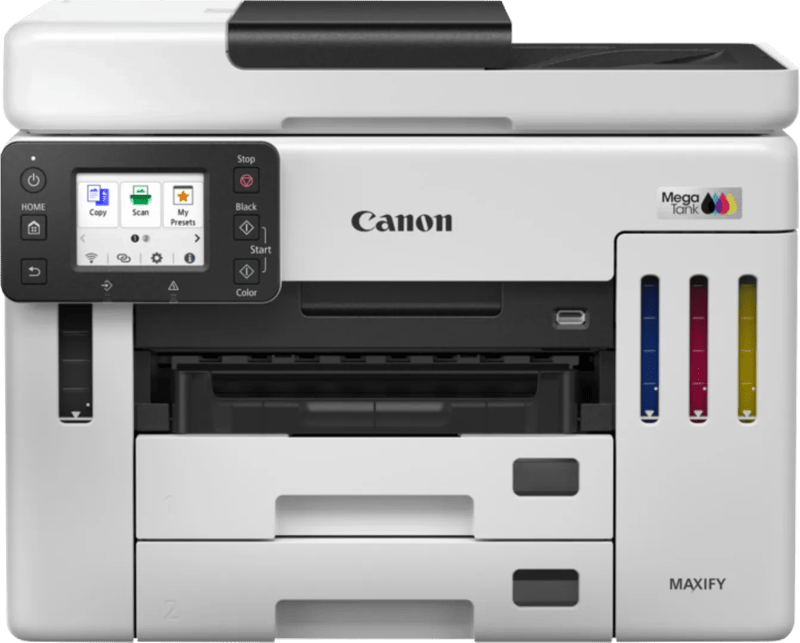
De Black Friday-prijs voor de Canon MAXIFY GX7150 is € 599 bij Coolblue. Komt er een winkel bij, dan zie je hier de vergelijking.
Nu €599,00. Laat je adres achter en we mailen je zodra de prijs onder jouw bedrag zakt.
Je krijgt eerst een mail om te bevestigen — pas daarna staat de alert aan. Daarna hoogstens één bericht per week, en in elke mail staat een afmeldlink. Vink je de nieuwsbrief niet aan, dan gebruiken we je adres uitsluitend voor dit ene product. De nieuwsbrief is een aparte inschrijving die je los kan opzeggen.
We volgen de prijs van dit product sinds 1 dag. Zodra we twee weken aan metingen hebben, verschijnt hier de prijsgrafiek.
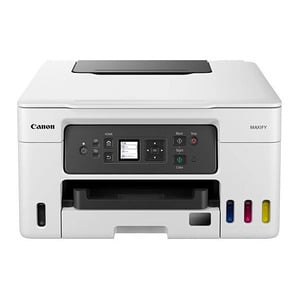
De Canon MAXIFY MegaTank GX7150 is een zakelijke 4-in-1 inkttankprinter waarmee je print, scant, kopieert en faxt. Deze printer is geschikt voor bedrijven die dagelijks veel en voordelig willen printen. Met één set print je tot 9.000 pagina's in zwart-wit en 14.000 in kleur. Je drukt tot 24 zwart-witpagina's en 15 kleurenpagina's per minuut af. Zo print je snel zakelijke documenten in hoge kwaliteit. Je legt tot 50 vellen in de DADF invoerlade, zodat de printer automatisch en in één keer de gehele stapel dubbelzijdig scant of kopieert. Je verstuurt printopdrachten via wifi, wifi direct, Apple AirPrint of bedraad met een usb-kabel. Dit doe je veilig, dankzij verschillende soorten beveiliging.Ook beheer je documenten gemakkelijk met de speciale zakelijke functies.
Productinformatie aangeleverd door Coolblue.
De maximale resolutie in beeldpunten (dots) per inch (DPI).
Feature of computer printers and multifunction printers (MFPs) that allows the printing of a sheet of paper on both sides (automatically or manually)
Producing a paper copy of information stored on a computer.
Geeft aan welke methode dit product gebruikt om te printen.
Description of copying function (colour or monochrome).
To convert a document or picture into digital form for storage or processing on a computer
To send an exact copy of a document made by electronic scanning and transmitted as data by telecommunications links.
The maximum number of prints/copies made by a printer/copier in a fixed period.
The maximum number of sheets of paper that can be held in all input trays and feeders combined.
The total count of available paper input trays, including the main cassette and any optional or multipurpose trays (e.g. 2).
The maximum paper size the device can handle, defined by ISO A-series.
Een aansluiting voor een netwerkkabel. Een kabel is altijd stabieler dan wifi — handig voor een tv die vaak stokt bij streaming.
Kan het toestel zelf op je draadloos netwerk? Nodig voor apps, updates en streaming zonder kabel.
Under which category can the device be positioned in the market, e.g. camera phone.
De kleur (bvb. rood)
| Tijdsduur tot de eerste pagina (kleur, normaal) The time elapsed from the moment a print job is sent until the first colour page is completely printed, measured in seconds. | 7 s |
|---|---|
| Tijdsduur tot de eerste pagina (zwart, normaal) The time elapsed from the moment the print command is sent until the first page is completely printed in black, measured in seconds (e.g. 5 s). | 5,5 s |
| Afdruksnelheid (ISO/IEC 24734) kleur The number of colour pages printed per minute according to the ISO/IEC 24734 standard, measured in ipm. | 15,5 ipm |
| Afdruksnelheid (ISO/IEC 24734) zwart-wit The number of monochrome pages printed per minute according to the ISO/IEC 24734 standard, measured in ipm. | 24 ipm |
| Maximale resolutie De maximale resolutie in beeldpunten (dots) per inch (DPI). | 600 x 1200 DPI |
| Duplex printen Feature of computer printers and multifunction printers (MFPs) that allows the printing of a sheet of paper on both sides (automatically or manually) | Ja |
| Printen Producing a paper copy of information stored on a computer. | Afdrukken in kleur |
| Printtechnologie Geeft aan welke methode dit product gebruikt om te printen. | Inkjet |
| Modus voor dubbelzijdig afdrukken Specifies how the device handles double-sided printing, such as automatically flipping the page or requiring the user to do so manually. | Auto |
| Kopieerfunctie voor identiteitsbewijzen Indicates whether the device can automatically scan and combine both sides of an identification document onto a single page. | Ja |
|---|---|
| N-in-1 copy function (N=) The maximum number of original items that can be combined and output onto a single sheet (e.g. 4 or 16). | 2, 4 |
| N-in-1 kopieerfunctie Indicates whether the device can combine multiple pages from the original document onto a single sheet of paper during copying. | Ja |
| Kopieën vergroten/verkleinen The range of scaling percentages available to increase or decrease the size of the original during the copying process. | 25 - 400 procent |
| Maximaal aantal kopieën The highest quantity of duplicates that can be produced in a single operation, measured in copies. | 99 kopieën |
| Kopiëren Description of copying function (colour or monochrome). | Kopiëren in kleur |
| Dubbelzijdig kopiëren Indicates whether the device supports automatic double-sided copying. | Ja |
| Uitvoer grijsschaaldiepte The number of bits used to represent each pixel in a greyscale image, which determines the number of available shades of grey (e.g. 8 or 24). | 8 Bit |
|---|---|
| Kleurdiepte uitvoer The number of bits used to represent the colour of a single pixel in the output, which determines the total number of possible colours (e.g., 24 or 32). | 8 Bit |
| Scantechnologie Indicates the technology used to scan by this product | CIS |
| Soort scanner Er bestaan verschillende soorten scanners: | Flatbed-/ADF-scanner |
| Max. scangebied The largest dimensions of the surface that can be captured in a single operation, measured in mm. | 216 x 356 mm |
| Optische scanresolutie How many pixels a scanner can see. Most commonly | 1200 x 1200 DPI |
| Scannen To convert a document or picture into digital form for storage or processing on a computer | Scannen in kleur |
| Snelkiezen Indicates whether the device supports the ability to call a pre-programmed contact or destination with a single touch or short sequence of keys. | Ja |
|---|---|
| Faxgeheugen The maximum number of pages that can be stored in the internal memory for transmission or reception (e.g. 100 pages). | 250 pagina's |
| Modemsnelheid The speed at which data is transferred by a modem. | 33,6 Kbit/s |
| Faxresolutie (kleur) The maximum detail level for scanned images sent via fax in colour mode, measured in DPI. | 200 x 200 DPI |
| Faxen To send an exact copy of a document made by electronic scanning and transmitted as data by telecommunications links. | Faxen in kleur |
| Printkleuren The colours that can be produced by the printer. | Zwart, Cyaan, Magenta, Geel |
|---|---|
| Inkttanksysteem Indicates whether the device uses a refillable ink tank system instead of traditional disposable cartridges. | Ja |
| Duplex functies The product has the ability to print | Kopiëren, Printen |
| Gebruiksindicatie (maximaal) The maximum number of prints/copies made by a printer/copier in a fixed period. | 45000 pagina's per maand |
| Maximum invoercapaciteit The maximum quantity of items that can be loaded into the input mechanism at one time. | 600 vel |
|---|---|
| Capaciteit automatische documentinvoer Number of sheets this product can hold in its ADF tray; expressed in sheets | 50 vel |
| Automatische documentinvoer (ADF) Indicates whether the device includes a mechanism that automatically feeds multiple pages into the scanner for sequential processing. | Ja |
| Papierlade 2 invoercapaciteit The maximum number of sheets of paper that can be loaded into the second input tray. | 250 vel |
| Papierlade 1 invoercapaciteit The maximum number of sheets of paper that can be loaded into the first input tray. | 250 vel |
| Totale invoercapaciteit The maximum number of sheets of paper that can be held in all input trays and feeders combined. | 600 vel |
| Totaal aantal invoerladen The total count of available paper input trays, including the main cassette and any optional or multipurpose trays (e.g. 2). | 3 |
| Papierlade mediagewicht The range of supported media thickness that can be loaded into the tray, measured in grams per square metre (e.g., 60-220 g/m²). | 64 - 105 g/m² |
|---|---|
| Aangepaste mediabreedte The range of non-standard paper widths that the device can process, measured in millimetres. | 89 - 216 mm |
| Aangepaste medialengte The minimum and maximum length of non-standard paper sizes that the device can process, measured in millimetres. | 127 - 1200 mm |
| Fotopapier afmetingen (imperial) The dimensions of photo paper supported by the device, measured in ". | 4x6, 5x7, 7x10, 8x10 |
| Afmetingen enveloppen The supported dimensions of envelopes that can be processed by the device (e.g. C4, C5 or B5). | Com-10, DL |
| Non-ISO print papierafmetingen The specific paper dimensions supported by the device that do not follow the International Organization for Standardization (ISO) standards (e.g., Executive or Folio). | Legal, Letter |
| ISO B-series afmetingen (B0...B9) The supported paper dimensions based on the ISO 216 B-series standard (e.g. B0, B1, B2). | B5 |
| ISO A-series afmetingen (A0...A9) Different sizes of paper from A0 (big) to A9 (small). A4 is the most common size used for printing documents. | A4, A5, A6 |
| Papierlade mediatypen Specifies the different kinds of materials that can be loaded into the paper tray, such as envelopes, card stock, or coated paper. | Enveloppen, Matpapier, Fotopapier, Normaal papier |
| Maximale ISO A-series papierformaat The maximum paper size the device can handle, defined by ISO A-series. | A4 |
| USB-poort The device features a socket into which a USB cable can be plugged. | Ja |
|---|---|
| Direct printen Met deze functie kunt u foto’s en overige documenten rechtstreeks van uw compatible apparatuur naar een printer sturen, zonder tussenkomst van een pc. | Ja |
| Mobiele printing technologieën Apps etc. which allow users to send a print job from a smartphone or tablet to a printer via a wireless network. | Apple AirPrint, Canon iEasy-PhotoPrint, Mopria Print Service |
|---|---|
| Ondersteunde beveiligingsalgoritmen Er zijn verschillende manieren om data te versleutelen voordat het verzonden wordt. Over het algemeen geld, hoe meer bits, hoe veiliger. | WEP, WPA-PSK2 |
| Wifi-standaard Welke wifi-generatie het toestel aankan. Wi-Fi 5 volstaat ruim voor streamen; Wi-Fi 6 en hoger helpen vooral als er veel toestellen tegelijk op hetzelfde netwerk zitten. Je haalt de snelheid van je router — een nieuw toestel maakt een oude router niet sneller. | 802.11a, 802.11b, 802.11g, Wi-Fi 4 (802.11n) |
| Ethernet LAN, data-overdrachtsnelheden De verschillende snelheden van de Ethernet LAN-verbinding in megabit per seconde. | 10,100 Mbit/s |
| Netwerkaansluiting Een aansluiting voor een netwerkkabel. Een kabel is altijd stabieler dan wifi — handig voor een tv die vaak stokt bij streaming. | Ja |
| Wifi Kan het toestel zelf op je draadloos netwerk? Nodig voor apps, updates en streaming zonder kabel. | Ja |
| Kleurenscherm Indicates whether the device is equipped with a screen capable of displaying multiple colours. | Ja |
|---|---|
| Bediening Hoe je het toestel instelt: met knoppen, met een draaiknop, via een aanraakscherm of via een app. Knoppen werken ook met natte of vettige handen. | Touch |
| Schermdiagonaal De diagonaal van het scherm, van hoek tot hoek, meestal in inch (1 inch = 2,54 cm). Vuistregel voor een tv: meet de afstand van je zetel tot het scherm in centimeter en deel door 4 à 5. Op drie meter zit je zo rond 65 inch. | 6,86 cm (2.7") |
| Beeldscherm De gebruikte beeldschermtechnologie. Flat screen technologies zoals Liquid Cristal Display (LCD) en Thin Film Transistor (TFT) technologie zijn de trend. | LCD |
| Scherm aanwezig Heeft het toestel zelf een schermpje, bijvoorbeeld om de stand of het programma af te lezen? | Ja |
| Markt positionering Under which category can the device be positioned in the market, e.g. camera phone. | Bedrijf |
| Kleur De kleur (bvb. rood) | Zwart, Wit |
| Gemiddeld stroomverbruik tijdens Kopiëren The amount of electrical energy used by the device during the copying process, measured in watts. | 21 W |
|---|---|
| Netfrequentie De frequentie van het stopcontact, in hertz. In Europa 50 Hz. Enkel van belang bij gebruik buiten Europa. | 50/60 Hz |
| Netspanning De spanning waarop het toestel werkt. In België is dat 230 volt. Alleen van belang als je het toestel in het buitenland wil gebruiken. | 100 - 240 V |
| Energy Star Typical Electricity Consumption (TEC) The estimated amount of electricity consumed by the device during a typical week of operation, measured in kWh/week. | 0,165 kWh/week |
| Stroomverbruik (indien uit) The amount of electrical energy consumed by the device when it is switched off, measured in watts. | 0,06 W |
| Andere ondersteundende systemen Lists additional operating systems that are compatible with the product (e.g. Android, ChromeOS or FreeBSD). | Android, ChromeOS, iOS, iPadOS |
|---|---|
| Ondersteunde server operating systems The server-grade operating systems that are compatible with the product (e.g. SUSE Linux Enterprise Server or Windows Server). | Windows Server 2008 R2, Windows Server 2012 R2, Windows Server 2016, Windows Server 2019 |
| Ondersteunt Mac-besturingssysteem Mac operating systems e.g. OS X can be used with the device. | Mac OS X 10.12 Sierra, Mac OS X 10.13 High Sierra, Mac OS X 10.14 Mojave, Mac OS X 10.15 Catalina, Mac OS X 10.15.3 Catalina, Mac OS X 10.2 Jaguar, Mac OS X 10.3 Panther, Mac OS X 10.4 Tijger, Mac OS X 10.5 Leopard, Mac OS X 10.6 Snow Leopard, Mac OS X 10.7 Lion, Mac OS X 10.7.5 Lion, Mac OS X 10.8 Mountain Lion, Mac OS X 10.9 Mavericks, Mac OS X 11.0 Big Sur |
| Ondersteunt Windows Windows vesions wich can be used with the device. | Windows 10, Windows 7, Windows 8.1 |
| Relatieve vochtigheid in bedrijf (V-V) Relatieve Luchtvochtigheid is de hoeveelheid waterdamp die de lucht bevat in verhouding (in procenten) tot de hoeveelheid water die de lucht bij die temperatuur maximaal zou kunnen bevatten (100%), koude lucht kan bijvoorbeeld minder water bevatten dan warme. Als de lucht afkoelt en de relatieve luchtvochtigheid daardoor boven de 100% komt, condenseert de waterdamp en krijgt men water. | 10 - 90 procent |
|---|---|
| Bedrijfstemperatuur (T-T) The minimum and maximum temperatures at which the product can be safely operated. | 5 - 35 °C |
| Inbegrepen cartridgecapaciteit (spaarstand, CMY) The total number of pages that can be printed using the provided color cartridges when using the economy print setting. | 21000 pagina's |
|---|---|
| Inbegrepen cartridgecapaciteit (spaarstand, zwart) The total number of pages that can be printed with the supplied black ink or toner cartridge when using the most resource-efficient print setting. | 9000 pagina's |
| Kabels in de doos Welke kabels erbij zitten. Ontbreekt de kabel die jij nodig hebt, reken er dan een aparte aankoop bij. | AC |
| Capaciteit meegeleverde cartridge (kleur) The total number of pages that can be printed using the cyan, magenta, and yellow ink or toner cartridges supplied with the product. | 14000 pagina's |
| Capaciteit meegeleverde cartridge (zwart) The total number of pages that can be printed using the black ink or toner cartridge supplied with the product. | 6000 pagina's |
| Cartridge(s) meegeleverd Indicates whether the product is supplied with the necessary cartridges for immediate use. | Ja |
| Gewicht Het gewicht van het toestel zelf, zonder verpakking. Bij iets dat je draagt of in de hand houdt weegt elke honderd gram merkbaar door. | 13,1 kg |
|---|---|
| Hoogte De hoogte van het toestel. Let bij toestellen onder een werkblad ook op de verstelbare pootjes — die geven vaak een paar centimeter speling. | 314 mm |
| Diepte De diepte van het toestel, zonder de slangen en stekkers achteraan. Reken daar nog enkele centimeters bij op. | 410 mm |
| Breedte De breedte van het toestel. Bij inbouw en bij toestellen die in een nis moeten: meet je opening na en houd een centimeter speling voor de aansluitingen achteraan. | 399 mm |
85 specificaties, aangeleverd door de fabrikant.
Vandaag is de Canon MAXIFY GX7150 het goedkoopst bij Coolblue, voor € 599. Voorlopig vinden we dit product bij één webshop. Zodra een tweede winkel het aanbiedt, verschijnt de vergelijking hier vanzelf.
We zijn de prijs van de Canon MAXIFY GX7150 net beginnen volgen. Vandaag betaal je € 599; zodra we genoeg gemeten hebben, zie je hier of dat hoog of laag is voor dit product. Zet een prijsalert als je liever wacht tot hij zakt.
bij 5 winkels, goedkoopst bij MediaMarkt
bij 3 winkels, goedkoopst bij Coolblue
bij 3 winkels, goedkoopst bij Coolblue
Vanden Borre