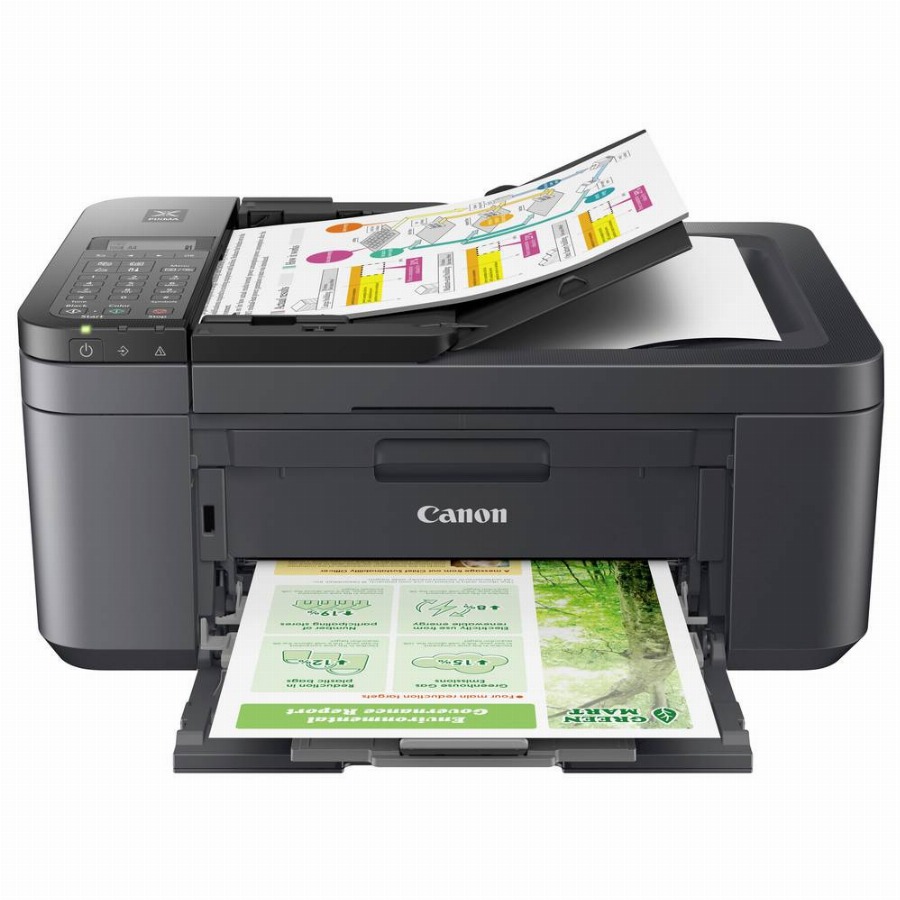
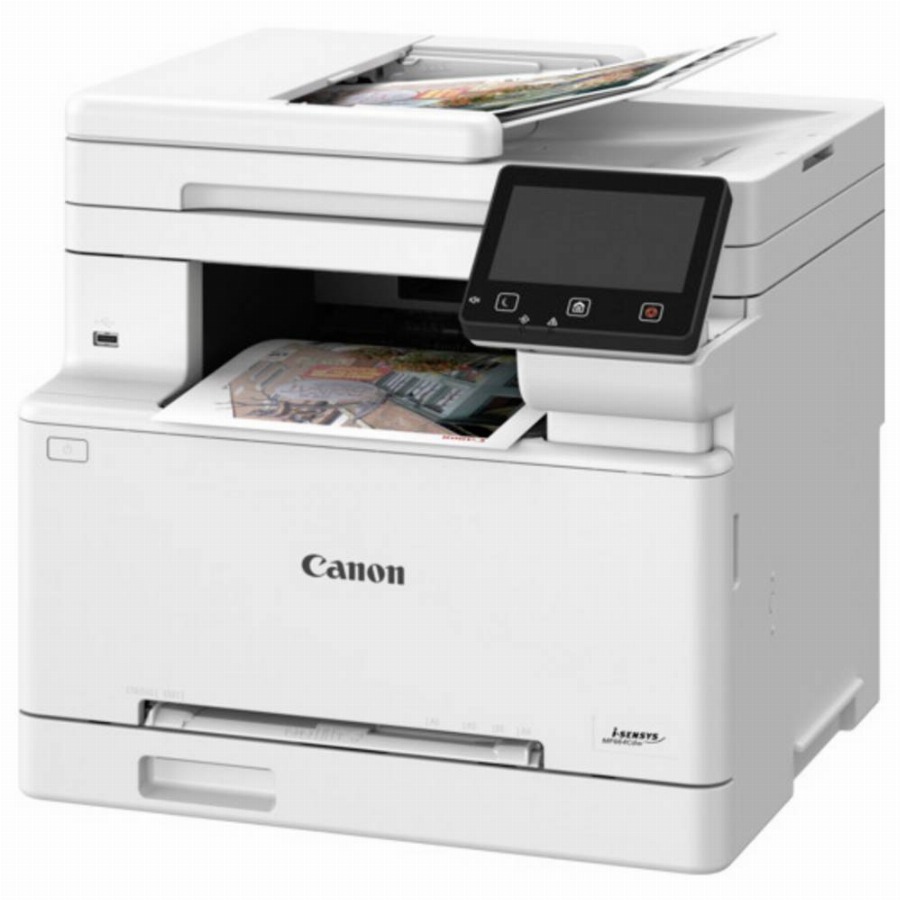
Canon PIXMA TR4755i
bij 5 winkels, goedkoopst bij MediaMarkt
€63,99

De strafste Black Friday deals van België!
De strafste Black Friday deals van België!
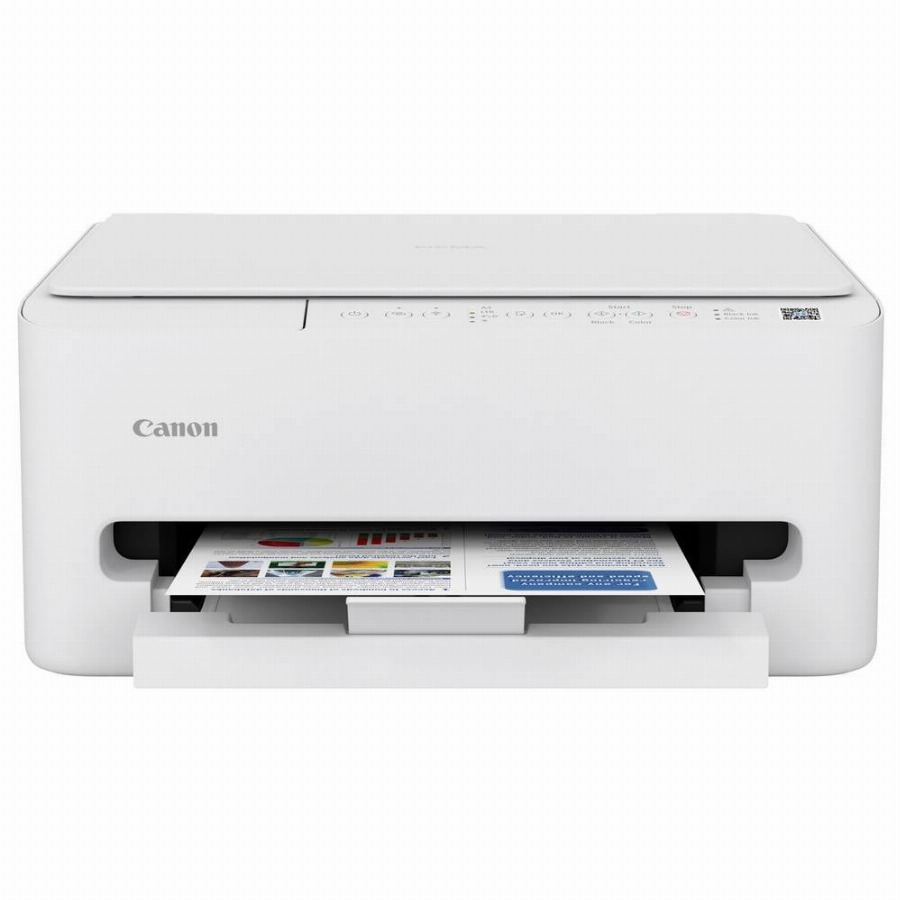
De laagste Black Friday-prijs voor de Canon PIXMA TS4150i is € 54,99 (bij 4 winkels vergeleken).
Dat is € 29 goedkoper dan de duurste winkel (€ 83,99).
Nu €54,99. Laat je adres achter en we mailen je zodra de prijs onder jouw bedrag zakt.
Je krijgt eerst een mail om te bevestigen — pas daarna staat de alert aan. Daarna hoogstens één bericht per week, en in elke mail staat een afmeldlink. Vink je de nieuwsbrief niet aan, dan gebruiken we je adres uitsluitend voor dit ene product. De nieuwsbrief is een aparte inschrijving die je los kan opzeggen.
We volgen de prijs van dit product sinds 1 dag. Zodra we twee weken aan metingen hebben, verschijnt hier de prijsgrafiek.
Beoordeling van de productexperts van MediaMarkt.
Compact, elegant en veelzijdig De Canon Pixma TS4150i is een krachtige draadloze all-in-one kleureninkjetprinter. Met compacte afmetingen en een gewicht van slechts 5,2 kg neemt hij weinig ruimte in beslag en installeer je hem gemakkelijk op een plank of op je bureau. Met deze veelzijdige printer kun je elk type professioneel of persoonlijk document tot maximaal A4-formaat afdrukken, kopiëren en scannen. Praktisch en flexibel afdrukken op afstand Deze all-in-one printer biedt je maximale flexibiliteit: de dual-band wifi-connectiviteit laat je draadloos afdrukken vanop je computer, smartphone of tablet. De Canon PRINT-app maakt mobiel afdrukken en toegang tot clouddiensten eenvoudig, bovendien kun je via Apple Air Print en Mopria voor Android rechtstreeks afdrukken zonder extra app. Zo beheer je op flexibele wijze je afdruktaken op verschillende apparaten. Snel en nauwkeurig De Pixma TS4150i is uitgerust met een verbeterde printkop met meer spuitmondjes, die efficiënt afdrukken verzekert. Hij biedt met een afdrukresolutie tot 1.200 x 1.200 dpi scherpe teksten en levendige kleuren. Met een afdruksnelheid van 14 pagina's per minuut in zwart-wit en 9 pagina's per minuut in kleur is hij daarnaast snel. Hij is daarnaast voorzien van een automatische dubbelzijdige afdrukfunctie, waardoor je zowel papier als geld kan besparen. Efficiënt inkt navullen Om ervoor te zorgen dat je altijd inkt op voorraad hebt, heeft Canon het Pixma Print Plan-abonnement opgezet.
Productinformatie aangeleverd door MediaMarkt.
De maximale resolutie in beeldpunten (dots) per inch (DPI).
Feature of computer printers and multifunction printers (MFPs) that allows the printing of a sheet of paper on both sides (automatically or manually)
Producing a paper copy of information stored on a computer.
Geeft aan welke methode dit product gebruikt om te printen.
Description of copying function (colour or monochrome).
To convert a document or picture into digital form for storage or processing on a computer
To send an exact copy of a document made by electronic scanning and transmitted as data by telecommunications links.
The maximum number of sheets of paper that can be held in all input trays and feeders combined.
The total count of available paper input trays, including the main cassette and any optional or multipurpose trays (e.g. 2).
The maximum paper size the device can handle, defined by ISO A-series.
Een aansluiting voor een netwerkkabel. Een kabel is altijd stabieler dan wifi — handig voor een tv die vaak stokt bij streaming.
Kan het toestel zelf op je draadloos netwerk? Nodig voor apps, updates en streaming zonder kabel.
Under which category can the device be positioned in the market, e.g. camera phone.
De kleur (bvb. rood)
| Printen zonder witranden Indicates whether this product is capable of printing borderless photos, and what size | Ja |
|---|---|
| Tijdsduur tot de eerste pagina (kleur, normaal) The time elapsed from the moment a print job is sent until the first colour page is completely printed, measured in seconds. | 9,5 s |
| Tijdsduur tot de eerste pagina (zwart, normaal) The time elapsed from the moment the print command is sent until the first page is completely printed in black, measured in seconds (e.g. 5 s). | 7,5 s |
| Afdruksnelheid (ISO / IEC 24734) zwart The number of monochrome pages the device can print per minute according to the ISO/IEC 24734 standard, measured in ppm. | 14 ppm |
| Afdruksnelheid (ISO / IEC 24734) kleur The number of colour pages the device can print per minute, measured according to the ISO/IEC 24734 standard, in ppm. | 9 ppm |
| Maximale resolutie De maximale resolutie in beeldpunten (dots) per inch (DPI). | 1200 x 1200 DPI |
| Duplex printen Feature of computer printers and multifunction printers (MFPs) that allows the printing of a sheet of paper on both sides (automatically or manually) | Ja |
| Printen Producing a paper copy of information stored on a computer. | Afdrukken in kleur |
| Printtechnologie Geeft aan welke methode dit product gebruikt om te printen. | Inkjet |
| Modus voor dubbelzijdig afdrukken Specifies how the device handles double-sided printing, such as automatically flipping the page or requiring the user to do so manually. | Auto |
| Maximaal aantal kopieën The highest quantity of duplicates that can be produced in a single operation, measured in copies. | 99 kopieën |
|---|---|
| Kopiëren Description of copying function (colour or monochrome). | Kopiëren in kleur |
| Uitvoer grijsschaaldiepte The number of bits used to represent each pixel in a greyscale image, which determines the number of available shades of grey (e.g. 8 or 24). | 8 Bit |
|---|---|
| Kleurdiepte uitvoer The number of bits used to represent the colour of a single pixel in the output, which determines the total number of possible colours (e.g., 24 or 32). | 8 Bit |
| Soort scanner Er bestaan verschillende soorten scanners: | Flatbed-/ADF-scanner |
| Max. scangebied The largest dimensions of the surface that can be captured in a single operation, measured in mm. | 216 x 297 mm |
| Optische scanresolutie How many pixels a scanner can see. Most commonly | 1200 x 2400 DPI |
| Scannen To convert a document or picture into digital form for storage or processing on a computer | Scannen in kleur |
| Faxen To send an exact copy of a document made by electronic scanning and transmitted as data by telecommunications links. | Nee |
|---|
| Land van herkomst Het land waar het toestel gemaakt of geassembleerd is. | Vietnam |
|---|---|
| Printkleuren The colours that can be produced by the printer. | Zwart, Cyaan, Magenta, Geel |
| Aantal printcartridges The amount of print cartridges. A print cartridge is a container holding a quantity of ink which is inserted into a inkjet printer mechanism. | 2 |
| Duplex functies The product has the ability to print | Printen |
| Capaciteit automatische documentinvoer Number of sheets this product can hold in its ADF tray; expressed in sheets | 35 vel |
|---|---|
| Automatische documentinvoer (ADF) Indicates whether the device includes a mechanism that automatically feeds multiple pages into the scanner for sequential processing. | Ja |
| Totale invoercapaciteit The maximum number of sheets of paper that can be held in all input trays and feeders combined. | 100 vel |
| Totaal aantal invoerladen The total count of available paper input trays, including the main cassette and any optional or multipurpose trays (e.g. 2). | 1 |
| Aangepaste mediabreedte The range of non-standard paper widths that the device can process, measured in millimetres. | 89 - 215,9 mm |
|---|---|
| Aangepaste medialengte The minimum and maximum length of non-standard paper sizes that the device can process, measured in millimetres. | 127 - 297 mm |
| Media-afmetingen voor afdrukken zonder witrand The dimensions of the paper or media that can be printed on without margins (e.g., 10x15). | 10x15, 13x18, 13x13, 20x25, A4, B5 |
| Fotopapier afmetingen (imperial) The dimensions of photo paper supported by the device, measured in ". | 4x6, 5x7, 7x10, 8x10 |
| Afmetingen enveloppen The supported dimensions of envelopes that can be processed by the device (e.g. C4, C5 or B5). | 10, DL |
| Non-ISO print papierafmetingen The specific paper dimensions supported by the device that do not follow the International Organization for Standardization (ISO) standards (e.g., Executive or Folio). | Letter |
| ISO B-series afmetingen (B0...B9) The supported paper dimensions based on the ISO 216 B-series standard (e.g. B0, B1, B2). | B5 |
| ISO A-series afmetingen (A0...A9) Different sizes of paper from A0 (big) to A9 (small). A4 is the most common size used for printing documents. | A4, A5 |
| Papierlade mediatypen Specifies the different kinds of materials that can be loaded into the paper tray, such as envelopes, card stock, or coated paper. | Enveloppen, Hoge resolutie papier, Fotopapier, Normaal papier |
| Maximale ISO A-series papierformaat The maximum paper size the device can handle, defined by ISO A-series. | A4 |
| USB-poort The device features a socket into which a USB cable can be plugged. | Ja |
|---|---|
| Direct printen Met deze functie kunt u foto’s en overige documenten rechtstreeks van uw compatible apparatuur naar een printer sturen, zonder tussenkomst van een pc. | Ja |
| Mobiele printing technologieën Apps etc. which allow users to send a print job from a smartphone or tablet to a printer via a wireless network. | Apple AirPrint, Canon iEasy-PhotoPrint, Mopria Print Service |
|---|---|
| Ondersteunde beveiligingsalgoritmen Er zijn verschillende manieren om data te versleutelen voordat het verzonden wordt. Over het algemeen geld, hoe meer bits, hoe veiliger. | WPA-AES, WPA-PSK, WPA2-AES, WPA2-PSK, WPA3-SAE |
| Wifi-standaard Welke wifi-generatie het toestel aankan. Wi-Fi 5 volstaat ruim voor streamen; Wi-Fi 6 en hoger helpen vooral als er veel toestellen tegelijk op hetzelfde netwerk zitten. Je haalt de snelheid van je router — een nieuw toestel maakt een oude router niet sneller. | 802.11a, 802.11b, 802.11g, Wi-Fi 4 (802.11n) |
| Wi-Fi Direct Indicates whether the device supports a peer-to-peer connection with another Wi-Fi enabled device without requiring a wireless access point. | Ja |
| Netwerkaansluiting Een aansluiting voor een netwerkkabel. Een kabel is altijd stabieler dan wifi — handig voor een tv die vaak stokt bij streaming. | Nee |
| Wifi Kan het toestel zelf op je draadloos netwerk? Nodig voor apps, updates en streaming zonder kabel. | Ja |
| Scherm aanwezig Heeft het toestel zelf een schermpje, bijvoorbeeld om de stand of het programma af te lezen? | Nee |
|---|---|
| Markt positionering Under which category can the device be positioned in the market, e.g. camera phone. | Thuis & kantoor |
| Kleur De kleur (bvb. rood) | Wit |
| Gemiddeld stroomverbruik tijdens Kopiëren The amount of electrical energy used by the device during the copying process, measured in watts. | 15 W |
|---|---|
| Netfrequentie De frequentie van het stopcontact, in hertz. In Europa 50 Hz. Enkel van belang bij gebruik buiten Europa. | 50/60 Hz |
| Netspanning De spanning waarop het toestel werkt. In België is dat 230 volt. Alleen van belang als je het toestel in het buitenland wil gebruiken. | 100 - 240 V |
| Stroomverbruik (indien uit) The amount of electrical energy consumed by the device when it is switched off, measured in watts. | 0,1 W |
| Andere ondersteundende systemen Lists additional operating systems that are compatible with the product (e.g. Android, ChromeOS or FreeBSD). | Android, ChromeOS, iOS, iPadOS |
|---|---|
| Ondersteunde server operating systems The server-grade operating systems that are compatible with the product (e.g. SUSE Linux Enterprise Server or Windows Server). | Windows Server 2008 R2, Windows Server 2012 R2, Windows Server 2016, Windows Server 2019, Windows Server 2022 |
| Ondersteunt Mac-besturingssysteem Mac operating systems e.g. OS X can be used with the device. | Mac OS 12.4, Mac OS 13.1, Mac OS X 12.0 Monterey, Mac OS X 13.0 Ventura, Mac OS X 14.0 Sonoma, Mac OS X 15.0 Sequoia |
| Ondersteunt Windows Windows vesions wich can be used with the device. | Windows 10, Windows 11, Windows 8.1 |
| Relatieve vochtigheid in bedrijf (V-V) Relatieve Luchtvochtigheid is de hoeveelheid waterdamp die de lucht bevat in verhouding (in procenten) tot de hoeveelheid water die de lucht bij die temperatuur maximaal zou kunnen bevatten (100%), koude lucht kan bijvoorbeeld minder water bevatten dan warme. Als de lucht afkoelt en de relatieve luchtvochtigheid daardoor boven de 100% komt, condenseert de waterdamp en krijgt men water. | 10 - 80 procent |
|---|---|
| Bedrijfstemperatuur (T-T) The minimum and maximum temperatures at which the product can be safely operated. | 15 - 30 °C |
| Gewicht Het gewicht van het toestel zelf, zonder verpakking. Bij iets dat je draagt of in de hand houdt weegt elke honderd gram merkbaar door. | 5,2 kg |
|---|---|
| Hoogte De hoogte van het toestel. Let bij toestellen onder een werkblad ook op de verstelbare pootjes — die geven vaak een paar centimeter speling. | 168 mm |
| Diepte De diepte van het toestel, zonder de slangen en stekkers achteraan. Reken daar nog enkele centimeters bij op. | 355 mm |
| Breedte De breedte van het toestel. Bij inbouw en bij toestellen die in een nis moeten: meet je opening na en houd een centimeter speling voor de aansluitingen achteraan. | 374 mm |
| Gebruiksaanwijzing Indicates whether a user manual or instructional guide is included with the product. | Ja |
|---|---|
| Kabels in de doos Welke kabels erbij zitten. Ontbreekt de kabel die jij nodig hebt, reken er dan een aparte aankoop bij. | AC |
| Cartridge(s) meegeleverd Indicates whether the product is supplied with the necessary cartridges for immediate use. | Ja |
| Douane productcode (TARIC) | 8443310000 |
|---|---|
| Gewicht verpakking | 7,6 kg |
| Hoogte verpakking | 446 mm |
| Diepte verpakking | 498 mm |
| Breedte verpakking | 239 mm |
70 specificaties, aangeleverd door de fabrikant.
Vandaag is de Canon PIXMA TS4150i het goedkoopst bij Vanden Borre, voor € 54,99. We vergelijken de prijs bij 4 webshops en werken die meerdere keren per dag bij. Het verschil met de duurste winkel is € 29: daar betaal je € 83,99 voor hetzelfde product.
We zijn de prijs van de Canon PIXMA TS4150i net beginnen volgen. Vandaag betaal je € 54,99; zodra we genoeg gemeten hebben, zie je hier of dat hoog of laag is voor dit product. Zet een prijsalert als je liever wacht tot hij zakt.
bij 5 winkels, goedkoopst bij MediaMarkt
bij 3 winkels, goedkoopst bij Coolblue
bij 3 winkels, goedkoopst bij Coolblue