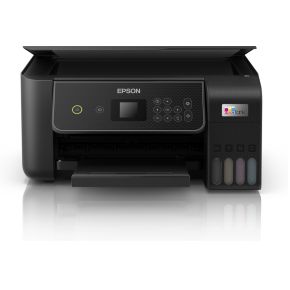
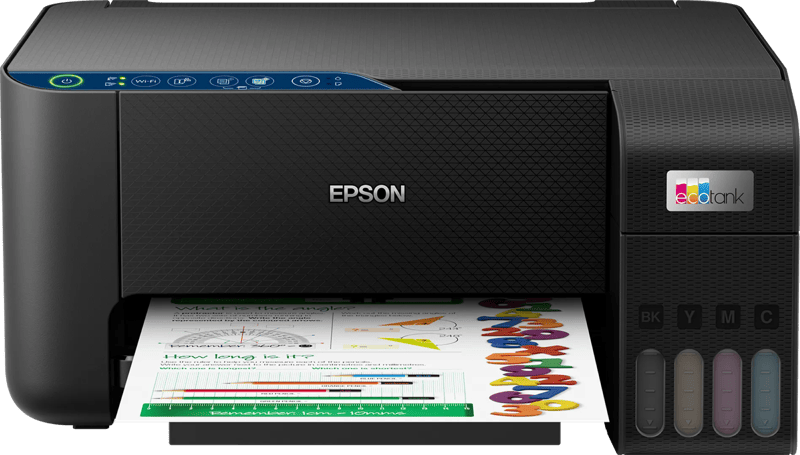
Epson EcoTank ET-2870 All-in-one printer
bij 2 winkels, goedkoopst bij Bol
€170,20

De strafste Black Friday deals van België!
De strafste Black Friday deals van België!
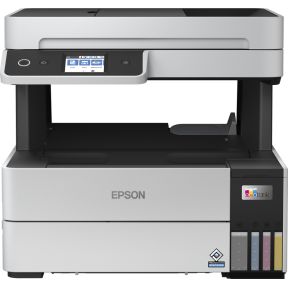
De laagste Black Friday-prijs voor de Epson EcoTank ET-5150 All-in-one printer is € 359 (bij 3 winkels vergeleken).
Dat is € 90 goedkoper dan de duurste winkel (€ 449).
Nu €359,00. Laat je adres achter en we mailen je zodra de prijs onder jouw bedrag zakt.
Je krijgt eerst een mail om te bevestigen — pas daarna staat de alert aan. Daarna hoogstens één bericht per week, en in elke mail staat een afmeldlink. Vink je de nieuwsbrief niet aan, dan gebruiken we je adres uitsluitend voor dit ene product. De nieuwsbrief is een aparte inschrijving die je los kan opzeggen.
We volgen de prijs van dit product sinds 1 dag. Zodra we twee weken aan metingen hebben, verschijnt hier de prijsgrafiek.
Doe meer in minder tijd Til uw thuiskantoor naar een hoger niveau met deze supersnelle en efficiënte printer die de eerste pagina in slechts 7 seconden kan afdrukken. Functierijke A4 EcoTank Print, kopieer en scan met de Et-5150, die dubbelzijdig afdrukken, een papierlade voor 250 vellen aan de voorzijde en automatische documentinvoer voor 35 vellen biedt. Met het LCD-touchscreen van 6,1 cm navigeert u eenvoudig door het uitgebreide aanbod aan functies. Blijf besparen Bespaar elke keer dat u print met deze EcoTank, dankzij de ongelooflijk lage kosten per pagina. Anders dan andere printers is de EcoTank voorzien van grote inkttanks die u kunt vullen met betaalbare inktflessen. Afdrukken van zakelijke kwaliteit De EcoTank 113-inktserie bevat alleen pigmentinkten, voor vlekvrije en water- en markeerstiftbestendige afdrukken. Met één vervangende inktset kunt u tot 7500 pagina's in zwart-wit en 6000 pagina's in kleur afdrukken. Afdrukken vanaf vrijwel elke locatie Met Wi-Fi en Wi-Fi Direct kunt u documenten verzenden om af te drukken vanaf smart devices met behulp van de Epson iPrint- en Smart Panel-apps. Gebruiksvriendelijk en betrouwbaar U kunt de inkttanks eenvoudig bijvullen met de hersluitbare inktflessen; intuïtief en zonder morsen. De nieuwe unieke Heat-Free PrecisionCore-technologie van Epson levert betrouwbaarheid, minimale downtime en minder milieubelasting. Geen opwarmtijd betekent dat de eerste pagina snel wordt afgedrukt met een lager energieverbruik.
Productinformatie aangeleverd door MediaMarkt.
De printsnelheid in zwart-witte A4-pagina's per minuut (ppm), normale kwaliteit. De werkelijke snelheid is mede afhankelijk van de systeemconfiguratie, de gebruikte software en het document.
De maximale resolutie in beeldpunten (dots) per inch (DPI).
Feature of computer printers and multifunction printers (MFPs) that allows the printing of a sheet of paper on both sides (automatically or manually)
Producing a paper copy of information stored on a computer.
Geeft aan welke methode dit product gebruikt om te printen.
Description of copying function (colour or monochrome).
To convert a document or picture into digital form for storage or processing on a computer
To send an exact copy of a document made by electronic scanning and transmitted as data by telecommunications links.
The maximum number of prints/copies made by a printer/copier in a fixed period.
The maximum number of sheets that can be held in the output tray after printing.
The maximum number of sheets of paper that can be held in all input trays and feeders combined.
The total count of available paper input trays, including the main cassette and any optional or multipurpose trays (e.g. 2).
The maximum paper size the device can handle, defined by ISO A-series.
Een aansluiting voor een netwerkkabel. Een kabel is altijd stabieler dan wifi — handig voor een tv die vaak stokt bij streaming.
Kan het toestel zelf op je draadloos netwerk? Nodig voor apps, updates en streaming zonder kabel.
Under which category can the device be positioned in the market, e.g. camera phone.
De kleur (bvb. rood)
| Afdrukbereik The minimum non-printable area between the edge of the page and the printed content, measured in millimetres. | 0 mm |
|---|---|
| Tijdsduur tot de eerste pagina (kleur, normaal) The time elapsed from the moment a print job is sent until the first colour page is completely printed, measured in seconds. | 11 s |
| Tijdsduur tot de eerste pagina (zwart, normaal) The time elapsed from the moment the print command is sent until the first page is completely printed in black, measured in seconds (e.g. 5 s). | 7 s |
| Duplex afdruksnelheid (ISO/IEC 24734, A4) kleur The number of colour pages printed per minute during automatic double-sided printing, measured in ppm according to the ISO/IEC 24734 standard. | 5 ppm |
| Duplex afdruksnelheid (ISO / IEC 24734, A4) zwart The number of pages printed per minute when automatically printing on both sides of the paper in black, measured in ppm. | 7,5 ppm |
| Printsnelheid dubbelzijdig (kleur, normale kwaliteit, A4/US Letter) The number of colour pages printed per minute when using automatic double-sided printing at normal quality, measured in ppm. | 5 ppm |
| Printsnelheid dubbelzijdig (Zwart, normale kwaliteit, A4/US Letter) The number of units processed per minute when printing on both sides of the paper in black and normal quality, measured in ppm. | 7,5 ppm |
| Afdruksnelheid (ISO / IEC 24734) zwart The number of monochrome pages the device can print per minute according to the ISO/IEC 24734 standard, measured in ppm. | 17 ppm |
| Afdruksnelheid (ISO / IEC 24734) kleur The number of colour pages the device can print per minute, measured according to the ISO/IEC 24734 standard, in ppm. | 9,5 ppm |
| Printsnelheid (kleur, standaard, A4/US Letter) The number of colour outputs produced per minute at normal quality for A4 or US Letter sizes, measured in ppm. | 23 ppm |
| Printsnelheid (zwart, standaardkwaliteit, A4/US Letter) De printsnelheid in zwart-witte A4-pagina's per minuut (ppm), normale kwaliteit. De werkelijke snelheid is mede afhankelijk van de systeemconfiguratie, de gebruikte software en het document. | 37 ppm |
| Maximale resolutie De maximale resolutie in beeldpunten (dots) per inch (DPI). | 4800 x 1200 DPI |
| Duplex printen Feature of computer printers and multifunction printers (MFPs) that allows the printing of a sheet of paper on both sides (automatically or manually) | Ja |
| Printen Producing a paper copy of information stored on a computer. | Afdrukken in kleur |
| Printtechnologie Geeft aan welke methode dit product gebruikt om te printen. | Inkjet |
| Modus voor dubbelzijdig afdrukken Specifies how the device handles double-sided printing, such as automatically flipping the page or requiring the user to do so manually. | Auto |
| Kopiëren Description of copying function (colour or monochrome). | Kopiëren in kleur |
|---|
| Ondersteunde documentformaten The type of document formats that can be read/produced with this device e.g. .docx | |
|---|---|
| Ondersteund beeldformaat The type of image files that the device can use/display e.g. gif | BMP, JPEG, PICT, TIFF, PNG |
| Scan naar Specifies the available destinations where scanned documents can be sent, such as a cloud service, e-mail address, or network folder (e.g., FTP or CIFS). | Cloud, E-mail |
| Scantechnologie Indicates the technology used to scan by this product | CIS |
| Soort scanner Er bestaan verschillende soorten scanners: | Flatbed-/ADF-scanner |
| Optische scanresolutie How many pixels a scanner can see. Most commonly | 1200 x 2400 DPI |
| Scannen To convert a document or picture into digital form for storage or processing on a computer | Scannen in kleur |
| Faxen To send an exact copy of a document made by electronic scanning and transmitted as data by telecommunications links. | Nee |
|---|
| Land van herkomst Het land waar het toestel gemaakt of geassembleerd is. | Filipijnen |
|---|---|
| Printkleuren The colours that can be produced by the printer. | Zwart, Cyaan, Geel, Magenta |
| Aantal printcartridges The amount of print cartridges. A print cartridge is a container holding a quantity of ink which is inserted into a inkjet printer mechanism. | 4 |
| Gebruiksindicatie (maximaal) The maximum number of prints/copies made by a printer/copier in a fixed period. | 1600 pagina's per maand |
| Capaciteit automatische documentinvoer Number of sheets this product can hold in its ADF tray; expressed in sheets | 35 vel |
|---|---|
| Automatische documentinvoer (ADF) Indicates whether the device includes a mechanism that automatically feeds multiple pages into the scanner for sequential processing. | Ja |
| Totale uitvoercapaciteit The maximum number of sheets that can be held in the output tray after printing. | 30 vel |
| Totale invoercapaciteit The maximum number of sheets of paper that can be held in all input trays and feeders combined. | 250 vel |
| Totaal aantal invoerladen The total count of available paper input trays, including the main cassette and any optional or multipurpose trays (e.g. 2). | 1 |
| Papierlade mediagewicht The range of supported media thickness that can be loaded into the tray, measured in grams per square metre (e.g., 60-220 g/m²). | 64 - 95 g/m² |
|---|---|
| Foto papier afmetingen The dimensions of the photographic paper that the device is compatible with, measured in cm. | 9x13, 10x15, 13x18, 13x20, 20x25 |
| Afmetingen enveloppen The supported dimensions of envelopes that can be processed by the device (e.g. C4, C5 or B5). | 10, C6, DL |
| Non-ISO print papierafmetingen The specific paper dimensions supported by the device that do not follow the International Organization for Standardization (ISO) standards (e.g., Executive or Folio). | Legal, Letter |
| ISO B-series afmetingen (B0...B9) The supported paper dimensions based on the ISO 216 B-series standard (e.g. B0, B1, B2). | B5 |
| ISO A-series afmetingen (A0...A9) Different sizes of paper from A0 (big) to A9 (small). A4 is the most common size used for printing documents. | A4, A5, A6 |
| Papierlade mediatypen Specifies the different kinds of materials that can be loaded into the paper tray, such as envelopes, card stock, or coated paper. | Enveloppen, Fotopapier, Normaal papier |
| Maximale ISO A-series papierformaat The maximum paper size the device can handle, defined by ISO A-series. | A4 |
| USB-poort The device features a socket into which a USB cable can be plugged. | Ja |
|---|---|
| Direct printen Met deze functie kunt u foto’s en overige documenten rechtstreeks van uw compatible apparatuur naar een printer sturen, zonder tussenkomst van een pc. | Ja |
| Mobiele printing technologieën Apps etc. which allow users to send a print job from a smartphone or tablet to a printer via a wireless network. | Epson Connect, Epson iPrint, Epson Email Print, Epson Remote Print, Apple AirPrint |
|---|---|
| Ondersteunde beveiligingsalgoritmen Er zijn verschillende manieren om data te versleutelen voordat het verzonden wordt. Over het algemeen geld, hoe meer bits, hoe veiliger. | 64-bit WEP, 128-bit WEP, WPA-PSK, WPA-TKIP, WPA-AES |
| Netwerkaansluiting Een aansluiting voor een netwerkkabel. Een kabel is altijd stabieler dan wifi — handig voor een tv die vaak stokt bij streaming. | Ja |
| Wifi Kan het toestel zelf op je draadloos netwerk? Nodig voor apps, updates en streaming zonder kabel. | Ja |
| Geluidsvermogensniveau (afdrukken) The amount of acoustic noise emitted by the device during the printing process, measured in decibels (dB). | 5,1 dB |
|---|---|
| Geluidsdrukniveau (afdrukken) The average noise level emitted by the device during the printing process, measured in decibels (dB). | 38 dB |
| Kleurenscherm Indicates whether the device is equipped with a screen capable of displaying multiple colours. | Ja |
|---|---|
| Bediening Hoe je het toestel instelt: met knoppen, met een draaiknop, via een aanraakscherm of via een app. Knoppen werken ook met natte of vettige handen. | Touch |
| Aanraakscherm Kan je het scherm bedienen door erop te tikken? Handig om te tekenen of te schrijven, maar het kost wat batterij en het scherm weerspiegelt doorgaans meer. | Ja |
| Schermdiagonaal De diagonaal van het scherm, van hoek tot hoek, meestal in inch (1 inch = 2,54 cm). Vuistregel voor een tv: meet de afstand van je zetel tot het scherm in centimeter en deel door 4 à 5. Op drie meter zit je zo rond 65 inch. | 6,1 cm (2.4") |
| Beeldscherm De gebruikte beeldschermtechnologie. Flat screen technologies zoals Liquid Cristal Display (LCD) en Thin Film Transistor (TFT) technologie zijn de trend. | LCD |
| Scherm aanwezig Heeft het toestel zelf een schermpje, bijvoorbeeld om de stand of het programma af te lezen? | Ja |
| Markt positionering Under which category can the device be positioned in the market, e.g. camera phone. | Thuis & kantoor |
| Kleur De kleur (bvb. rood) | Zwart, Wit |
| Netfrequentie De frequentie van het stopcontact, in hertz. In Europa 50 Hz. Enkel van belang bij gebruik buiten Europa. | 50 - 60 Hz |
|---|---|
| Netspanning De spanning waarop het toestel werkt. In België is dat 230 volt. Alleen van belang als je het toestel in het buitenland wil gebruiken. | 100 - 240 V |
| Energy Star Typical Electricity Consumption (TEC) The estimated amount of electricity consumed by the device during a typical week of operation, measured in kWh/week. | 0,14 kWh/week |
| Stroomverbruik (indien uit) The amount of electrical energy consumed by the device when it is switched off, measured in watts. | 0,3 W |
| Slaapstand The amount of electrical energy consumed by the device when it is in sleep mode, typically measured in watts (W). | 0,9 W |
| Stroomverbruik (gereed) The amount of electrical energy consumed by the device when it is powered on but not actively performing a task, measured in Watts. | 5,3 W |
| Gemiddeld stroomverbruik tijdens Kopiëren The amount of electrical energy used by the device during the copying process, measured in watts. | 12 W |
| Ondersteunt Mac-besturingssysteem Mac operating systems e.g. OS X can be used with the device. | Mac OS X 10.6 Snow Leopard |
|---|---|
| Ondersteunt Windows Windows vesions wich can be used with the device. | Windows 10, Windows 7, Windows 8, Windows 8.1, Windows Vista, Windows XP, Windows XP Professional x64 |
| Gewicht Het gewicht van het toestel zelf, zonder verpakking. Bij iets dat je draagt of in de hand houdt weegt elke honderd gram merkbaar door. | 7,3 kg |
|---|---|
| Hoogte De hoogte van het toestel. Let bij toestellen onder een werkblad ook op de verstelbare pootjes — die geven vaak een paar centimeter speling. | 347 mm |
| Diepte De diepte van het toestel, zonder de slangen en stekkers achteraan. Reken daar nog enkele centimeters bij op. | 375 mm |
| Breedte De breedte van het toestel. Bij inbouw en bij toestellen die in een nis moeten: meet je opening na en houd een centimeter speling voor de aansluitingen achteraan. | 346 mm |
| Garantiekaart Indicates whether a physical warranty card is included with the product. | Ja |
|---|---|
| Snelle installatiehandleiding Indicates whether a simplified, fast-start manual is included with the product. | Ja |
| Kabels in de doos Welke kabels erbij zitten. Ontbreekt de kabel die jij nodig hebt, reken er dan een aparte aankoop bij. | AC |
| Spuitmondjes Number of nozzles to a printhead; expressed as a whole number from 1 to 4 | 400 nozzles black, 128 nozzles per colour |
|---|---|
| Inktdruppel Ink drop size; expressed in picoliters | 3,3 |
| Compatibele besturingssystemen List of desktop operating systems tested as compatible with this product, including coined name and version | Mac OS X 10.6.8 or later, Windows 10, Windows 7, Windows 8, Windows 8.1, Windows Vista, Windows XP, Windows XP Professional x64 Edition |
| Maximum invoercapaciteit (fotopapier) The maximum number of photo paper units that can be loaded into the input tray at one time. | 20 vel |
| Aantal gebruikers Het maximum aantal gebruikers. | 4 gebruiker(s) |
| Afdrukmethode The specific technology used to transfer the image or text onto the medium, such as ZINK or Epson PrecisionCore. | Epson PrecisionCore |
| Aantal in de doos | 1 stuk(s) |
|---|---|
| Gewicht verpakking | 9,27 kg |
| Hoogte verpakking | 415 mm |
| Diepte verpakking | 435 mm |
| Breedte verpakking | 405 mm |
| Producten per pallet (UK) | 20 stuk(s) |
| Palletgewicht (UK) | 0 g |
| Producten per pallet | 10 stuk(s) |
| Pallet brutogewicht | 0 g |
| Code geharmoniseerd systeem (HS) | 84433100 |
90 specificaties, aangeleverd door de fabrikant.
Vandaag is de Epson EcoTank ET-5150 All-in-one printer het goedkoopst bij Megekko, voor € 359. We vergelijken de prijs bij 3 webshops en werken die meerdere keren per dag bij. Het verschil met de duurste winkel is € 90: daar betaal je € 449 voor hetzelfde product.
We zijn de prijs van de Epson EcoTank ET-5150 All-in-one printer net beginnen volgen. Vandaag betaal je € 359; zodra we genoeg gemeten hebben, zie je hier of dat hoog of laag is voor dit product. Zet een prijsalert als je liever wacht tot hij zakt.
bij 2 winkels, goedkoopst bij Bol
bij 6 winkels, goedkoopst bij Joybuy.nl
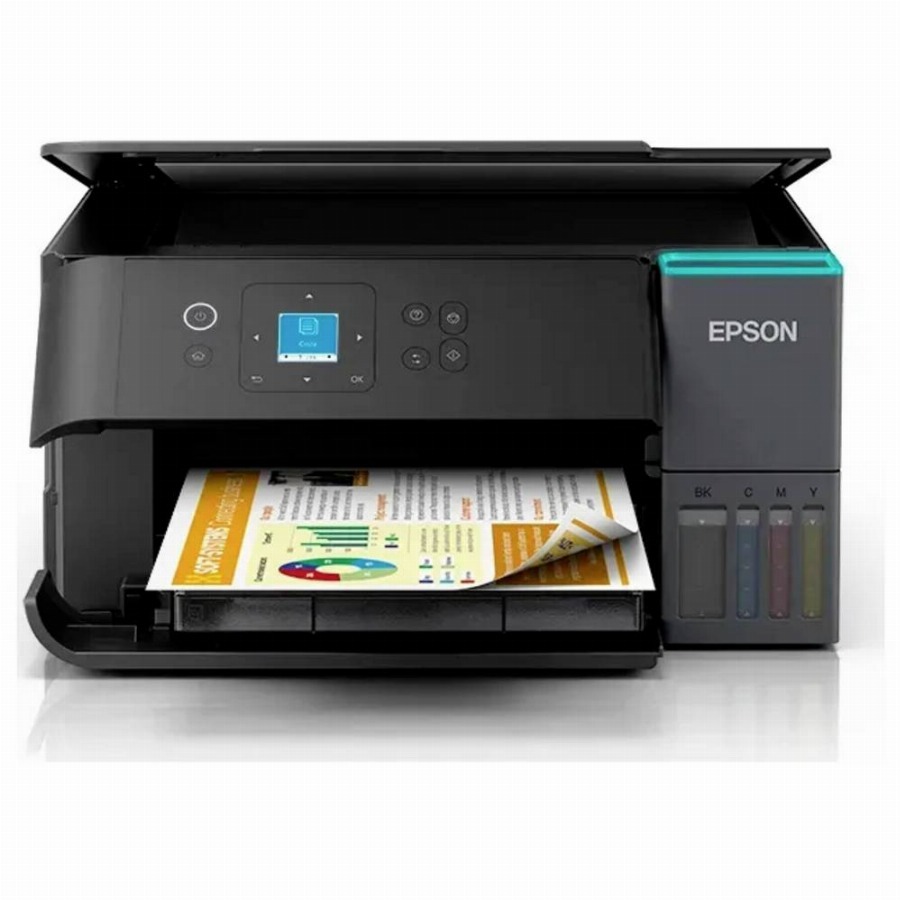
bij 5 winkels, goedkoopst bij Bol
bij 2 winkels, goedkoopst bij Coolblue