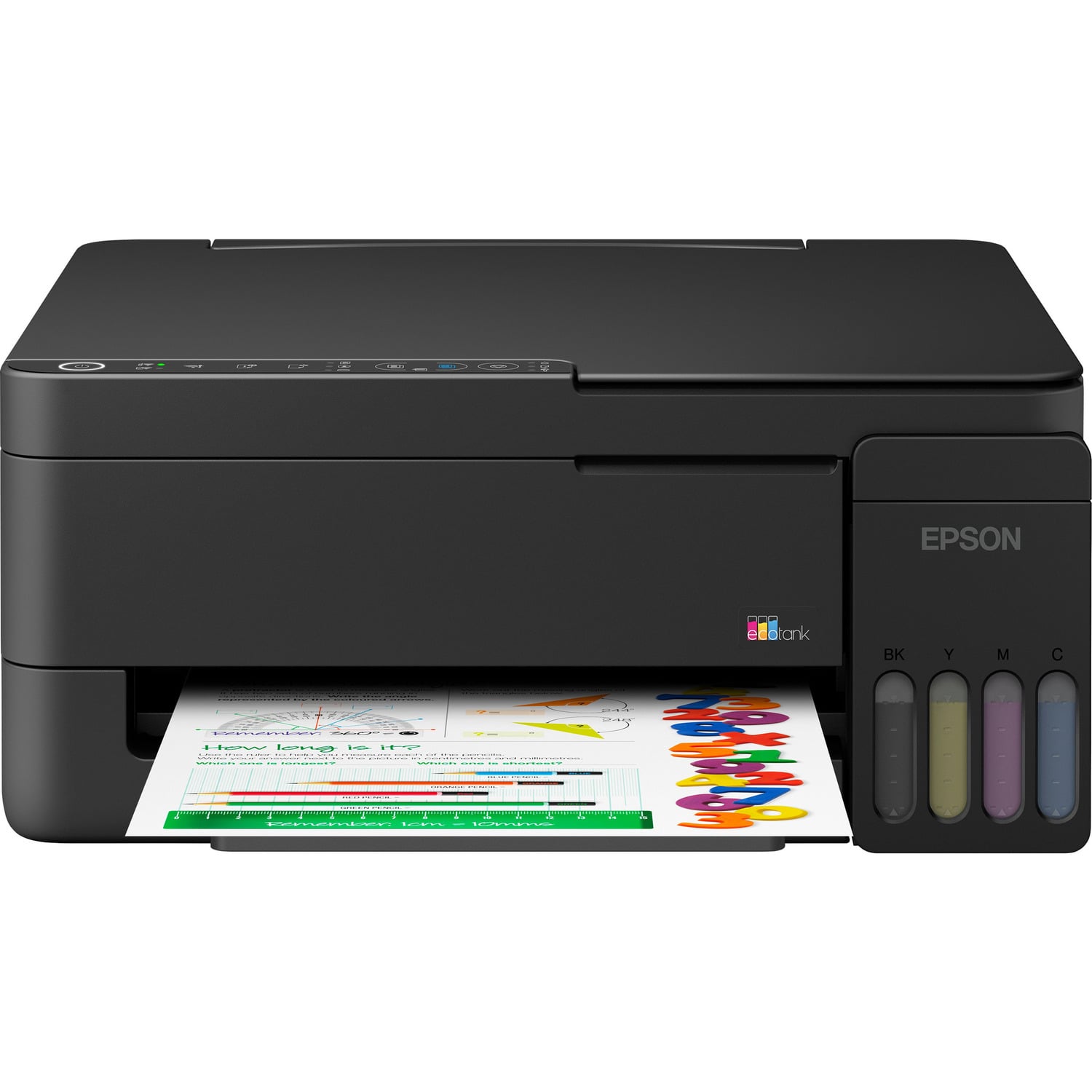
EPSON EcoTank ET-2914
Vanden Borre
Laagste prijs ooitWij meten de prijs van dit product zelf. In de 45 dagen dat wij het volgen, stond de prijs nooit lager dan nu. Sinds we deze prijs volgen (45 dagen) was hij nooit lager.
€159

De strafste Black Friday deals van België!
De strafste Black Friday deals van België!
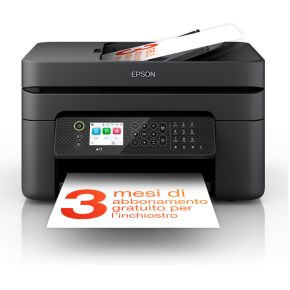
De laagste Black Friday-prijs voor de Epson WorkForce WF-2950DWF All-in-one printer is € 84 (bij 3 winkels vergeleken).
Dat is € 13,99 goedkoper dan de duurste winkel (€ 97,99).
Nu €84,00. Laat je adres achter en we mailen je zodra de prijs onder jouw bedrag zakt.
Je krijgt eerst een mail om te bevestigen — pas daarna staat de alert aan. Daarna hoogstens één bericht per week, en in elke mail staat een afmeldlink. Vink je de nieuwsbrief niet aan, dan gebruiken we je adres uitsluitend voor dit ene product. De nieuwsbrief is een aparte inschrijving die je los kan opzeggen.
Onze eigen metingen sinds 8 oktober 2026. De laagste prijs die wij in die periode zagen: €71,40.
Wijs een dag aan voor de cijfers, of sleep over de grafiek om in te zoomen.
Vandaag €84,00, dat is €12,60 boven de laagste prijs die wij ooit gemeten hebben.
| Maand | Laagste | Gemiddeld | Hoogste |
|---|---|---|---|
| oktober 2026 | € 84,99 | € 90,87 | € 105,00 |
| november 2026 | € 71,40 | € 88,88 | € 97,99 |
De zwarte Epson WorkForce Wf-2950Dwf is een betrouwbare alles-in-één kleurenprinter voor zowel thuis als op kantoor. Naast afdrukken kan dit model ook scannen, faxen en kopiëren. De inktcartridges zijn afzonderlijk per kleur vervangbaar, waardoor je bespaart op uitgaven en minder afval produceert. 4-in-1 printer De Epson WorkForce Wf-2950Dwf heeft een compact formaat (37,5 x 21,8 x 30 cm) en weegt slechts 5,3 kg waardoor je er snel een plekje voor zal vinden. Het intuïtieve lcd-kleurenscherm aan de voorzijde van het apparaat maakt de bediening erg eenvoudig. Verder beschikt de printer over een papierlade met een capaciteit van 100 vellen. Je drukt er trouwens niet enkel documenten, maar ook al je favoriete foto’s mee af. Daarnaast is hij flexibel en veelzijdig, aangezien hij veel afdruk-, scan-, fax-, en kopieermogelijkheden biedt. Beperk je uitgaven De Ananas 604-vierkleureninkten van Epson bieden betrouwbare, heldere en duidelijke prints tegen minimale kosten. Je vindt de inktpatronen in zowel standaard- als XL-formaat en je kan kiezen uit single- en multipacks. Aangezien de lege cartridges afzonderlijk per kleur vervangbaar zijn kan je op uitgaven besparen en produceer je minder afval. Bovendien is de printer geschikt voor Epson ReadyPrint, een maandelijks opzegbaar printplan. Je printer bestelt automatisch nieuwe cartridges bij Epson zodra je inkt bijna op is, zodat je nooit zonder inkt zit.
Productinformatie aangeleverd door MediaMarkt.
De printsnelheid in zwart-witte A4-pagina's per minuut (ppm), normale kwaliteit. De werkelijke snelheid is mede afhankelijk van de systeemconfiguratie, de gebruikte software en het document.
De maximale resolutie in beeldpunten (dots) per inch (DPI).
Feature of computer printers and multifunction printers (MFPs) that allows the printing of a sheet of paper on both sides (automatically or manually)
Producing a paper copy of information stored on a computer.
Geeft aan welke methode dit product gebruikt om te printen.
Description of copying function (colour or monochrome).
To convert a document or picture into digital form for storage or processing on a computer
To send an exact copy of a document made by electronic scanning and transmitted as data by telecommunications links.
The maximum number of prints/copies made by a printer/copier in a fixed period.
The maximum number of sheets of paper that can be held in all input trays and feeders combined.
The total count of available paper input trays, including the main cassette and any optional or multipurpose trays (e.g. 2).
The maximum paper size the device can handle, defined by ISO A-series.
Een aansluiting voor een netwerkkabel. Een kabel is altijd stabieler dan wifi — handig voor een tv die vaak stokt bij streaming.
Kan het toestel zelf op je draadloos netwerk? Nodig voor apps, updates en streaming zonder kabel.
Under which category can the device be positioned in the market, e.g. camera phone.
De kleur (bvb. rood)
| Printen zonder witranden Indicates whether this product is capable of printing borderless photos, and what size | Ja |
|---|---|
| Printsnelheid (kleur, standaard, A4/US Letter) The number of colour outputs produced per minute at normal quality for A4 or US Letter sizes, measured in ppm. | 18 ppm |
| Printsnelheid (zwart, standaardkwaliteit, A4/US Letter) De printsnelheid in zwart-witte A4-pagina's per minuut (ppm), normale kwaliteit. De werkelijke snelheid is mede afhankelijk van de systeemconfiguratie, de gebruikte software en het document. | 33 ppm |
| Maximale resolutie De maximale resolutie in beeldpunten (dots) per inch (DPI). | 5760 x 1440 DPI |
| Duplex printen Feature of computer printers and multifunction printers (MFPs) that allows the printing of a sheet of paper on both sides (automatically or manually) | Ja |
| Printen Producing a paper copy of information stored on a computer. | Afdrukken in kleur |
| Printtechnologie Geeft aan welke methode dit product gebruikt om te printen. | Inkjet |
| Modus voor dubbelzijdig afdrukken Specifies how the device handles double-sided printing, such as automatically flipping the page or requiring the user to do so manually. | Auto |
| Kopiëren Description of copying function (colour or monochrome). | Kopiëren in kleur |
|---|
| Scantechnologie Indicates the technology used to scan by this product | CIS |
|---|---|
| Soort scanner Er bestaan verschillende soorten scanners: | ADF-scanner |
| Optische scanresolutie How many pixels a scanner can see. Most commonly | 1200 x 2400 DPI |
| Scannen To convert a document or picture into digital form for storage or processing on a computer | Scannen in kleur |
| Snelkiezen Indicates whether the device supports the ability to call a pre-programmed contact or destination with a single touch or short sequence of keys. | Ja |
|---|---|
| Faxgeheugen The maximum number of pages that can be stored in the internal memory for transmission or reception (e.g. 100 pages). | 100 pagina's |
| Modemsnelheid The speed at which data is transferred by a modem. | 33,6 Kbit/s |
| Verzendsnelheid fax The average time required to transmit a single page via fax, measured in sec/page. | 3 sec/pagina |
| Faxen To send an exact copy of a document made by electronic scanning and transmitted as data by telecommunications links. | Faxen in kleur |
| Printkleuren The colours that can be produced by the printer. | Zwart, Cyaan, Magenta, Geel |
|---|---|
| Aantal printcartridges The amount of print cartridges. A print cartridge is a container holding a quantity of ink which is inserted into a inkjet printer mechanism. | 4 |
| Duplex functies The product has the ability to print | Printen |
| Gebruiksindicatie (maximaal) The maximum number of prints/copies made by a printer/copier in a fixed period. | 3000 pagina's per maand |
| Capaciteit automatische documentinvoer Number of sheets this product can hold in its ADF tray; expressed in sheets | 30 vel |
|---|---|
| Automatische documentinvoer (ADF) Indicates whether the device includes a mechanism that automatically feeds multiple pages into the scanner for sequential processing. | Nee |
| Totale invoercapaciteit The maximum number of sheets of paper that can be held in all input trays and feeders combined. | 100 vel |
| Totaal aantal invoerladen The total count of available paper input trays, including the main cassette and any optional or multipurpose trays (e.g. 2). | 1 |
| Papierlade mediagewicht The range of supported media thickness that can be loaded into the tray, measured in grams per square metre (e.g., 60-220 g/m²). | 64 - 300 g/m² |
|---|---|
| Foto papier afmetingen The dimensions of the photographic paper that the device is compatible with, measured in cm. | 10x15 cm, 13x18 cm |
| Afmetingen enveloppen The supported dimensions of envelopes that can be processed by the device (e.g. C4, C5 or B5). | 10, C6, DL |
| ISO B-series afmetingen (B0...B9) The supported paper dimensions based on the ISO 216 B-series standard (e.g. B0, B1, B2). | B5, B6 |
| ISO A-series afmetingen (A0...A9) Different sizes of paper from A0 (big) to A9 (small). A4 is the most common size used for printing documents. | A4, A5, A6 |
| Papierlade mediatypen Specifies the different kinds of materials that can be loaded into the paper tray, such as envelopes, card stock, or coated paper. | Enveloppen, Fotopapier, Normaal papier |
| Maximale ISO A-series papierformaat The maximum paper size the device can handle, defined by ISO A-series. | A4 |
| Aantal USB 2.0-poorten USB 2.0 poorten hebben een data-overdrachtssnelheid van 480 Mbps, u kunt er allerlei randapparatuur op aansluiten en ze werken ook met USB 1.1 apparaten. | 1 |
|---|---|
| USB-poort The device features a socket into which a USB cable can be plugged. | Ja |
| Mobiele printing technologieën Apps etc. which allow users to send a print job from a smartphone or tablet to a printer via a wireless network. | Apple AirPrint, Epson Connect, Epson Email Print, Epson Remote Print, Epson Scan to Cloud, Epson iPrint, Mopria Print Service |
|---|---|
| Ondersteunde beveiligingsalgoritmen Er zijn verschillende manieren om data te versleutelen voordat het verzonden wordt. Over het algemeen geld, hoe meer bits, hoe veiliger. | 64-bit WEP, 128-bit WEP, WPA-PSK, WPA-TKIP, WPA2-AES, WPA2-PSK, WPA3-SAE |
| Wifi-standaard Welke wifi-generatie het toestel aankan. Wi-Fi 5 volstaat ruim voor streamen; Wi-Fi 6 en hoger helpen vooral als er veel toestellen tegelijk op hetzelfde netwerk zitten. Je haalt de snelheid van je router — een nieuw toestel maakt een oude router niet sneller. | 802.11b, 802.11g, Wi-Fi 4 (802.11n) |
| Netwerkaansluiting Een aansluiting voor een netwerkkabel. Een kabel is altijd stabieler dan wifi — handig voor een tv die vaak stokt bij streaming. | Nee |
| Wifi Kan het toestel zelf op je draadloos netwerk? Nodig voor apps, updates en streaming zonder kabel. | Ja |
| Kleurenscherm Indicates whether the device is equipped with a screen capable of displaying multiple colours. | Ja |
|---|---|
| Scherm aanwezig Heeft het toestel zelf een schermpje, bijvoorbeeld om de stand of het programma af te lezen? | Ja |
| Markt positionering Under which category can the device be positioned in the market, e.g. camera phone. | Bedrijf |
| Kleur De kleur (bvb. rood) | Zwart |
| Gemiddeld stroomverbruik tijdens Kopiëren The amount of electrical energy used by the device during the copying process, measured in watts. | 12 W |
|---|---|
| Netfrequentie De frequentie van het stopcontact, in hertz. In Europa 50 Hz. Enkel van belang bij gebruik buiten Europa. | 50 - 60 Hz |
| Netspanning De spanning waarop het toestel werkt. In België is dat 230 volt. Alleen van belang als je het toestel in het buitenland wil gebruiken. | 100 - 240 V |
| Stroomverbruik (indien uit) The amount of electrical energy consumed by the device when it is switched off, measured in watts. | 0,2 W |
| Slaapstand The amount of electrical energy consumed by the device when it is in sleep mode, typically measured in watts (W). | 0,7 W |
| Stroomverbruik (gereed) The amount of electrical energy consumed by the device when it is powered on but not actively performing a task, measured in Watts. | 4,6 W |
| Ondersteunde server operating systems The server-grade operating systems that are compatible with the product (e.g. SUSE Linux Enterprise Server or Windows Server). | Windows Server 2003, Windows Server 2008 R2, Windows Server 2012 R2, Windows Server 2012 x64, Windows Server 2016 |
|---|---|
| Ondersteunt Mac-besturingssysteem Mac operating systems e.g. OS X can be used with the device. | Mac OS X 10.10 Yosemite, Mac OS X 10.11 El Capitan, Mac OS X 10.12 Sierra, Mac OS X 10.13 High Sierra, Mac OS X 10.14 Mojave, Mac OS X 10.15 Catalina, Mac OS X 10.15.3 Catalina, Mac OS X 10.2 Jaguar, Mac OS X 10.3 Panther, Mac OS X 10.4 Tijger, Mac OS X 10.5 Leopard, Mac OS X 10.6 Snow Leopard, Mac OS X 10.7 Lion, Mac OS X 10.8 Mountain Lion, Mac OS X 10.9 Mavericks, Mac OS X 11.0 Big Sur, Mac OS X 12.0 Monterey |
| Ondersteunt Windows Windows vesions wich can be used with the device. | Windows 10, Windows 11, Windows 7, Windows 8, Windows Vista, Windows XP |
| Gewicht Het gewicht van het toestel zelf, zonder verpakking. Bij iets dat je draagt of in de hand houdt weegt elke honderd gram merkbaar door. | 5,3 kg |
|---|---|
| Hoogte De hoogte van het toestel. Let bij toestellen onder een werkblad ook op de verstelbare pootjes — die geven vaak een paar centimeter speling. | 218 mm |
| Diepte De diepte van het toestel, zonder de slangen en stekkers achteraan. Reken daar nog enkele centimeters bij op. | 300 mm |
| Breedte De breedte van het toestel. Bij inbouw en bij toestellen die in een nis moeten: meet je opening na en houd een centimeter speling voor de aansluitingen achteraan. | 375 mm |
57 specificaties, aangeleverd door de fabrikant.
Vandaag is de Epson WorkForce WF-2950DWF All-in-one printer het goedkoopst bij Bol, voor € 84. We vergelijken de prijs bij 3 webshops en werken die meerdere keren per dag bij. Het verschil met de duurste winkel is € 13,99: daar betaal je € 97,99 voor hetzelfde product.
We volgen de prijs van de Epson WorkForce WF-2950DWF All-in-one printer nu 45 dagen. Dat is nog te kort om te zeggen of dit een uitzonderlijk goede prijs is; vanaf ongeveer twee weken meetgegevens zetten we dat oordeel hier neer. Wil je het weten zodra de prijs zakt, zet dan hierboven een prijsalert.
Vanden Borre
Laagste prijs ooitWij meten de prijs van dit product zelf. In de 45 dagen dat wij het volgen, stond de prijs nooit lager dan nu. Sinds we deze prijs volgen (45 dagen) was hij nooit lager.
bij 2 winkels, goedkoopst bij Megekko
Laagste prijs ooitWij meten de prijs van dit product zelf. In de 45 dagen dat wij het volgen, stond de prijs nooit lager dan nu. Sinds we deze prijs volgen (45 dagen) was hij nooit lager.
bij 6 winkels, goedkoopst bij Bol
Laagste prijs ooitWij meten de prijs van dit product zelf. In de 45 dagen dat wij het volgen, stond de prijs nooit lager dan nu. Sinds we deze prijs volgen (45 dagen) was hij nooit lager.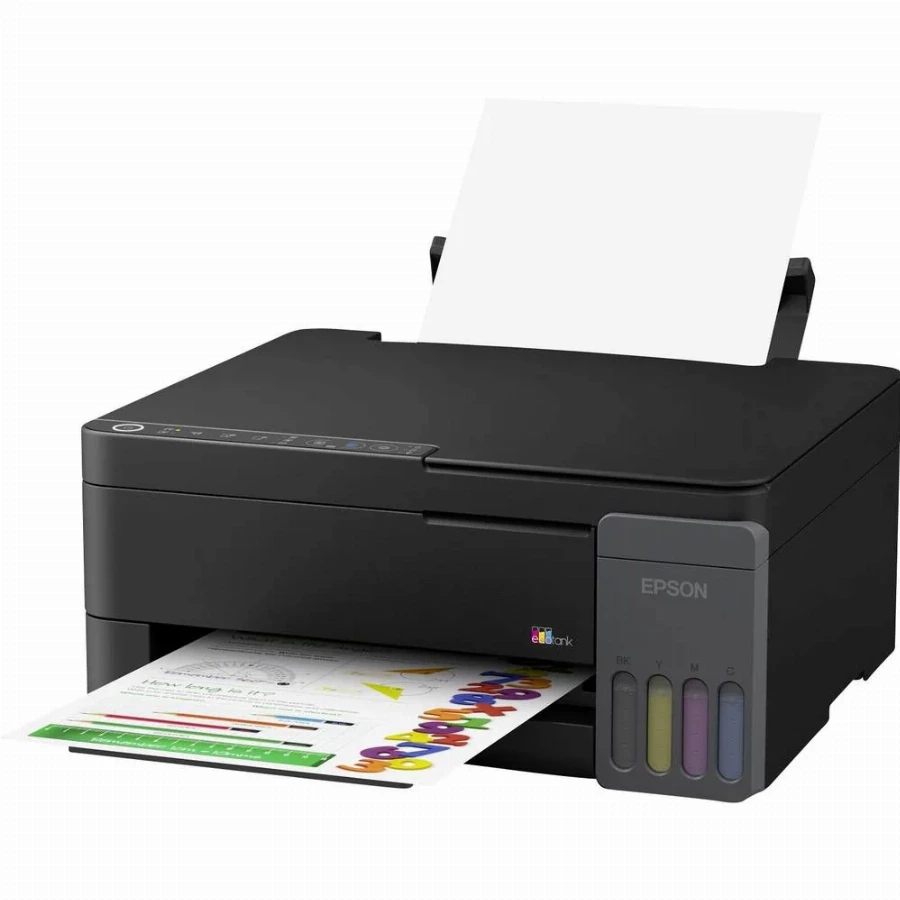
bij 2 winkels, goedkoopst bij Coolblue
Laagste prijs ooitWij meten de prijs van dit product zelf. In de 45 dagen dat wij het volgen, stond de prijs nooit lager dan nu. Sinds we deze prijs volgen (45 dagen) was hij nooit lager.