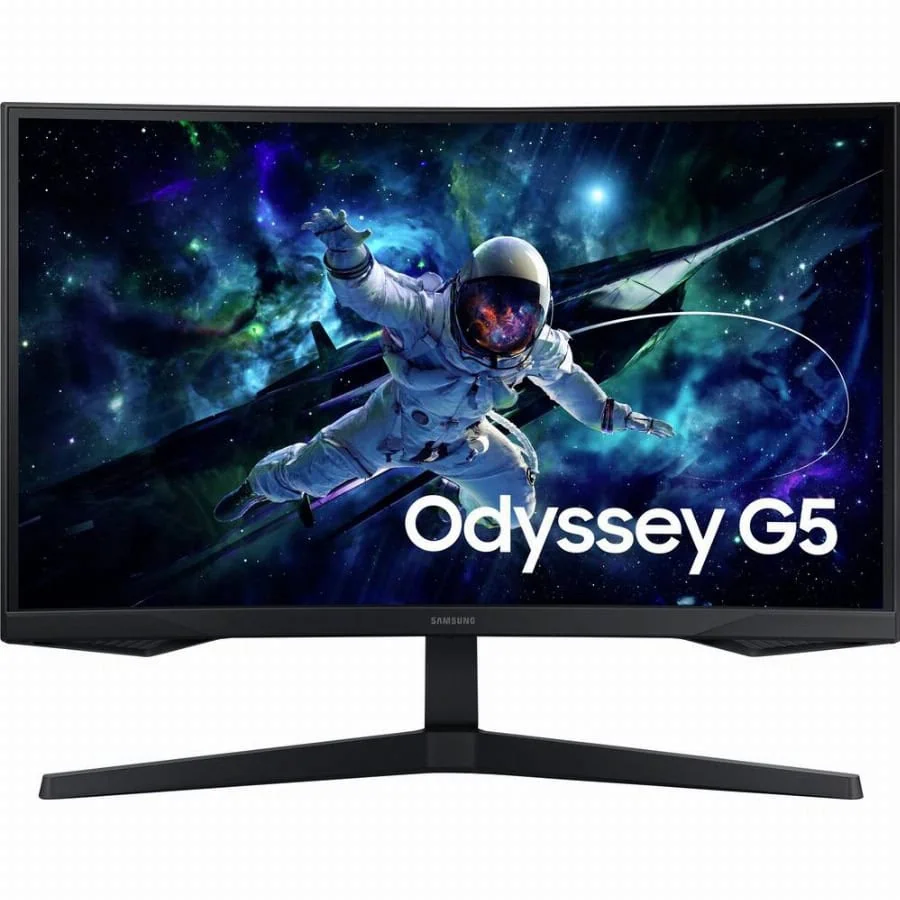
Samsung Odyssey G5 LS27CG554EU Gaming monitor Energielabel F (A - G) 68.6 cm (27 inch) 2560 x 1440 Pixel 16:9 1 ms DisplayPort, HDMI, Hoofdtelefoon (3.5 mm
bij 3 winkels, goedkoopst bij Bol
€154,99

De strafste Black Friday deals van België!
De strafste Black Friday deals van België!
 -13%
De Black Friday-prijs voor de Samsung Odyssey G8 LS32DG802SUXEN 32 4K Ultra HD 240Hz OLED Gaming Monitor is € 785 bij Bol. Komt er een winkel bij, dan zie je hier de vergelijking.
Nu €785,00. Laat je adres achter en we mailen je zodra de prijs onder jouw bedrag zakt.
Je krijgt eerst een mail om te bevestigen — pas daarna staat de alert aan. Daarna hoogstens één bericht per week, en in elke mail staat een afmeldlink. Vink je de nieuwsbrief niet aan, dan gebruiken we je adres uitsluitend voor dit ene product. De nieuwsbrief is een aparte inschrijving die je los kan opzeggen.
Onze eigen metingen sinds 8 oktober 2026. De laagste prijs die wij in die periode zagen: €772,00.
Wijs een dag aan voor de cijfers, of sleep over de grafiek om in te zoomen.
Vandaag €785,00, dat is €13,00 boven de laagste prijs die wij ooit gemeten hebben.
| Maand | Laagste | Gemiddeld | Hoogste |
|---|---|---|---|
| oktober 2026 | € 779,00 | € 848,68 | € 899,00 |
| november 2026 | € 772,00 | € 788,54 | € 812,00 |
Stap in de wereld van ultieme gaming met de Samsung Odyssey OLED G8 G80SD, een monitor die zo geavanceerd is dat je misschien wel denkt dat hij uit de toekomst komt. Met technologieën die je gameplay transformeren en een vleugje magie lijken te bevatten, is deze monitor jouw nieuwe beste vriend. De OLED G8 G80SD is de enige gaming monitor in het OLED segment met Smart functionaliteit: dat maakt hem extra compleet! Laten we eens kijken naar wat deze technische tovenaar voor je in petto heeft: OLED Glare Free Technologie: Zeg maar dag tegen die vervelende schitteringen! Met 54% minder glans dan standaard anti-reflectieschermen, kun je je eindelijk volledig concentreren op het verslaan van je vijanden zonder te worden verblind door de zon – tenzij je natuurlijk buiten gamed, maar waarom zou je dat doen? Samsung OLED Safeguard+: Maak je geen zorgen meer over inbranden van je scherm tijdens je 24-uurs gamemarathons. Met OLED Safeguard+ kun je gerust je statische kaart in de hoek laten staan zonder dat je monitor ervan in de war raakt. Dit is letterlijk de bodyguard die je scherm verdient! Smart TV-apps met AI: Heb je ooit gewenst dat je monitor een multifunctioneel entertainmentcentrum zou zijn? Wens vervuld! Schakel moeiteloos over van je epische game-avonturen naar het binge-watchen van je favoriete series. En dankzij de NQ8 AI Gen3 Processor blijft alles haarscherp, zelfs als je favoriete superheld weer eens de stad aan gort slaat.
Productinformatie aangeleverd door Bol.com.
Kan je het scherm bedienen door erop te tikken? Handig om te tekenen of te schrijven, maar het kost wat batterij en het scherm weerspiegelt doorgaans meer.
De verhouding tussen breedte en hoogte van het scherm. 16:9 is de norm voor tv en film. Bredere verhoudingen tonen bioscoopfilms zonder balken, maar geven bij gewone tv wél balken links en rechts.
Het aantal beeldpunten van het scherm. Meer beeldpunten betekent een scherper beeld — vooral als het scherm groot is of je er dicht bij zit.
De diagonaal van het scherm, van hoek tot hoek, meestal in inch (1 inch = 2,54 cm).
Vuistregel voor een tv: meet de afstand van je zetel tot het scherm in centimeter en deel door 4 à 5. Op drie meter zit je zo rond 65 inch.
The product includes AMD Freesync Technology for the dynamic synchronization of the graphic card and the monitor in order to avoid screen tearing.
Indicates whether the product supports NVIDIA G-SYNC technology to synchronize the display refresh rate with the GPU to eliminate screen tearing.
Het product heeft een ingebouwde camera.
The device contains speaker(s) to produce sound.
De kleur (bvb. rood)
Under which category can the device be positioned in the market, e.g. camera phone.
Whether or not the device features a USB hub to connect more than one other device via USB.
Het gatenpatroon achteraan, in millimeter — bijvoorbeeld 400×300. Een muurbeugel past alleen als hij dezelfde maat aankan.
| Kleurbereik The range of colours that the display can accurately reproduce, typically expressed as a percentage of a standard colour space (e.g. sRGB or Adobe RGB). | 99 procent |
|---|---|
| Kleurstandaard gamut The specific color space standard the device is designed to reproduce, such as Adobe RGB or DCI-P3. | DCI-P3 |
| HDR-formaat Welke HDR-varianten het toestel aankan. HDR10 is de basis en werkt overal. Dolby Vision en HDR10+ sturen het beeld scène per scène bij en zien er doorgaans beter uit — als de film of serie het ondersteunt. | High Dynamic Range 10 (HDR10), High Dynamic Range 10+ Gaming (HDR10 Plus Gaming) |
| HDR High Dynamic Range: het scherm toont donkere en heldere delen tegelijk zonder detailverlies. Een nachtscène blijft zichtbaar, een zonsondergang wordt geen witte vlek. Het verschil is in de praktijk vaak duidelijker zichtbaar dan het verschil tussen 4K en 8K. | Ja |
| Schermdiameter in centimeters This is the size of the display screen | 80 cm |
| Grootte beeld (verticaal) De grootte van het daadwerkelijke beeld is vaak kleiner dan de grootte van de monitor, omdat er soms een grote rand om het beeld zit. | 39,5 cm |
| Grootte beeld (horizontaal) De grootte van het daadwerkelijke beeld is vaak kleiner dan de grootte van de monitor, omdat er soms een rand om het beeld zit. | 69,9 cm |
| Beeldscherm, aantal kleuren Het aantal kleuren dat een scherm kan weergeven. Meer kleuren zorgen voor vloeiendere kleurovergangen en een realistischer beeld, vooral bij foto’s, films en games. Een scherm met 16,7 miljoen kleuren (8-bit) is de standaard en voor de meeste toepassingen ruim voldoende. 1 miljard kleuren (10-bit) kan zichtbaar betere kleurovergangen geven bij HDR-video en professionele foto- of videobewerking. | 1 miljard kleuren |
| Kijkhoek, verticaal Maximum vertical angle at which a display can be viewed with acceptable visual performance. | 178° |
| Kijkhoek, horizontaal Maximum horizontal angle at which a display can be viewed with acceptable visual performance. | 178° |
| Beeldfrequentie (max.) De hoogste beeldfrequentie die het scherm haalt, in hertz. 60 Hz is genoeg voor film en tv; 120 Hz of meer is vooral merkbaar bij games en sport. | 240 Hz |
| Marketingnaam dynamische contrastratio The proprietary brand name used by the manufacturer to describe the technology that automatically adjusts the backlight to improve the contrast ratio (e.g., ASUS Smart Contrast Ratio). | Mega DCR |
| Typische contrastverhouding De verhouding tussen de hoeveelheid licht van het helderste wit en het donkerste zwart van de display/projector. | 1000000:1 |
| Schermvorm Vlak of gebogen. Een gebogen scherm oogt indrukwekkend van dichtbij en alleen recht ervoor; zit je er met meerdere mensen naast, dan werkt vlak beter. | Flat |
| Type reactietijdmeting The method used to measure the time it takes for a pixel to change colors, such as GTG (Gray to Gray) or BwB (Black-white-Black). | GTG (Gray to Gray) |
| Responstijd De responstijd is het tijdsverschil tussen het moment dat de grafische kaart een beeld verstuurt naar de monitor en het moment dat de monitor dat beeld weergeeft. Gewoonlijk moet deze tijd zeker onder de 25ms liggen. | 0,03 ms |
| Schermhelderheid (min) The minimum luminance level of the screen, measured in candelas per square metre (cd/m²). | 200 cd/m² |
| Helderheid (typisch) Display brightness, measured by its Luminance, presented as a figure in nits. Typical brightness ratings for monitors range from 250 to 350 nits with a target value of between 80 to 120 nits being suitable for most displays in a normal viewing environment. | 250 cd/m² |
| Aanraakscherm Kan je het scherm bedienen door erop te tikken? Handig om te tekenen of te schrijven, maar het kost wat batterij en het scherm weerspiegelt doorgaans meer. | Nee |
| Soort paneel The technology used to manufacture the panel, such as AMOLED or AH-IPS. | OLED |
Schermtechnologie
| OLED |
| Beeldverhouding De verhouding tussen breedte en hoogte van het scherm. 16:9 is de norm voor tv en film. Bredere verhoudingen tonen bioscoopfilms zonder balken, maar geven bij gewone tv wél balken links en rechts. | 16:9 |
| Beeldkwaliteit Hoe scherp het beeld is, in de benaming die fabrikanten gebruiken.
| 4K Ultra HD |
| Resolutie Het aantal beeldpunten van het scherm. Meer beeldpunten betekent een scherper beeld — vooral als het scherm groot is of je er dicht bij zit.
| 3840 x 2160 Pixels |
| Schermdiagonaal De diagonaal van het scherm, van hoek tot hoek, meestal in inch (1 inch = 2,54 cm). Vuistregel voor een tv: meet de afstand van je zetel tot het scherm in centimeter en deel door 4 à 5. Op drie meter zit je zo rond 65 inch. | 81,3 cm (32") |
| Besturingssysteem De software waarop het toestel draait. Bij een tv bepaalt dit welke apps je kan installeren en hoe vlot het menu werkt; bij een laptop of telefoon welke programma's erop passen. | Tizen |
|---|---|
| Game modus Indicates whether the device has a dedicated preset that optimizes performance, such as reducing input lag or enhancing contrast, for gaming. | Ja |
| Spelkenmerken Specific hardware or software enhancements designed to improve performance and responsiveness during gameplay (e.g. Auto Low Latency Mode). | Super Ultrawide GameView |
| Knippervrije technologie Indicates whether the device employs technology to reduce or eliminate screen flickering to decrease eye strain during prolonged use. | Ja |
| AMD FreeSync-type The specific version of the adaptive synchronization technology supported by the device to reduce screen tearing and stuttering (e.g. FreeSync Premium Pro). | FreeSync Premium Pro |
| AMD FreeSync The product includes AMD Freesync Technology for the dynamic synchronization of the graphic card and the monitor in order to avoid screen tearing. | Ja |
| NVIDIA G-SYNC-type Specifies the version of NVIDIA's adaptive sync technology supported by the device to reduce screen tearing and stuttering (e.g. G-SYNC Compatible). | G-SYNC Compatible |
| NVIDIA G-SYNC Indicates whether the product supports NVIDIA G-SYNC technology to synchronize the display refresh rate with the GPU to eliminate screen tearing. | Ja |
| Adaptive Sound Pro Indicates whether the device features technology that automatically adjusts audio settings based on the surrounding environment. | Ja |
|---|---|
| Ingebouwde camera Het product heeft een ingebouwde camera. | Nee |
| Ingebouwde luidsprekers The device contains speaker(s) to produce sound. | Ja |
| Stroomverbruik (gemiddeld) Het verbruik bij normaal gebruik, in watt. Dit cijfer benadert je energiefactuur beter dan het maximum. | 10 W |
| Aantal luidsprekers Het aantal luidsprekers dat in het product is ingebouwd of wordt meegeleverd. Meer luidsprekers kunnen een voller of ruimtelijker geluid geven, maar de geluidskwaliteit hangt ook af van hun formaat, vermogen en plaatsing. | 1 |
| Kleur De kleur (bvb. rood) | Zilver |
|---|---|
| Markt positionering Under which category can the device be positioned in the market, e.g. camera phone. | Consument |
| Voetenkleur The colour of the feet | Zilver |
| HDCP versie The version of the High-bandwidth Digital Content Protection standard supported by the device to prevent the unauthorized copying of digital audio and video content (e.g. 2.2). | 2.2 |
|---|---|
| HDCP High-bandwidth Digital Content Protection (HDCP) is een versleuteling van digitale audio- en videoinhoud die verstuurd wordt over DVI- of HDMI-verbindingen. Het is een vorm van digitaal rechtenbeheer (DRM) om het illegaal kopiëren van data tegen te gaan. Data wordt uitsluitend doorgegeven aan randapparatuur die daartoe gerechtigd is en daartoe een uniek HDCP-nummer heeft. | Ja |
| Hoofdtelefoon uit The socket for connecting headphones to the device. | Nee |
| HDMI versie The specific release version of the High-Definition Multimedia Interface standard supported by the device (e.g. 1.3 or 2.0). | 2.1 |
| HDMI-aansluitingen Hoeveel toestellen je tegelijk kan aansluiten: decoder, spelconsole, soundbar, mediaspeler. Reken op één per toestel — een extra poort is achteraf niet bij te bouwen. | 2 |
| HDMI HDMI (High-Definition Multimedia Interface) is a compact audio/video interface for transferring uncompressed video data and compressed/uncompressed digital audio data from a HDMI-compliant device ("the source device") to a compatible computer monitor | Ja |
| Ingebouwde USB-hub Whether or not the device features a USB hub to connect more than one other device via USB. | Ja |
| Type onderhoudspoort The physical interface of the dedicated port used for maintenance, diagnostics, or firmware updates (e.g. USB Type-C). | USB Type-A |
| Aansluiting voor netstroomadapter The socket/plug where the DC electricity supply connects to the device. | Ja |
| Ingebouwde KVM schakelaar Indicates whether the product includes an integrated keyboard, video, and mouse switch to control multiple computers with a single set of peripherals. | Nee |
| DisplayPort-uitgangsversie The version of the DisplayPort output standard supported by the device (e.g. 1.4). | 1.4 |
| Aantal DisplayPort-uitgangen The number of DisplayPort output ports available on the device for daisy-chaining or connecting additional displays. | 1 |
| Aantal USB Type-A downstream-poorten The number of USB Type-A ports available for connecting peripheral devices to the unit. | 2 |
| Aantal upstream-poorten The total number of available ports used to connect the device to a computer or another network source. | 1 |
| Type USB-upstreampoort The connector type used for the upstream connection to a host device (e.g., USB Type-B or USB Type-C). | USB Type-B |
| Versie USB-hub The technical standard of the USB hub, if available, which determines the maximum data transfer speed (e.g., 3.2 Gen 1). | 3.2 Gen 1 (3.1 Gen 1) |
| Bereik kantelhoek The minimum and maximum angles at which the unit can be tilted, typically expressed in degrees. | -2 - 25° |
|---|---|
| kantel aanpassingen The tilt, which means the angle at which the device is pointing (up or down), can be changed. | Ja |
| Paneelmontage-interface Het product heeft een VESA-montagepatroon: vier schroefgaten op de achterkant volgens een vaste standaard. Daardoor past het op een compatibele muurbeugel, monitorarm of tv-standaard. Controleer wel de VESA-maat, bijvoorbeeld 100 × 100 mm of 200 × 200 mm. | 100 x 100 |
| Muurbeugel (VESA) Het gatenpatroon achteraan, in millimeter — bijvoorbeeld 400×300. Een muurbeugel past alleen als hij dezelfde maat aankan. | Ja |
| Horizontaal draaibaar | -92 - 92° |
| Draaibaar Indicates whether the product has a mechanism that allows it to rotate horizontally. | Ja |
| Pivot hoek The range of motion available for rotating the unit around its vertical axis, typically measured in degrees. | -30 - 30° |
| Scharnier Indicates whether the device can be rotated 90 degrees to switch between landscape and portrait orientation. | Ja |
| Verstelbare hoogte (max) The maximum distance the unit can be raised vertically from its lowest position, measured in millimetres. | 12 cm |
| In hoogte verstelbaar The part of the device that can be adjusted to change the height. | Ja |
| Verbeterd kabelbeheer Description of improved cable management | Ja |
| Energielabel-schaal Volgens welke versie van het label de klasse bepaald is. Sinds 2021 loopt de schaal van A tot G; oudere labels met A+ tot A+++ zijn daar niet mee te vergelijken. | A tot F |
|---|---|
| Soort voeding De voeding voorziet uw computer van stroom. Deze kan intern of extern zijn. PFC = Power Factor Correctie. CE = CE merk compatibel. Wanneer er twee waarden (Watt) worden aangegeven, betreft het vaak low line versus high line-condities. Meerdere voedingen worden voor redundantie ingezet. Wanneer een extra voeding optioneel is wordt dat aangegeven door het maximum aantal te noemen. Voeding kunnen Hot Plug of niet-Hot Plug zijn. | Extern |
| Netfrequentie De frequentie van het stopcontact, in hertz. In Europa 50 Hz. Enkel van belang bij gebruik buiten Europa. | 50/60 Hz |
| Netspanning De spanning waarop het toestel werkt. In België is dat 230 volt. Alleen van belang als je het toestel in het buitenland wil gebruiken. | 100 - 240 V |
| Verbruik in stand-by Wat het toestel verbruikt terwijl het uit lijkt te staan. Klein per uur, maar het loopt het hele jaar door — en het telt mee in je factuur. | 0,5 W |
| Stroomverbruik (typisch) Het vermogen van het apparaat, uitgedrukt in Watts. Typische waardes die fabrikanten geven zijn stroomverbruik indien uitgeschakeld, standby/suspended, typisch gebruik, maximaal gebruik. | 47 W |
| Energieverbruik (HDR) per 1000 uur The amount of electrical energy consumed by the device when displaying High Dynamic Range (HDR) content over a period of 1000 hours, measured in kilowatt-hours (kWh). | 65 kWu |
| Energieverbruik (SDR) per 1000 uur The amount of electric energy consumed by the device during standard dynamic range (SDR) operation over a period of 1000 hours, measured in kilowatt-hours (kWh). | 47 kWu |
| Energie-efficiëntieklasse (HDR) The energy efficiency rating of the device when High Dynamic Range (HDR) mode is active, ranging from A to G. | G |
| Energieklasse (gewoon beeld) Het energielabel bij gewoon beeld. Bij HDR-beeld ligt het verbruik hoger, en daar geldt een aparte klasse voor. | G |
| Stroomverbruik (max.) Het verbruik wanneer het toestel het hardst werkt, in watt. Dat is een piek, geen gemiddelde — een tv haalt dit alleen bij het felste beeld. | 180 W |
| Bluetooth-versie Een hoger nummer betekent doorgaans een stabielere verbinding en minder batterijverbruik. Elke versie werkt met oudere toestellen — je verliest hoogstens de nieuwste snufjes. | 5.2 |
|---|---|
| Bluetooth Draadloze verbinding over korte afstand, voor koptelefoons, luidsprekers en toetsenborden. Werkt zonder wifi en zonder internet. | Ja |
| Wifi-standaard Welke wifi-generatie het toestel aankan. Wi-Fi 5 volstaat ruim voor streamen; Wi-Fi 6 en hoger helpen vooral als er veel toestellen tegelijk op hetzelfde netwerk zitten. Je haalt de snelheid van je router — een nieuw toestel maakt een oude router niet sneller. | 802.11a, 802.11b, 802.11g, Wi-Fi 4 (802.11n), Wi-Fi 5 (802.11ac) |
| Wifi Kan het toestel zelf op je draadloos netwerk? Nodig voor apps, updates en streaming zonder kabel. | Ja |
| Relatieve vochtigheid in bedrijf (V-V) Relatieve Luchtvochtigheid is de hoeveelheid waterdamp die de lucht bevat in verhouding (in procenten) tot de hoeveelheid water die de lucht bij die temperatuur maximaal zou kunnen bevatten (100%), koude lucht kan bijvoorbeeld minder water bevatten dan warme. Als de lucht afkoelt en de relatieve luchtvochtigheid daardoor boven de 100% komt, condenseert de waterdamp en krijgt men water. | 10 - 80 procent |
|---|---|
| Bedrijfstemperatuur (T-T) The minimum and maximum temperatures at which the product can be safely operated. | 0 - 40 °C |
| Gewicht (zonder voet) The mass of the device excluding the support base, measured in g. | 5,3 kg |
|---|---|
| Hoogte (zonder voet ) The vertical measurement of the device when the stand is removed, measured in mm. | 414,7 mm |
| Diepte zonder voet Hoe ver het scherm uitsteekt zonder voet. Aan de muur komt daar nog de dikte van de beugel bij. | 49,2 mm |
| Breedte zonder voet De breedte van het scherm alleen — de maat die telt als je het aan de muur hangt. | 719,7 mm |
| Gewicht (met standaard) The total mass of the unit including its supporting base, measured in kilograms or grams. | 8,4 kg |
| Hoogte apparaat (met standaard) The total vertical measurement of the product including its base or support structure, expressed in millimetres or centimetres. | 584,6 mm |
| Diepte met voet Hoe diep het toestel met voet is. Meet je tv-meubel na: een voet die uitsteekt staat wankel. | 563,5 mm |
| Breedte met voet De breedte inclusief de voet. Dit is de maat die je meubel moet kunnen dragen. | 719,7 mm |
| Lengte stroomkabel The total length of the electrical power cord, typically measured in metres or centimetres. | 1,5 m |
|---|---|
| Kabels in de doos Welke kabels erbij zitten. Ontbreekt de kabel die jij nodig hebt, reken er dan een aparte aankoop bij. | AC, DisplayPort, HDMI, USB |
| Afstandsbediening inbegrepen Component of an electronics device | Ja |
| Certificering Keurmerken en normen waaraan het toestel voldoet. Vaak verplichte technische vermeldingen, zelden iets waarop je een keuze baseert. | Windows 11 |
|---|---|
| Certificaten van naleving Indicates which regulatory, safety, and environmental standards the product complies with, as verified by recognized authorities or certification bodies. | UL |
| SmartThings app ondersteuning Indicates whether the product can be controlled and managed via the Samsung SmartThings application. | Ja |
| Merkspecifieke technologieën Proprietary features or technical innovations developed by the manufacturer to enhance performance or functionality (e.g. AI Vision or 3DWave). | Eye Saver, Gaminghub, Ultrawide GameView, Game Bar 2.0, Smart Calibration, Glare Free, Dynamic Black Equalizer, AI Motion Enhancer Pro, Active Voice Amplifier Pro |
| Type meegeleverde AC-adapter The type of power supply provided with the product to connect it to an alternating current source (e.g. AC). | AC |
| Slimme kalibratie Indicates whether the device can automatically adjust its settings to optimize performance based on the surrounding environment. | Ja |
| Samsung Eye Saver Mode Indicates whether the device features a setting to reduce blue light emissions to minimize eye strain during prolonged use. | Ja |
| Draadloos scherm Indicates whether the device supports the wireless transmission of video and audio signals from a source to the screen. | Ja |
| Uitschakeltimer plus Indicates whether the device features an advanced automatic power-off function to reduce energy consumption. | Ja |
| Werkruimte Indicates whether the product is designed specifically for professional workspace environments. | Ja |
| Automatische bronwissel+ Indicates whether the device can automatically detect and switch to the active input signal source. | Ja |
| Meervoudige weergave Indicates whether the device can display content from multiple input sources simultaneously on a single screen. | Ja |
| Far-field steminteractie Indicates whether the device supports voice commands and interaction from a distance without the need for a close-range microphone. | Ja |
| Universele gids Indicates whether the product includes a versatile mounting bracket or stand that is compatible with various setups. | Ja |
| Virtuele assistent Depending on the make of the device, a different application is pre-installed that can understand voice commands and complete tasks for a user, e.g. Apple Siri, Amazon Alexa. | Amazon Alexa & Samsung Bixby |
| Werkt met Samsung Bixby Indicates whether the product supports voice control and integration with the Samsung Bixby virtual assistant. | Ja |
| TV Plus Indicates whether the device includes integrated TV tuner functionality and television services. | Ja |
| Screen mirroring Indicates whether the device supports the wireless duplication of a screen from another source onto its own display. | Ja |
| Sound-mirroring Indicates whether the device can duplicate audio from a connected source to its own speakers or an external output. | Ja |
| Adaptief beeld Indicates whether the device can automatically adjust image settings based on the content being displayed to optimize visual quality. | Ja |
| Gewicht verpakking | 12 kg |
|---|---|
| Hoogte verpakking | 200 mm |
| Diepte verpakking | 530 mm |
| Breedte verpakking | 815 mm |
| Soort voet | HAS standaard |
121 specificaties, aangeleverd door de fabrikant.
Vandaag is de Samsung Odyssey G8 LS32DG802SUXEN 32 4K Ultra HD 240Hz OLED Gaming Monitor het goedkoopst bij Bol, voor € 785. Voorlopig vinden we dit product bij één webshop. Zodra een tweede winkel het aanbiedt, verschijnt de vergelijking hier vanzelf.
We volgen de prijs van de Samsung Odyssey G8 LS32DG802SUXEN 32 4K Ultra HD 240Hz OLED Gaming Monitor nu 45 dagen. Dat is nog te kort om te zeggen of dit een uitzonderlijk goede prijs is; vanaf ongeveer twee weken meetgegevens zetten we dat oordeel hier neer. Wil je het weten zodra de prijs zakt, zet dan hierboven een prijsalert.
bij 3 winkels, goedkoopst bij Bol
bij 2 winkels, goedkoopst bij Bol
Laagste prijs ooitWij meten de prijs van dit product zelf. In de 45 dagen dat wij het volgen, stond de prijs nooit lager dan nu. Sinds we deze prijs volgen (45 dagen) was hij nooit lager.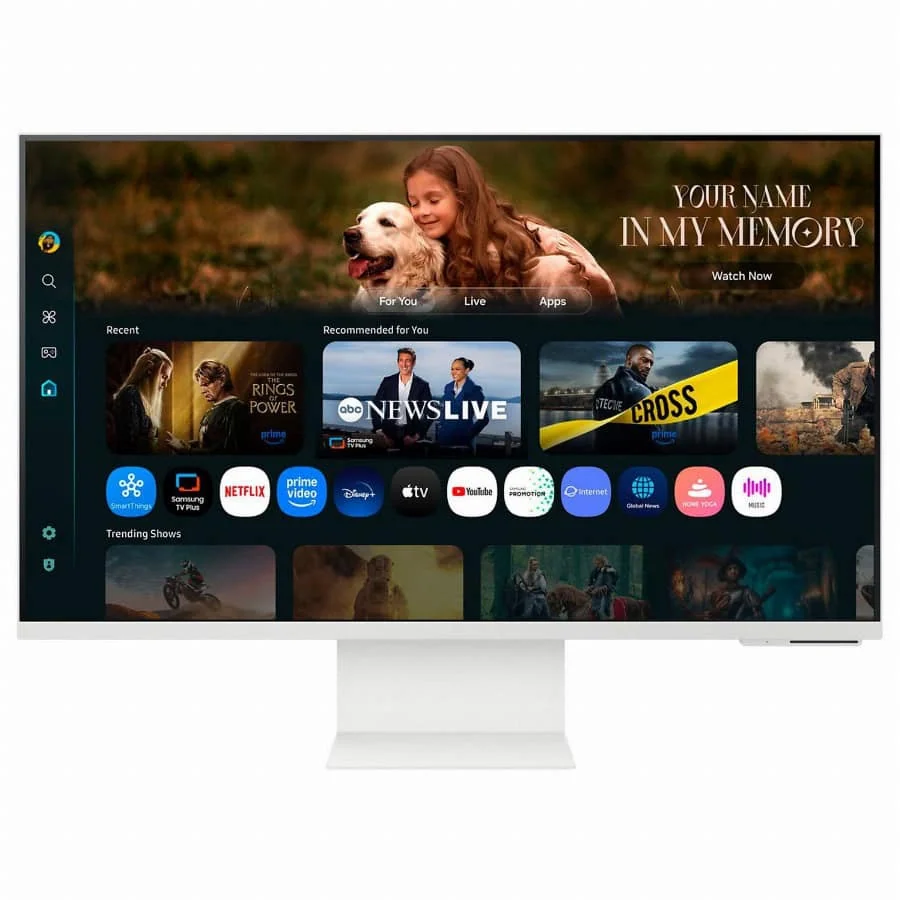
bij 2 winkels, goedkoopst bij Bol
Laagste prijs ooitWij meten de prijs van dit product zelf. In de 45 dagen dat wij het volgen, stond de prijs nooit lager dan nu. Sinds we deze prijs volgen (45 dagen) was hij nooit lager.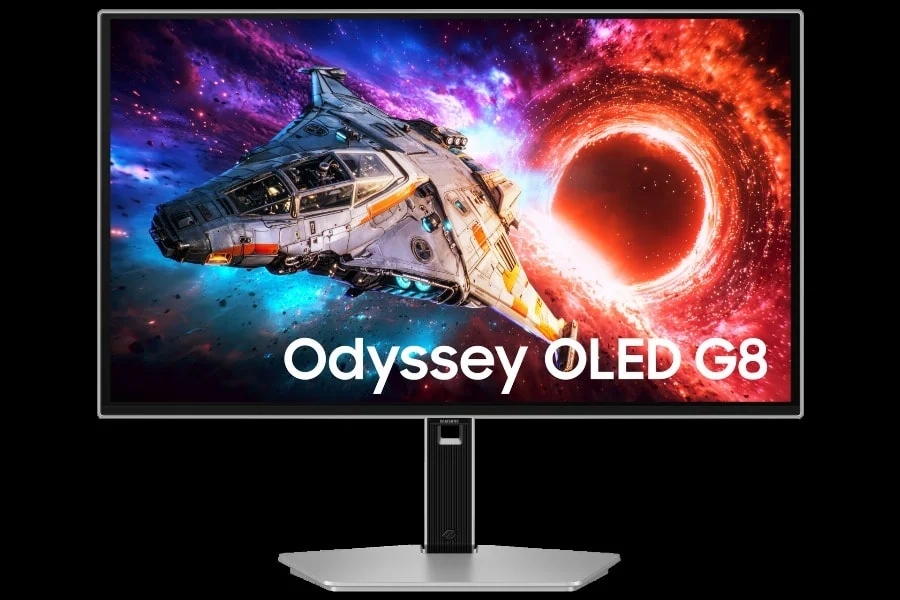
bij 4 winkels, goedkoopst bij MediaMarkt
Laagste prijs ooitWij meten de prijs van dit product zelf. In de 45 dagen dat wij het volgen, stond de prijs nooit lager dan nu. Sinds we deze prijs volgen (45 dagen) was hij nooit lager.