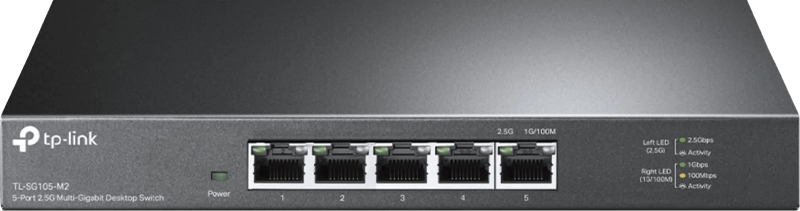
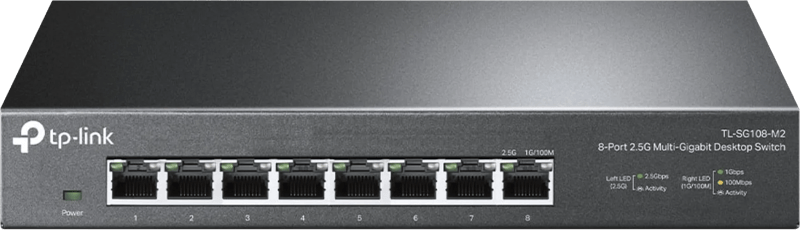
TP-Link TL-SG105-M2
bij 2 winkels, goedkoopst bij Bol
Laagste prijs ooitWij meten de prijs van dit product zelf. In de 45 dagen dat wij het volgen, stond de prijs nooit lager dan nu. Sinds we deze prijs volgen (45 dagen) was hij nooit lager.
€39

De strafste Black Friday deals van België!
De strafste Black Friday deals van België!
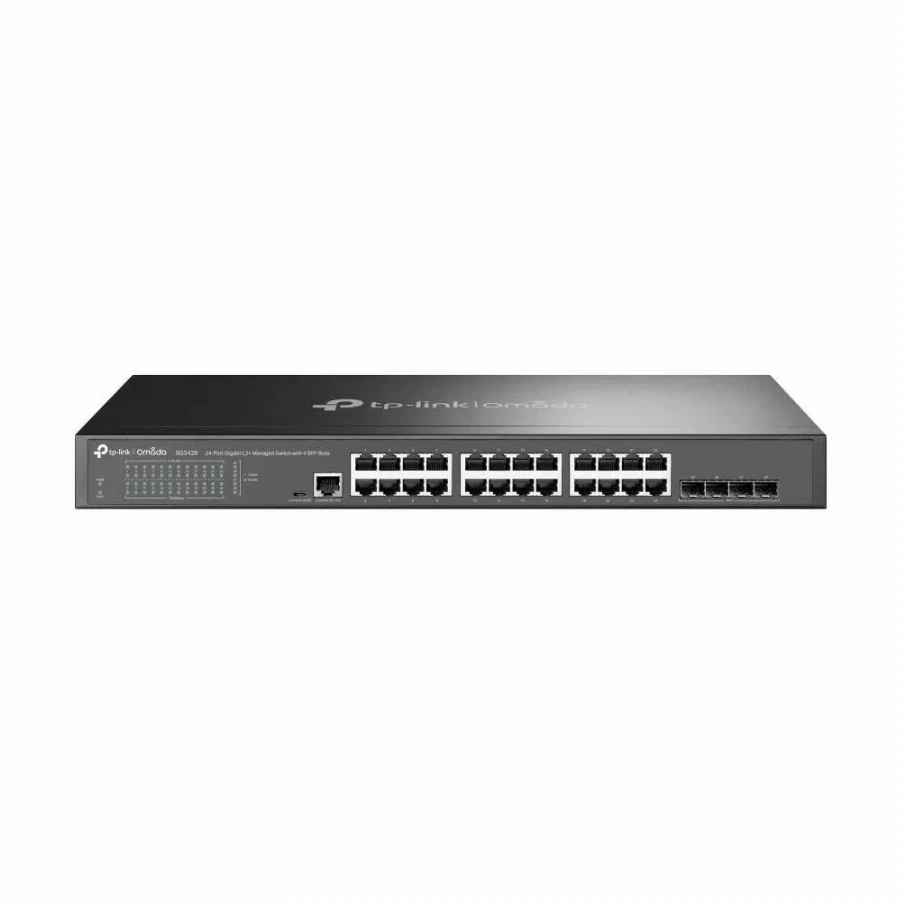
De laagste Black Friday-prijs voor de TP-Link Omada TL-SG3428 is € 232 (bij 2 winkels vergeleken).
Dat is € 53 goedkoper dan de duurste winkel (€ 285).
Nu €232,00. Laat je adres achter en we mailen je zodra de prijs onder jouw bedrag zakt.
Je krijgt eerst een mail om te bevestigen — pas daarna staat de alert aan. Daarna hoogstens één bericht per week, en in elke mail staat een afmeldlink. Vink je de nieuwsbrief niet aan, dan gebruiken we je adres uitsluitend voor dit ene product. De nieuwsbrief is een aparte inschrijving die je los kan opzeggen.
Onze eigen metingen sinds 8 oktober 2026. De laagste prijs die wij in die periode zagen: €189,00.
Wijs een dag aan voor de cijfers, of sleep over de grafiek om in te zoomen.
Vandaag €232,00, dat is €43,00 boven de laagste prijs die wij ooit gemeten hebben.
| Maand | Laagste | Gemiddeld | Hoogste |
|---|---|---|---|
| oktober 2026 | € 189,00 | € 239,42 | € 285,00 |
| november 2026 | € 191,00 | € 252,09 | € 285,00 |
De TP-Link Omada TL-SG3428 is een cloud managed netwerkswitch met 24 ethernetaansluitingen en 4 SFP-poorten. Je koppelt deze switch aan de Omada cloud, waardoor je deze gemakkelijk beheert. Je stelt deze switch in naar je eigen wensen. Zo beveilig je jouw bedrijfsnetwerk met een access control list of port isolation en geef je voorrang aan belangrijk netwerkverkeer. In de SFP-poorten steek je een extra netwerkaansluiting of glasvezelmodule om meerdere switches met elkaar te verbinden.
Productinformatie aangeleverd door Coolblue.
What switch device has
The type/category of basic switching RJ-45 Ethernet ports (sockets).
The number of basic switching RJ-45 Ethernet ports (sockets).
The MAC address is the 'Media Access Control Address'. It is a unique address given to a network interface controller (NIC) in a device. A MAC address table shows the addresses in a table format.
The type of mounting that can position devices in a shelving system (rack).
Power over Ethernet betekent dat het apparaat stroom kan verzenden of ontvangen via de netwerkkabel, zodat bepaalde aangesloten apparatuur geen verbinding met het stopcontact nodig heeft.
| MIB-ondersteuning Indicates whether the device supports the Management Information Base for network management and monitoring via protocols such as SNMP. | Ja |
|---|---|
| System event log Indicates whether the device maintains a record of internal system events and status changes for diagnostic purposes. | Ja |
| ARP-inspectie Indicates whether the device supports Dynamic ARP Inspection to prevent ARP spoofing attacks by validating Address Resolution Protocol packets. | Ja |
| Locatie-instellingen (CLI) configureren Indicates whether location settings can be configured via the command line interface (CLI). | Ja |
| Web-gebaseerd management Using a website/web application to manage something. | Ja |
| Cloud-beheerd Indicates whether the device can be remotely configured, monitored, and managed via a cloud-based platform. | Ja |
| Quality of Service (QoS) Indicates whether the device supports Quality of Service (QoS) to prioritize specific network traffic to ensure performance for critical applications. | Ja |
| Switch-laag A network switch is a computer networking device that links networking segments. A switch has different layers | L2/L3 |
| Switch type What switch device has | Managed |
| Console port The type of physical connector used for the management or console interface of the device (e.g. RJ-45 or USB). | RJ-45/Micro-USB |
|---|---|
| Aantal moduleslots SPF The total number of available slots for inserting Small Form-factor Pluggable (SFP) transceiver modules. | 4 |
| Aantal Gigabit Ethernet (koper)-poorten The number of RJ45 copper ports supporting data transfer speeds of up to 1 Gbps (e.g. 24). | 24 |
| Type basis-switching RJ-45 Ethernet-poorten The type/category of basic switching RJ-45 Ethernet ports (sockets). | Gigabit Ethernet (10/100/1000) |
| Aantal basis-switching RJ-45 Ethernet-poorten The number of basic switching RJ-45 Ethernet ports (sockets). | 24 |
| Aantal VLANs The maximum number of virtual local area networks that can be configured on the device to segment network traffic. | 4000 |
|---|---|
| Virtuele LAN-functies Specifies the supported methods for segmenting a network into multiple logical broadcast domains on the switch or access point (e.g., MAC address-based VLAN or Management VLAN). | Private VLAN, Protocol-based VLAN, Tagged VLAN, Voice VLAN |
| VLAN=ondersteuning Een Virtual Local Area Network (VLAN) bestaat uit een groep eindstations en switches die zich fysiek in één of meerdere netwerken, of zelfs gebouwen, kunnen bevinden, maar toch logisch gezien één enkele gemeenschappelijke LAN vormen. | Ja |
| Datastroombeheer Indicates whether the device supports the management of data transmission rates to prevent buffer overflow. | Ja |
| Verbindingsaggregatie Indicates whether the device supports combining multiple network connections into a single logical link to increase throughput and provide redundancy. | Ja |
| Broadcast stormbeheer Indicates whether the device can monitor and limit the amount of broadcast traffic to prevent network congestion and potential crashes. | Ja |
| Rate limiting Indicates whether the device can control the maximum amount of network traffic allowed to pass through a specific port or interface to prevent congestion. | Ja |
| Ethernet LAN, data-overdrachtsnelheden De verschillende snelheden van de Ethernet LAN-verbinding in megabit per seconde. | 10,100,1000 Mbit/s |
| Spanning tree protocol Indicates whether the device supports a network protocol that prevents loops in a bridge network topology. | Ja |
| Head-of-line (HOL) blocking Indicates whether the device is susceptible to a performance degradation where a queue is blocked by a packet at the front of the line. | Ja |
| IPv4-routes The maximum number of Internet Protocol version 4 routing table entries that the device can store and manage. | 48 |
| IPv6-routes The maximum number of Internet Protocol version 6 routing table entries that the device can store and manage. | 48 |
| IP routing Indicates whether the device can forward data packets between different networks by determining the best path to the destination. | Ja |
| Op beleid gebaseerde routering Indicates whether the network switch can route traffic based on defined policies rather than just destination IP addresses. | Ja |
| Port mirroring Indicates whether the network switch can copy traffic from one or more ports to another port for monitoring and analysis purposes. | Ja |
| 10G support The product can use Oracle 10G | Nee |
| Netwerkstandaard The way in which the network is working | IEEE 802.3ab, IEEE 802.3i, IEEE 802.3u, IEEE 802.3z |
| Packet buffergeheugen The amount of memory available in the network switch to temporarily store data packets during congestion, typically measured in megabytes (MB) or kilobytes (KB). | 12 MB |
|---|---|
| Jumbo frames Indicates the support for Ethernet frames larger than the standard 1500 bytes to increase data transfer efficiency (e.g. 9000 bytes). | 9000 |
| Jumbo Frames ondersteuning Indicates whether the device supports Ethernet frames with a payload larger than the standard 1500 bytes to increase data transfer efficiency. | Ja |
| Aantal statische routes The maximum number of fixed network paths that can be manually configured in the routing table. | 48 |
| Statische route Indicates whether the device allows the manual configuration of fixed paths for network traffic to specific destinations. | Ja |
| Store-and-forward Indicates whether the device buffers the entire incoming packet to verify its integrity before forwarding it to the destination. | Ja |
| MAC-adrestabel The MAC address is the 'Media Access Control Address'. It is a unique address given to a network interface controller (NIC) in a device. A MAC address table shows the addresses in a table format. | 16000 entries |
| Verzending snelheid The number of packets the device can process and send per second, measured in millions of packets per second (e.g., 148.8 Mpps). | 41,66 Mpps |
| Switchingcapaciteit The data transfer capacity of the switch per second. | 56 Gbit/s |
| MAC adres filtering Security access control method whereby the 48-bit address assigned to each network card is used to determine access to the network. MAC addresses are uniquely assigned to each card | Ja |
|---|---|
| Statische poort beveiliging Indicates whether the device supports the manual configuration of specific MAC addresses to secure a network port. | Ja |
| SSH/SSL support Indicates whether the device supports secure remote management via SSH or SSL protocols. | Ja |
| Bescherming lus Indicates whether the device has a mechanism to detect and prevent network loops to avoid broadcast storms. | Ja |
| BPDU filtering / bescherming Indicates whether the device supports Bridge Protocol Data Unit (BPDU) filtering or protection to prevent network loops and enhance security. | Ja |
| IP-MAC-Port binding Indicates whether the device can link a specific IP address and MAC address to a physical port to enhance network security and prevent unauthorized access. | Ja |
| IGMP snooping Indicates whether the device can optimize multicast traffic by ensuring it is only forwarded to the ports that have requested it. | Ja |
| Access Control List (ACL) Indicates whether the device supports the definition of rules to filter network traffic and manage access permissions based on specific criteria. | Ja |
| Authenticatie type Authentification means proving identity to gain access to sometheng. There are various types of authentification exist e.g. access card | AAA, RADIUS, TACACS+ |
| Authenticatie The method used to verify the identity of a user or device before granting network access (e.g., MAC authentication or Captive portal). | MAC-gebaseerde authenticatie, Poortgebaseerde authenticatie |
| DHCP-functies Specifies the supported Dynamic Host Configuration Protocol (DHCP) options for network configuration, such as DHCP Option 66 for boot server addresses. | DHCP client, DHCP relay, DHCP server, DHCP snooping, DHCPv6 client, DHCPv6 snooping |
| Aantal ventilatoren The quantity of fans (apparatus with rotating blades that creates a current of air for cooling or ventilation). | 0 ventilator(en) |
|---|---|
| LED-indicatoren The specific status lights available on the unit to provide visual feedback on its current state or connectivity (e.g., AC input, ACT, or Access). | Ja |
| Kleur De kleur (bvb. rood) | Zwart |
| Rack-montage The type of mounting that can position devices in a shelving system (rack). | Ja |
| Uitvoering De vorm van het toestel: bij een telefoon bijvoorbeeld een klassiek recht toestel of een vouwtoestel, bij een koptelefoon oorschelpen of oordopjes. | 1U |
| Multicast Listener Discovery (MLD) snooping Indicates whether the device can monitor MLD messages to optimize the delivery of multicast traffic by ensuring it is only forwarded to ports that have requested it. | Y |
|---|---|
| Multicast-ondersteuning Indicates whether the device supports the simultaneous transmission of a single data stream to multiple recipients. | Ja |
| IPv4- & IPv6-functies Specifies the supported Internet Protocol versions and related networking capabilities, such as dual stack operation or Access Control Lists (ACL). | IPv4/IPv6 access-control list (ACL), IPv6 Telnet, IPv6 ping, IPv6 tracert |
|---|---|
| GARP VLAN Registratieprotocol (GVRP) Indicates whether the device supports the GARP VLAN Registration Protocol (GVRP) for the automatic distribution of VLAN configuration. | Ja |
| Beheerprotocollen Een protocol is een taal of standaard die computers of andere apparatuur gebruiken om met elkaar te communiceren. | SNMPv1/v2c/v3, SNTP |
| Stroomverbruik (max.) Het verbruik wanneer het toestel het hardst werkt, in watt. Dat is een piek, geen gemiddelde — een tv haalt dit alleen bij het felste beeld. | 20,6 W |
|---|---|
| Netfrequentie De frequentie van het stopcontact, in hertz. In Europa 50 Hz. Enkel van belang bij gebruik buiten Europa. | 50/60 Hz |
| Netspanning De spanning waarop het toestel werkt. In België is dat 230 volt. Alleen van belang als je het toestel in het buitenland wil gebruiken. | 100 - 240 V |
| Vermogenstoevoer inclusief There is a power supply with this product. | Nee |
| Stroombron Werkt het toestel op een batterij, op netstroom, of allebei? Op een accu ben je vrij in je bewegingen; op netstroom hoef je nooit te laden en is het vermogen doorgaans hoger. | AC |
| Power over Ethernet (PoE) Power over Ethernet betekent dat het apparaat stroom kan verzenden of ontvangen via de netwerkkabel, zodat bepaalde aangesloten apparatuur geen verbinding met het stopcontact nodig heeft. | Nee |
|---|
| Warmtedissipatie The heat expressed in British thermal units per hour; generated by the power supply | 70,3 BTU/h |
|---|---|
| Luchtvochtigheid bij opslag Relatieve Luchtvochtigheid is de hoeveelheid waterdamp die de lucht bevat in verhouding (in procenten) tot de hoeveelheid water die de lucht bij die temperatuur maximaal zou kunnen bevatten (100%), koude lucht kan bijvoorbeeld minder water bevatten dan warme. Als de lucht afkoelt en de relatieve luchtvochtigheid daardoor boven de 100% komt, condenseert de waterdamp en krijgt men water. | 5 - 90 procent |
| Relatieve vochtigheid in bedrijf (V-V) Relatieve Luchtvochtigheid is de hoeveelheid waterdamp die de lucht bevat in verhouding (in procenten) tot de hoeveelheid water die de lucht bij die temperatuur maximaal zou kunnen bevatten (100%), koude lucht kan bijvoorbeeld minder water bevatten dan warme. Als de lucht afkoelt en de relatieve luchtvochtigheid daardoor boven de 100% komt, condenseert de waterdamp en krijgt men water. | 10 - 90 procent |
| Temperatuur bij opslag The minimum and maximum temperatures at which the product can be safely stored. | -40 - 70 °C |
| Bedrijfstemperatuur (T-T) The minimum and maximum temperatures at which the product can be safely operated. | 0 - 45 °C |
| Hoogte De hoogte van het toestel. Let bij toestellen onder een werkblad ook op de verstelbare pootjes — die geven vaak een paar centimeter speling. | 44 mm |
|---|---|
| Diepte De diepte van het toestel, zonder de slangen en stekkers achteraan. Reken daar nog enkele centimeters bij op. | 180 mm |
| Breedte De breedte van het toestel. Bij inbouw en bij toestellen die in een nis moeten: meet je opening na en houd een centimeter speling voor de aansluitingen achteraan. | 440 mm |
| Kabels in de doos Welke kabels erbij zitten. Ontbreekt de kabel die jij nodig hebt, reken er dan een aparte aankoop bij. | LAN (RJ-45) |
|---|---|
| Snelstartgids Zit er een korte papieren handleiding bij om meteen te beginnen? | Ja |
| Kleur The main colour of the product. | Zwart |
|---|---|
| Type Specifies the design of the attachment used to control the cutting length, such as a fixed, adjustable, or taper style. | netwerk switches |
| Levertijd | 14-20 working days |
80 specificaties, aangeleverd door de fabrikant.
Vandaag is de TP-Link Omada TL-SG3428 het goedkoopst bij Coolblue, voor € 232. We vergelijken de prijs bij 2 webshops en werken die meerdere keren per dag bij. Het verschil met de duurste winkel is € 53: daar betaal je € 285 voor hetzelfde product.
De huidige prijs van € 232 is duurder dan normaal. De voorbije 30 dagen kon je dit product gemiddeld voor €213,39 krijgen. We meten die prijzen zelf, meerdere keren per dag — het is dus niet de "van"-prijs die de winkel zelf opgeeft.
bij 2 winkels, goedkoopst bij Bol
Laagste prijs ooitWij meten de prijs van dit product zelf. In de 45 dagen dat wij het volgen, stond de prijs nooit lager dan nu. Sinds we deze prijs volgen (45 dagen) was hij nooit lager.
bij 3 winkels, goedkoopst bij Vanden Borre
Laagste prijs ooitWij meten de prijs van dit product zelf. In de 45 dagen dat wij het volgen, stond de prijs nooit lager dan nu. Sinds we deze prijs volgen (45 dagen) was hij nooit lager.
bij 3 winkels, goedkoopst bij Coolblue
bij 3 winkels, goedkoopst bij Coolblue
Laagste prijs ooitWij meten de prijs van dit product zelf. In de 45 dagen dat wij het volgen, stond de prijs nooit lager dan nu. Sinds we deze prijs volgen (45 dagen) was hij nooit lager.