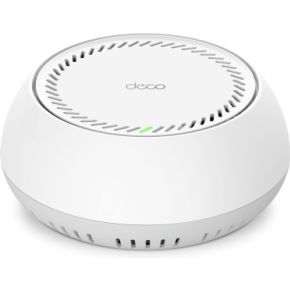
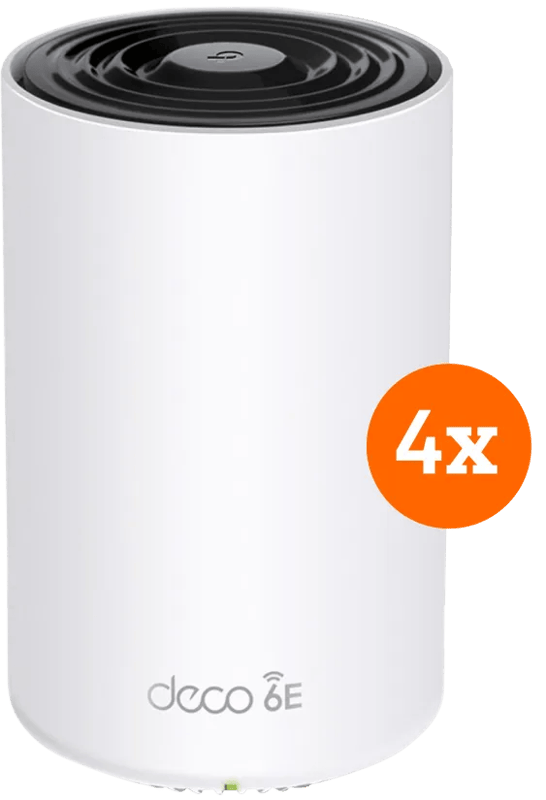
TP-Link Deco BE65 PoE 3-Pack
bij 2 winkels, goedkoopst bij Megekko
€739

De strafste Black Friday deals van België!
De strafste Black Friday deals van België!
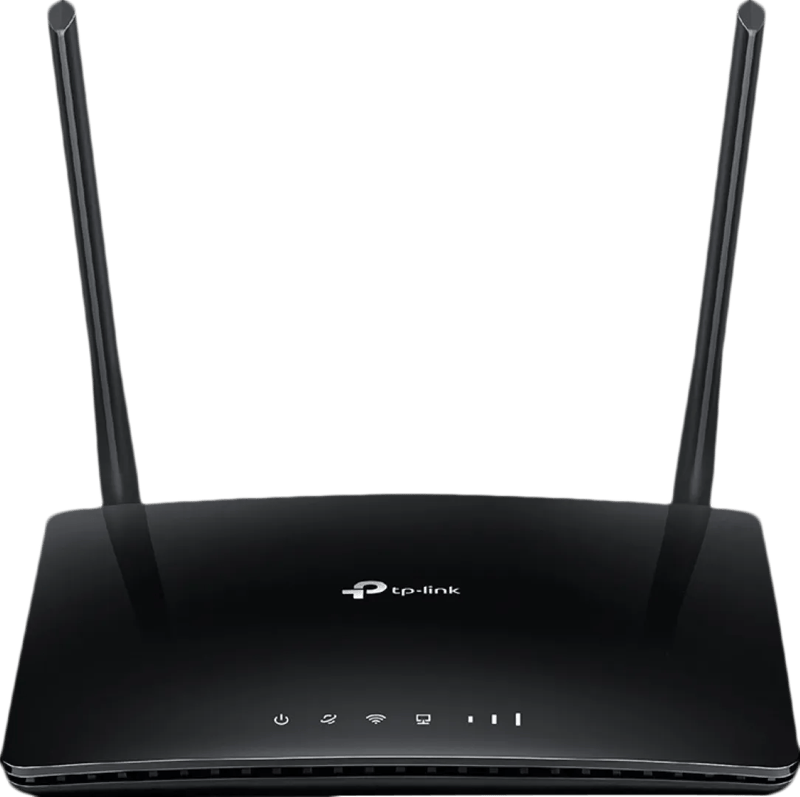
De Black Friday-prijs voor de TP-Link TL-MR6400 is € 70 bij Coolblue. Komt er een winkel bij, dan zie je hier de vergelijking.
Nu €70,00. Laat je adres achter en we mailen je zodra de prijs onder jouw bedrag zakt.
Je krijgt eerst een mail om te bevestigen — pas daarna staat de alert aan. Daarna hoogstens één bericht per week, en in elke mail staat een afmeldlink. Vink je de nieuwsbrief niet aan, dan gebruiken we je adres uitsluitend voor dit ene product. De nieuwsbrief is een aparte inschrijving die je los kan opzeggen.
We volgen de prijs van dit product sinds 1 dag. Zodra we twee weken aan metingen hebben, verschijnt hier de prijsgrafiek.
Deze router is geschikt voor simkaarten van alle providers.Door de 4 ethernet poorten koppel je apparaten bedraad voor een stabiele verbinding.Zet eenvoudig een gastnetwerk op met beperkte rechten.Deze single-band router heeft geen wifi-netwerk op de snellere 5 GHz-band.Deze router is minder snel dan vergelijkbare routers. Hij heeft een snelheid van 150 Mbps.
Productinformatie aangeleverd door Coolblue.
Indicates whether the device supports the connection of an external 3G or 4G USB modem for cellular internet access.
Whether the device features a SIM card slot.
Whether or not the product features a DSL WAN (Wide Area Network) connection option.
Indicates whether the device features a dedicated Ethernet port for connecting to a wide area network (WAN).
The maximum theoretical speed at which data can be transmitted wirelessly, measured in Megabits per second (Mbps) or Gigabits per second (Gbps).
De wifi-generatie die het toestel aankan. Hoger is vooral merkbaar als er veel toestellen tegelijk op je netwerk zitten. Je router moet het ook ondersteunen.
The frequency bands the product features.
The characteristics of the Ethernet LAN interface.
Een aansluiting voor een netwerkkabel. Een kabel is altijd stabieler dan wifi — handig voor een tv die vaak stokt bij streaming.
De subcategorie van een product
Specifies whether the antenna is built into the device or attached as an external component (e.g., External, Internal).
What the power source is.
| Type WAN-aansluiting The physical or logical interface used to connect the device to the wide area network (e.g. RJ-45, SFP, or GPON). | RJ-45 |
|---|---|
| 3G/4G USB modem compatibiliteit Indicates whether the device supports the connection of an external 3G or 4G USB modem for cellular internet access. | Nee |
| SIM-kaartsleuf Whether the device features a SIM card slot. | Ja |
| DSL WAN Whether or not the product features a DSL WAN (Wide Area Network) connection option. | Nee |
| Ethernet WAN Indicates whether the device features a dedicated Ethernet port for connecting to a wide area network (WAN). | Ja |
| Wifi-standaard Welke wifi-generatie het toestel aankan. Wi-Fi 5 volstaat ruim voor streamen; Wi-Fi 6 en hoger helpen vooral als er veel toestellen tegelijk op hetzelfde netwerk zitten. Je haalt de snelheid van je router — een nieuw toestel maakt een oude router niet sneller. | 802.11b, 802.11g, Wi-Fi 4 (802.11n) |
|---|---|
| WLAN gegevensoverdrachtsnelheid (max) The maximum theoretical speed at which data can be transmitted wirelessly, measured in Megabits per second (Mbps) or Gigabits per second (Gbps). | 300 Mbit/s |
| Wifi-standaard De wifi-generatie die het toestel aankan. Hoger is vooral merkbaar als er veel toestellen tegelijk op je netwerk zitten. Je router moet het ook ondersteunen. | Wi-Fi 4 (802.11n) |
| Wifi-band The frequency bands the product features. | Single-band (2.4 GHz) |
| Port forwarding Indicates whether the device supports the redirection of network ports to a specific IP address within the local network. | Ja |
|---|---|
| Netwerkstandaard The way in which the network is working | IEEE 802.11b, IEEE 802.11g, IEEE 802.11n, IEEE 802.3 |
| Bekabelingstechnologie Type of cable technology performance; including the fiber or cable type | 10/100Base-T(X) |
| Ethernet LAN, data-overdrachtsnelheden De verschillende snelheden van de Ethernet LAN-verbinding in megabit per seconde. | 10, 100 |
| Interfacetype Ethernet LAN The characteristics of the Ethernet LAN interface. | Fast Ethernet |
| Netwerkaansluiting Een aansluiting voor een netwerkkabel. Een kabel is altijd stabieler dan wifi — handig voor een tv die vaak stokt bij streaming. | Ja |
| 3G bands ondersteund The specific 3G frequency bands the device is compatible with, measured in MHz. | 1900, 2100 MHz |
|---|---|
| 4G frequentie ondersteund The specific LTE frequency ranges the device is compatible with, measured in MHz. | 800, 900, 1800, 1900, 2100, 2600 MHz |
| 4G standaard The specific fourth-generation cellular network technology supported by the device (e.g., LTE or LTE-A). | LTE |
| 3G standaarden The third-generation wireless communication technologies supported by the device (e.g. HSPA or EVDO). | HSPA+, UMTS |
| 3G Third generation of mobile telecommunications technology, 3G finds application in wireless voice telephony, mobile Internet access, fixed wireless Internet access, video calls and mobile TV. | Ja |
| 4G Fourth generation of mobile phone mobile communication technology standards. A 4G system provides mobile ultra-broadband Internet access | Ja |
| Generatie mobiel internet The standard of cellular network technology supported by the device (e.g. 4G or 5G). | 4G |
| Aansluiting voor netstroomadapter The socket/plug where the DC electricity supply connects to the device. | Ja |
|---|---|
| Geheugenkaart slot(s) Places where memory cards are placed inside and connected to the computer motherboard. | Nee |
| USB-poort The device features a socket into which a USB cable can be plugged. | Nee |
| Aantal Ethernet LAN (RJ-45)-poorten Het aantal Ethernetpoorten (RJ45) op het toestel. Via zo’n netwerkpoort sluit je met een netwerkkabel bijvoorbeeld een computer, router of modem aan voor een stabiele internetverbinding. | 4 |
| WPS Push Button Security Indicates whether the device features a Wi-Fi Protected Setup (WPS) button for simplified wireless network connection. | Ja |
|---|---|
| Reset button Indicates whether the device features a dedicated button to restore the unit to its original factory settings. | Ja |
| Quality of Service (QoS) Indicates whether the device supports Quality of Service (QoS) to prioritize specific network traffic to ensure performance for critical applications. | Ja |
| Web-gebaseerd management Using a website/web application to manage something. | Ja |
| DMZ support Indicates whether the device supports a Demilitarized Zone to allow external traffic to reach a specific internal host. | Ja |
|---|---|
| IP-adresfilter Indicates whether the device supports restricting network access based on specific IP addresses. | Ja |
| MAC adres filtering Security access control method whereby the 48-bit address assigned to each network card is used to determine access to the network. MAC addresses are uniquely assigned to each card | Ja |
| Filtratie Indicates whether the device incorporates a system to remove impurities, particles, or unwanted noise and interference from a medium. | Ja |
| DoS aanval preventie Indicates whether the device includes security mechanisms to detect and mitigate denial-of-service attacks. | Ja |
| Stateful Packet Inspection (SPI) Indicates whether the device monitors the state of active connections to determine which network packets to allow through the firewall. | Ja |
| Firewall Indicates whether the device includes a built-in firewall to monitor and control incoming and outgoing network traffic. | Ja |
| Ondersteunde beveiligingsalgoritmen Er zijn verschillende manieren om data te versleutelen voordat het verzonden wordt. Over het algemeen geld, hoe meer bits, hoe veiliger. | 64-bit WEP, 128-bit WEP, WPA, WPA-PSK, WPA2, WPA2-PSK |
| Ondersteunde netwerkprotocollen Een protocol is een taal of standaard die computers of andere apparatuur gebruiken om met elkaar te communiceren. | IPv4, IPv6 |
|---|---|
| Universal Plug and Play ( UPnP ) Indicates whether the device supports the automatic discovery and configuration of network services to allow seamless communication between devices on a local network. | Ja |
| DHCP server A server is a system which that responds to requests across a computer network to provide | Ja |
| DHCP client Whether the product features a DHCP (Dynamic Host Configuration Protocol) to obtain IP addresses within a network. | Ja |
| Soort De subcategorie van een product | Router om neer te zetten |
|---|---|
| Aan-uitknop Het toestel heeft een echte schakelaar. Handig om het volledig uit te zetten in plaats van in stand-by te laten staan. | Ja |
| LED-indicatoren The specific status lights available on the unit to provide visual feedback on its current state or connectivity (e.g., AC input, ACT, or Access). | LAN, Stroom, WLAN |
| Kleur De kleur (bvb. rood) | Zwart |
| Certificering Keurmerken en normen waaraan het toestel voldoet. Vaak verplichte technische vermeldingen, zelden iets waarop je een keuze baseert. | CE, RoHS |
|---|
| Snelstartgids Zit er een korte papieren handleiding bij om meteen te beginnen? | Ja |
|---|---|
| Snelle installatiehandleiding Indicates whether a simplified, fast-start manual is included with the product. | Ja |
| Handleiding Zit er een handleiding bij, op papier of digitaal? | Ja |
| Lader meegeleverd Zit de stroomadapter in de doos? Steeds meer fabrikanten laten hem weg om afval te beperken — reken er dan een aparte aankoop bij. | Ja |
| Kabels in de doos Welke kabels erbij zitten. Ontbreekt de kabel die jij nodig hebt, reken er dan een aparte aankoop bij. | LAN (RJ-45) |
| Afneembare antennes Indicates whether the product has antennas that can be removed for replacement or upgrading. | Ja |
|---|---|
| Antennas quantity The total number of antennas integrated into or supplied with the device. | 2 |
| Antenne-ontwerp Specifies whether the antenna is built into the device or attached as an external component (e.g., External, Internal). | Extern |
| Output current The maximum electrical current that the device can provide to a connected load, measured in amperes (A). | 0,85 A |
|---|---|
| Spanning The electrical potential difference delivered by the device, typically expressed in volts (e.g. 24-48). | 9 V |
| Type stroombron What the power source is. | DC |
| Relatieve vochtigheid in bedrijf (V-V) Relatieve Luchtvochtigheid is de hoeveelheid waterdamp die de lucht bevat in verhouding (in procenten) tot de hoeveelheid water die de lucht bij die temperatuur maximaal zou kunnen bevatten (100%), koude lucht kan bijvoorbeeld minder water bevatten dan warme. Als de lucht afkoelt en de relatieve luchtvochtigheid daardoor boven de 100% komt, condenseert de waterdamp en krijgt men water. | 10 - 90 procent |
|---|---|
| Temperatuur bij opslag The minimum and maximum temperatures at which the product can be safely stored. | -40 - 70 °C |
| Bedrijfstemperatuur (T-T) The minimum and maximum temperatures at which the product can be safely operated. | 0 - 40 °C |
| Luchtvochtigheid bij opslag Relatieve Luchtvochtigheid is de hoeveelheid waterdamp die de lucht bevat in verhouding (in procenten) tot de hoeveelheid water die de lucht bij die temperatuur maximaal zou kunnen bevatten (100%), koude lucht kan bijvoorbeeld minder water bevatten dan warme. Als de lucht afkoelt en de relatieve luchtvochtigheid daardoor boven de 100% komt, condenseert de waterdamp en krijgt men water. | 5 - 90 procent |
| Mac-compatibiliteit Geschikt voor gebruik met een Macintosh computer. | Ja |
|---|---|
| Ondersteunt Mac-besturingssysteem Mac operating systems e.g. OS X can be used with the device. | Ja |
| Ondersteunt Linux 8 RT. Linux (9.4, 9.5), Red Hat Enterprise Linux 5.0 (supported with a pre-built package); SUSE Linux (10.3, 11.0, 11, 11.1, 11.2), Fedora (9, 9.0, 10, 10.0, 11.0, 11, 12, 12.0), Ubuntu (8.04, 8.04.1, 8.04.2, 8.10, 9.04, 9.10, 10.04), Debian (5.0, 5.0.1, 5.0.2, 5.0.3) | Ja |
| Ondersteunt Windows Windows vesions wich can be used with the device. | Ja |
| Hoogte De hoogte van het toestel. Let bij toestellen onder een werkblad ook op de verstelbare pootjes — die geven vaak een paar centimeter speling. | 33,6 mm |
|---|---|
| Breedte De breedte van het toestel. Bij inbouw en bij toestellen die in een nis moeten: meet je opening na en houd een centimeter speling voor de aansluitingen achteraan. | 202 mm |
| Diepte De diepte van het toestel, zonder de slangen en stekkers achteraan. Reken daar nog enkele centimeters bij op. | 141 mm |
| Gewicht verpakking | 600 g |
|---|---|
| Hoogte verpakking | 70 mm |
| Diepte verpakking | 223 mm |
| Breedte verpakking | 307 mm |
| Code geharmoniseerd systeem (HS) | 85176990 |
74 specificaties, aangeleverd door de fabrikant.
Vandaag is de TP-Link TL-MR6400 het goedkoopst bij Coolblue, voor € 70. Voorlopig vinden we dit product bij één webshop. Zodra een tweede winkel het aanbiedt, verschijnt de vergelijking hier vanzelf.
We zijn de prijs van de TP-Link TL-MR6400 net beginnen volgen. Vandaag betaal je € 70; zodra we genoeg gemeten hebben, zie je hier of dat hoog of laag is voor dit product. Zet een prijsalert als je liever wacht tot hij zakt.
bij 2 winkels, goedkoopst bij Megekko
Coolblue
Coolblue